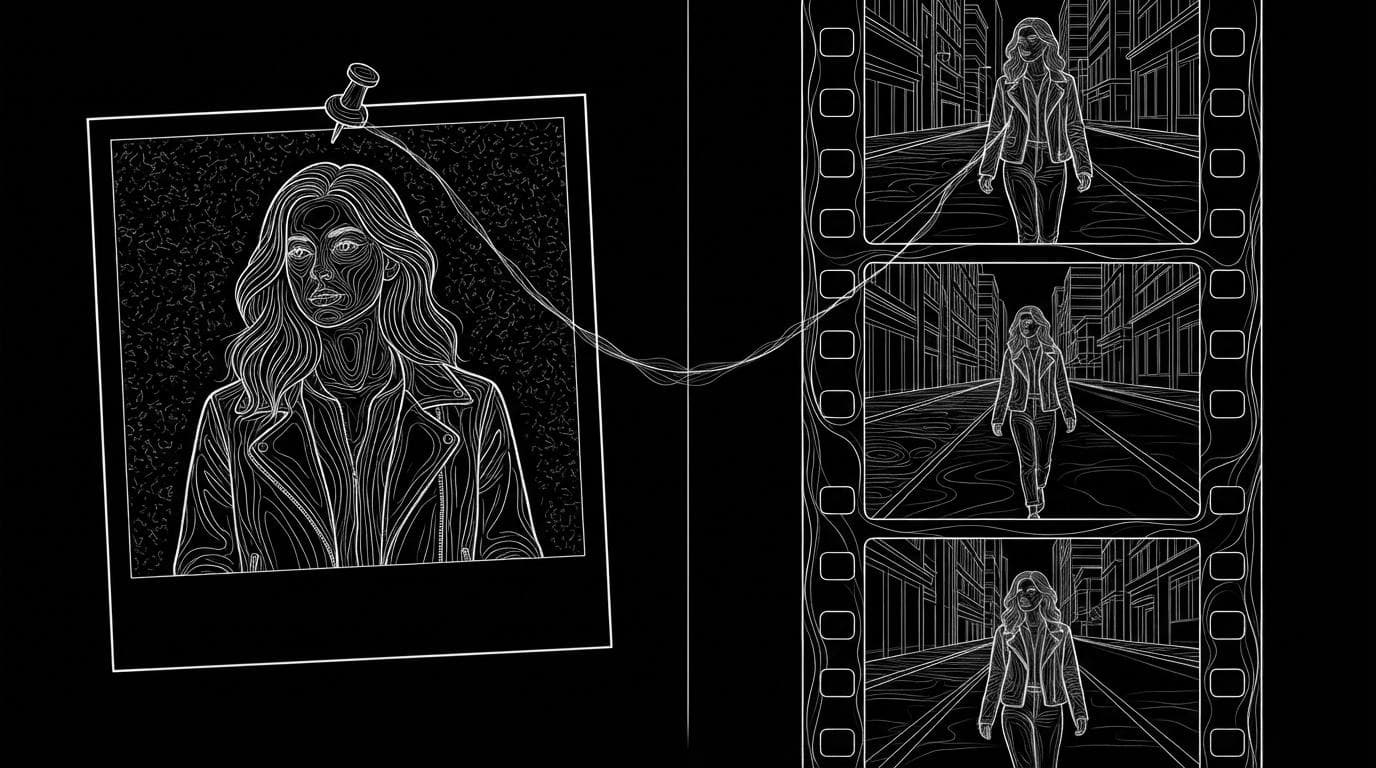
What's the best AI tool for a recurring AI character across video and image?
What's the best AI tool for a recurring AI character across video and image?
Updated October 23, 2026 · By Emily Brooks
The best AI tool for a recurring character across video and image is one that saves the character once and lets you call it into both still and video generators: Higgsfield's Soul ID (trained on 20 to 80 photos), OpenArt Character, Runway's Gen-4 references and Sloosh all do this. Sloosh fits if you want to build the character from one photo or trait tiles, then reuse it in Studio stills, in Seedance 2.5 video with up to 30 reference images, and in Shadow Clone, which copies the moves of any video onto that character (Sloosh docs, Oct 2026).
The hard part is not making one good image. It is getting the same face, hair, build and outfit in a photo on Monday and a 10-second video on Friday, without retraining or re-describing the person each time.
What makes a character "recurring" across image and video?
A recurring character is one saved identity that every generator can read. In practice that means three things:
- One source of truth. A character sheet, a trained model or a saved element that holds the face, body and outfit.
- A way to call it by name. A tag such as
@maya, so you don't upload and describe the person again. - Both outputs from the same source. The still generator and the video generator read the same saved character, not two separate copies that drift apart.
Tools differ mostly on point 1: some train a model on many photos, others build a reference sheet from one photo or a set of traits. Training takes more photos up front; a sheet is faster but carries less detail about angles the sheet does not show.
Which tools keep one character across video and image?
Four tools handle both outputs from one saved character. Facts come from each vendor's own pages.
| Tool | How the character is saved | Used in images | Used in video | Checked on |
|---|---|---|---|---|
| Sloosh | AI Influencer sheet from trait tiles or one face photo; or upload your own as an Element | @-tag in any Studio image model | Shadow Clone, and @-tag with Seedance 2.5 (up to 30 references) | Oct 23, 2026 |
| Higgsfield Soul ID | Trained on 20 or more photos of one person (up to 80) | Soul model family | Seedance, as an Element with @ | Oct 23, 2026 |
| OpenArt Character | From a photo, a prompt or presets; optional custom model from 4 to 100 images | Tag in the image generator | Tag in the video tools and Director mode | Oct 23, 2026 |
| Runway | Gen-4 visual references; one reference image per character | Yes, with references | Yes, with references | Oct 23, 2026 |
Best for, at a glance
- A real person's likeness with many photos on hand: Higgsfield Soul ID.
- A character built from a description or presets, then used everywhere: OpenArt Character.
- Filmmakers working shot by shot in one editor: Runway.
- A character that copies the moves of trending or reference videos: Sloosh, with AI Influencer and Shadow Clone.
- Long clips that hold the character across many beats: Seedance 2.5 in Sloosh, at 4 to 30 seconds.
How to keep one character across image and video in Sloosh
Sloosh keeps the character as one saved Element in your workspace, and every image and video tool reads from it.
   [trait tiles]  or  [1 face photo]
            \           /
             v         v
      AI Influencer sheet (body + face)
                  |
          Assets > Elements (@maya)
          /       |              \
         v        v               v
  Studio image  Studio video   Shadow Clone
  (any model)   (Seedance 2.5) (copy moves)
One saved character feeds stills, prompted video and motion-copied video.
- Build the character. Open AI Influencer from the Video menu and press Create character. Start from scratch with trait tiles (gender, age, hair, style, build and more) or upload a face photo to keep it as the identity. Press Bring to life; the button shows the credit cost first.
- Save it. Name the character (up to 40 characters) and press Save character. It appears on the AI Influencer page and in Assets under Elements, AI Influencer.
- Make stills. In Studio's image mode, type @ and pick the character. It joins your references, so any image model can put the same person in a new scene. Add one sentence about what must not change: "Keep her face, hair and green jacket exactly."
- Make prompted video. In Studio's video mode, pick Seedance 2.5, tag the character the same way and write the shot. Clips run 4 to 30 seconds at up to 1080p, with sound on by default.
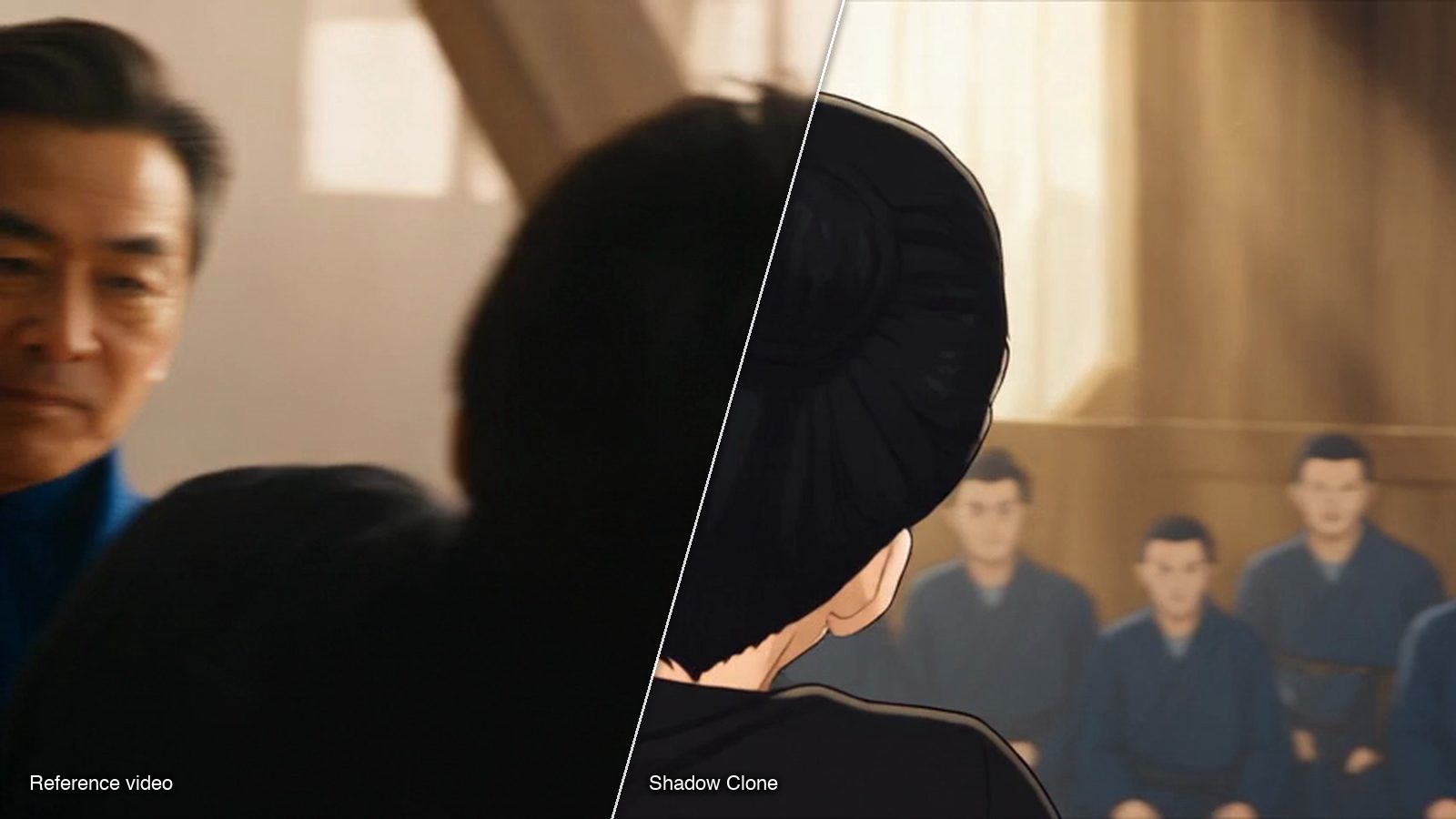
- Copy moves from a real video. Press Use on the character. Shadow Clone opens with the sheet as reference image 1. Add a clip of up to 30 seconds, or press Recreate on a trending motion, then Generate.
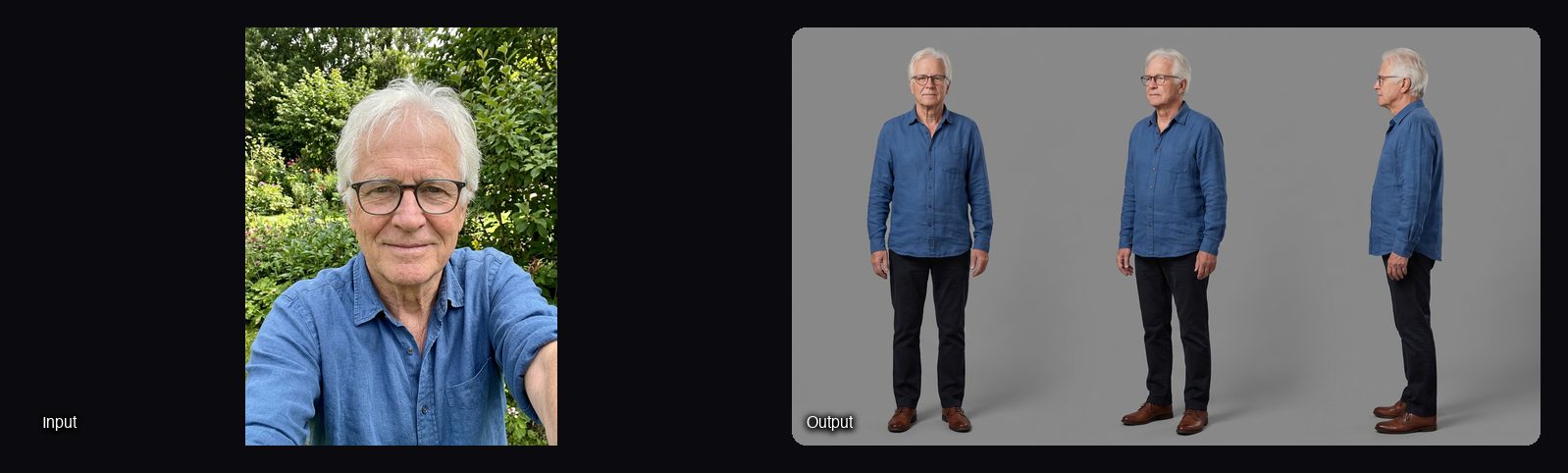
Using your own photos instead? The Reusable Character Sheet Space takes 1 to 3 photos and returns one turnaround sheet with front, three-quarter and side views, in Photo-real, 3D animated or Illustrated looks, for 2.01 credits a run. Save it to Elements and tag it the same way.
Watch out for: a Sloosh AI Influencer character is one sheet (full body plus a face close-up). It has no extra angles, poses or voice yet, and the Use button opens Shadow Clone only; for stills and prompted video, tag the character from Elements yourself. A new workspace gets 20 starter credits once, and Sloosh has no free plan after that.
Tips for a character that does not drift
- Lock the outfit in words too. Name the jacket, colour and shoes in every prompt, even when the sheet shows them.
- Use one sheet for everything. Two different source images of the same person drift apart faster than one.
- Edit, don't rebuild. In Sloosh, Edit on a character page sends the old sheet along as the face, so the person stays the same when you change the outfit.
- Check the profile angle. A front-facing sheet gives the least information about side views; a turnaround sheet helps.
- Draft cheap, finish strong. Sloosh's models page suggests drafting on Seedance 2.0 Fast, then making the final on Seedance 2.5.
Frequently asked questions
Can I use the same AI character in both photos and videos?
Yes. Save the character once and tag it in both generators. In Sloosh, an AI Influencer character lives in Assets under Elements, so you can @-tag it in Studio image and video prompts and use it in Shadow Clone. Higgsfield Soul ID, OpenArt Character and Runway's references also cover both.
Do I need many photos to make a recurring character?
No, not always. Sloosh's AI Influencer builds a character from trait tiles or one face photo, and Reusable Character Sheet takes 1 to 3 photos. Training-based tools need more: Higgsfield's Soul ID asks for 20 or more photos, and OpenArt's custom character model takes 4 to 100.
Which video model in Sloosh holds a character best across a long clip?
Seedance 2.5, for long clips. In Sloosh it makes 4 to 30 seconds and takes up to 30 reference images and 10 reference videos. For several short shots in one clip, Kling V3 Omni takes 7 references and writes up to 6 shots.
Can my Sloosh AI character speak?
Not from AI Influencer. The AI Influencer docs say a character has no voice yet. Seedance 2.5 can generate dialogue as part of a clip's sound, but the voice is not saved with the character.
How much does a recurring AI character cost in Sloosh?
Each AI Influencer sheet costs credits, shown on the Bring to life button before you press it, and saving, renaming and deleting are free. Reusable Character Sheet costs 2.01 credits a run. Plans start at $19 a month for 195 credits (Creator).
Bottom line
For a likeness trained on many photos, Higgsfield's Soul ID is built for it. For a character from a prompt or presets, OpenArt Character works, and Runway suits filmmakers working shot by shot. Sloosh fits creators who want one saved character for stills, long Seedance 2.5 clips and motion copied from real videos, all from one workspace.
Build a recurring character with Sloosh AI Influencer
Related questions
- What are the best AI tools for character consistency across a content series?
- Which AI tool creates a consistent influencer that looks the same in every post?
- How do I create an AI influencer?
- How do I swap my character into a trending video?
- How do I copy the motion from one video onto my own character?