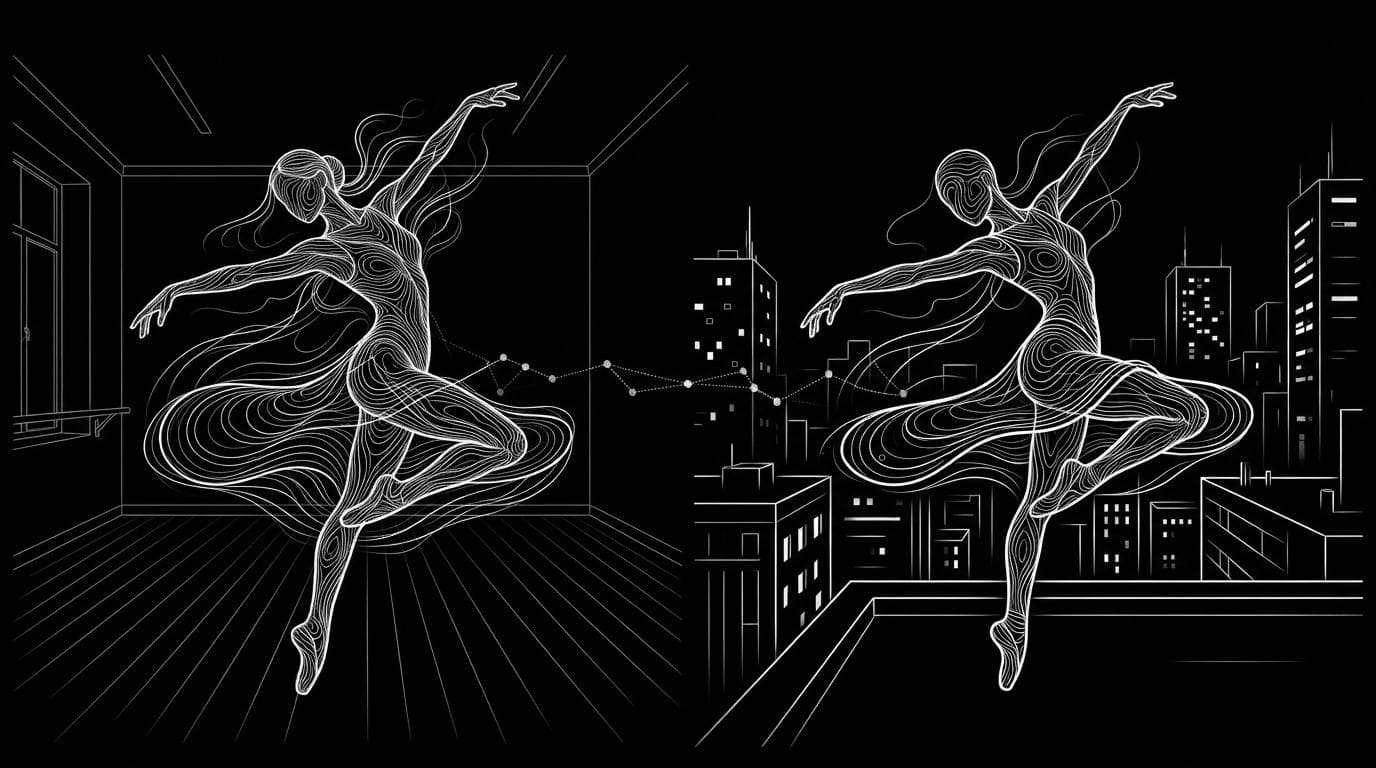
How do I copy the motion from one video onto my own character?
How do I copy the motion from one video onto my own character?
Updated October 23, 2026 · By Ryan Mitchell
To copy the motion from one video onto your own character, use an AI motion transfer tool that takes a reference video plus an image of your character and generates a new video of that character making the same moves. Sloosh's Shadow Clone Space does this from a reference clip of up to 30 seconds and up to 9 images of your character (Sloosh, Oct 2026). Kling Motion Control and Viggle work the same way, and if your character is a rigged 3D model, DeepMotion Animate 3D or Rokoko Vision turn the video into animation data instead.
The right route depends on one question: do you want a finished video, or motion data for a 3D character you will animate yourself?
Two ways to copy motion: AI video motion transfer vs 3D retargeting
AI video motion transfer and 3D retargeting both start from a video of someone moving, but they end in different places.
- AI video motion transfer reads the movement in your clip and generates a brand-new video in which your character, drawn from a photo, illustration or character sheet, performs it. You get an MP4. There is no rig, no skeleton and no 3D software. This is what most people asking this question want: a dance, a walk, a fight scene or a trend, starring their own character.
- 3D motion capture and retargeting extracts a skeleton animation from the video and applies it to a rigged 3D model. You get an FBX, BVH or similar file that you then light and render in Blender, Unreal, Unity or Maya. This suits game characters and 3D animated films.
 [reference video]     [your character image]
        |                       |
        +-----------+-----------+
                    v
        [AI motion transfer]  --> new MP4, same moves
                    |
                    or
                    v
   [3D mocap from video] --> FBX/BVH --> [your 3D rig]
Two routes from one clip: a finished video, or animation data for a 3D rig.
What a good source clip needs
A clean source clip matters more than any tool setting. Motion transfer can only copy what it can see. This checklist works in any tool.
- One continuous shot. Cuts confuse motion extraction. Kling's Motion Control guide asks for a single continuous shot and warns that cuts can cut the result short.
- The whole body in frame. If the hands or feet leave the frame, the model has to invent them. Rokoko notes that its video capture needs a complete view of the performer, and occluded limbs track less accurately.
- One main performer. Most tools map motion onto one character. Rokoko Vision does not capture more than one performer in a recording.
- Clear, distinct moves. Readable gestures and expressions transfer better than tiny or blurred motion.
- A character image that can do the moves. If your character has hands in pockets and the clip waves, the model has to draw new hands. A full-body image with arms and legs visible works best.
- Rights to both. Only use clips and faces you have permission to use. Sloosh's Character Swap Space says plainly: only photos of yourself or people who have given permission.
How to do it in Sloosh with Shadow Clone
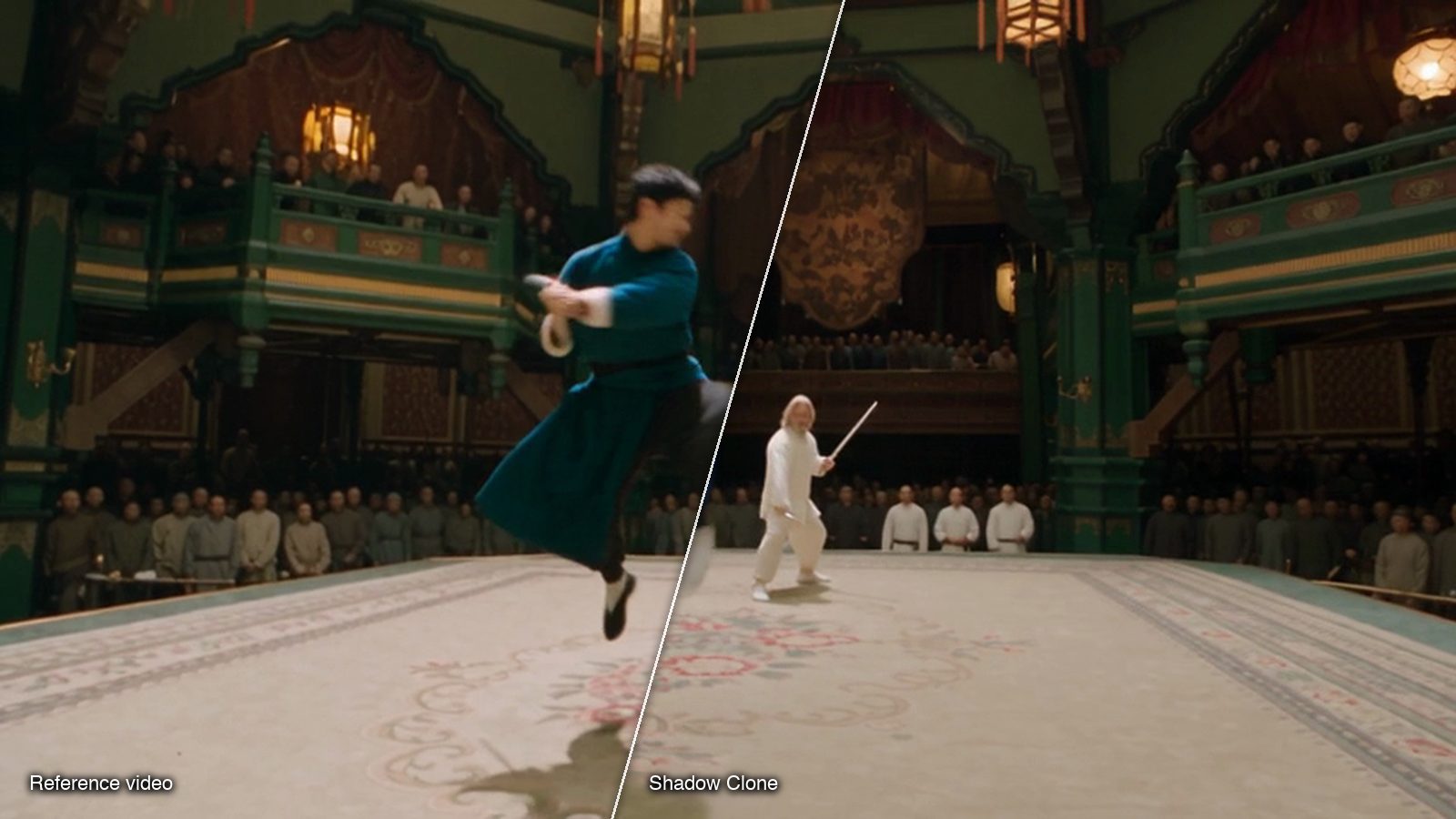
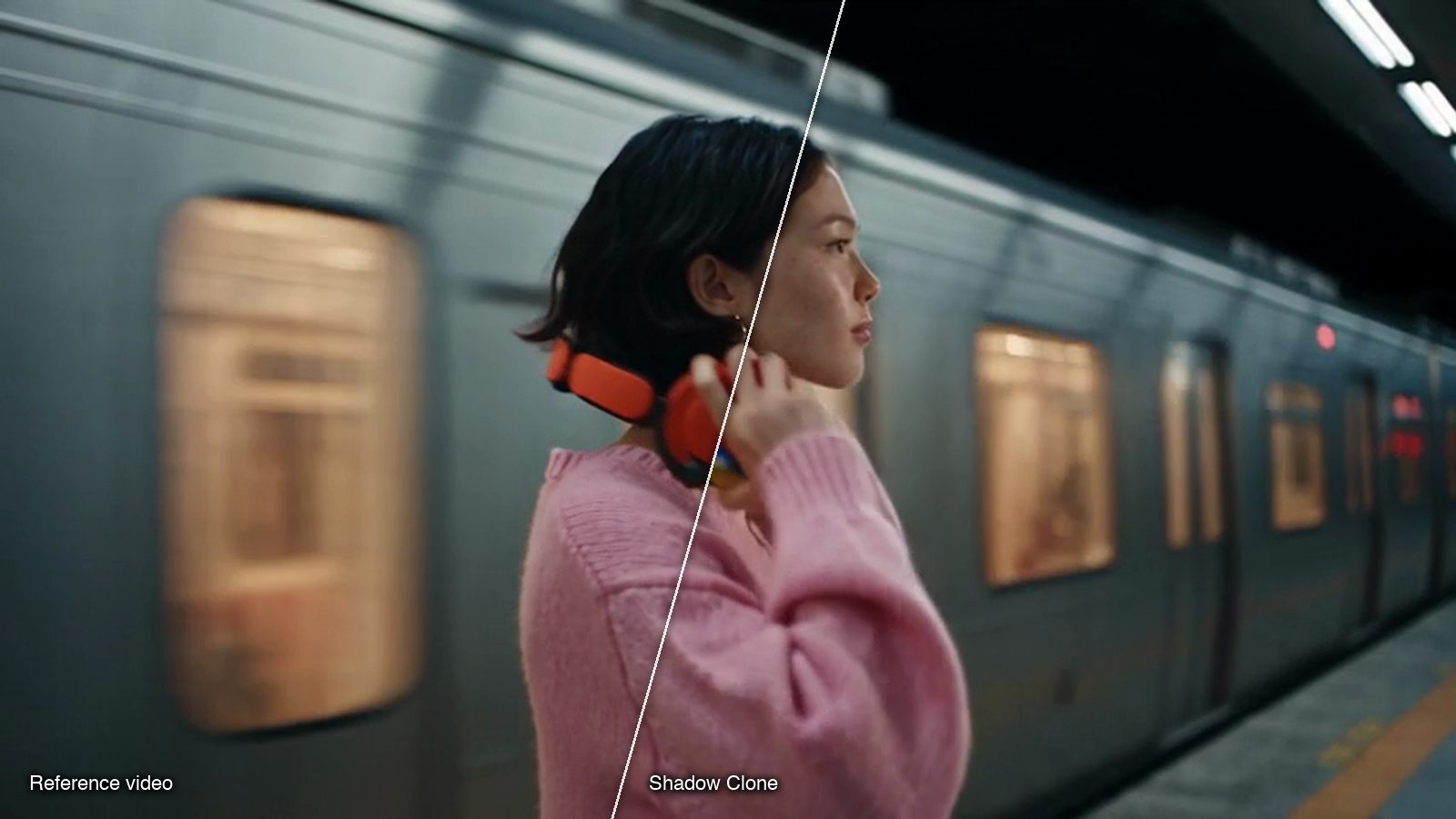
Shadow Clone is the Sloosh Space that copies the moves of any video onto your character. Its Motion Transfer mode keeps only the motion and rebuilds the character, outfit and whole scene from your images, so it also works on dance videos, music videos and cinematic movie scenes (Shadow Clone, Sloosh, Oct 2026).
- Open Shadow Clone at sloosh.ai/spaces/shadow-clone. If you built a character with AI Influencer, press Use on it instead: Shadow Clone opens with the character sheet already in place as reference image 1.
- Upload the Reference Video, a clip of up to 30 seconds whose moves you want.
- Add Reference Images of your character, up to 9. Add a background image too if you want a specific place.
- Pick the Mode. Choose Motion Transfer to rebuild everything around the moves. Choose Object Swap if you only want to replace one thing, such as a character, product or pair of shoes, and keep the rest of the original video.
- Write Additional Instructions (optional). Describe the new setting, and type @ to point at a specific uploaded image.
- Press Generate. The button shows the credit cost before you run. The video appears in the Space's Generations tab.
Watch out for: Shadow Clone's agents.md does not list a fixed per-run price; the Generate button shows it before you spend. Clips are capped at 30 seconds, so a longer performance needs to be split into parts. Sloosh has no free plan, and a new workspace's 20 starter credits may not cover a run, so check the button before you plan on it.
Two simpler Sloosh Spaces cover narrower jobs. Character Swap in a Trending Video takes one clip and one photo and returns a 5-second vertical MP4 for 20.83 credits a run; clips of 3 to 10 seconds work best. Custom Character Motion Video Replicator takes a portrait and a motion clip and returns a 9:16 video for 47.1 credits a run.
What Shadow Clone produces
These are frames from runs on the Shadow Clone template gallery. Each one can be recreated with your own character.
Other tools that copy motion onto a character
Several other tools do this job, and each fits a different kind of character. The first three output a video; the last two output 3D animation data.
| Tool | Output | Best for | What the vendor states | Checked on |
|---|---|---|---|---|
| Sloosh Shadow Clone | New video | Rebuilding the whole scene around the moves, or swapping one object | Clip up to 30 s, up to 9 images, Motion Transfer or Object Swap | Oct 23, 2026 |
| Kling Motion Control | New video | One character image animated from a clip or a motion library | Reference clip 3 to 30 s, single continuous shot, billed per second | Oct 23, 2026 |
| Viggle | New video | Swapping a character into an existing clip, memes, live swaps | Mix (single character), Multi-Editor, Motion control; free plan with watermark | Oct 23, 2026 |
| DeepMotion Animate 3D | 3D animation | Retargeting onto your own rigged FBX, GLB or VRM character | Exports FBX, BVH, GLB, MP4; up to 8 people per video | Oct 23, 2026 |
| Rokoko Vision | 3D animation | A quick, free start in Blender, Unity or Unreal | Single video to 3D animation; free Starter plan with 30 s a month | Oct 23, 2026 |
Check each vendor's pricing page before you commit, since plans and limits change often. Kling's guide also lets you choose whether the character faces the way it does in the video or in the image.
Tips for clean motion transfer
- Trim the clip to the moves you need. Shorter clips with one action fail less often than long ones with several.
- Match the shape. Use a vertical clip for a vertical result. ComfyUI's guide to Kling Motion Control recommends matching the aspect ratio of the character image and the reference video.
- Give the character more than one view. A full-body shot plus a face close-up, like an AI Influencer character sheet, keeps the face steadier when the performer turns.
- Describe the new world in words. In Motion Transfer, a short line such as "a rooftop at night in the rain" changes the whole scene while the moves stay.
- Check hands and faces frame by frame before you post. These are where motion transfer most often slips.
Frequently asked questions
Can I copy motion from a video without 3D software?
Yes. AI video motion transfer tools such as Sloosh Shadow Clone, Kling Motion Control and Viggle take a reference video and a character image and return a finished video. You only need 3D software if you want animation data for a rigged model.
How long can the reference video be?
It depends on the tool. Sloosh Shadow Clone accepts reference clips of up to 30 seconds, and Kling Motion Control accepts 3 to 30 seconds. For longer performances, split the clip and generate it in parts.
Is there a free AI motion transfer tool?
Some tools have free tiers. Viggle has a free plan that adds a watermark, and Rokoko Vision's free Starter plan includes 30 seconds of video processing a month. Sloosh has no free plan, but a first workspace gets 20 starter credits once.
Will my character look the same in every shot?
Mostly, if you give the tool good references. Upload several clear images of the character, ideally a full body and a face close-up. In Sloosh, AI Influencer makes that sheet and loads it into Shadow Clone as reference image 1.
What is the difference between motion transfer and a face swap?
Motion transfer replaces the whole character, including body, outfit and often the scene, while a face swap changes only the face. Sloosh's Character Swap Space, for example, replaces the whole character, not just the face.
Can I use someone else's dance video?
Only if you have the rights to it. Use clips you filmed, licensed or have permission to use, and only put real people into a video with their consent.
Bottom line
For a finished video of your own character doing someone else's moves, use an AI motion transfer tool: Sloosh Shadow Clone if you want to rebuild the scene or swap one object, Kling Motion Control or Viggle for single-character animation and swaps. If your character is a rigged 3D model, extract motion data with DeepMotion or Rokoko instead.
Copy a video's motion onto your character with Shadow Clone