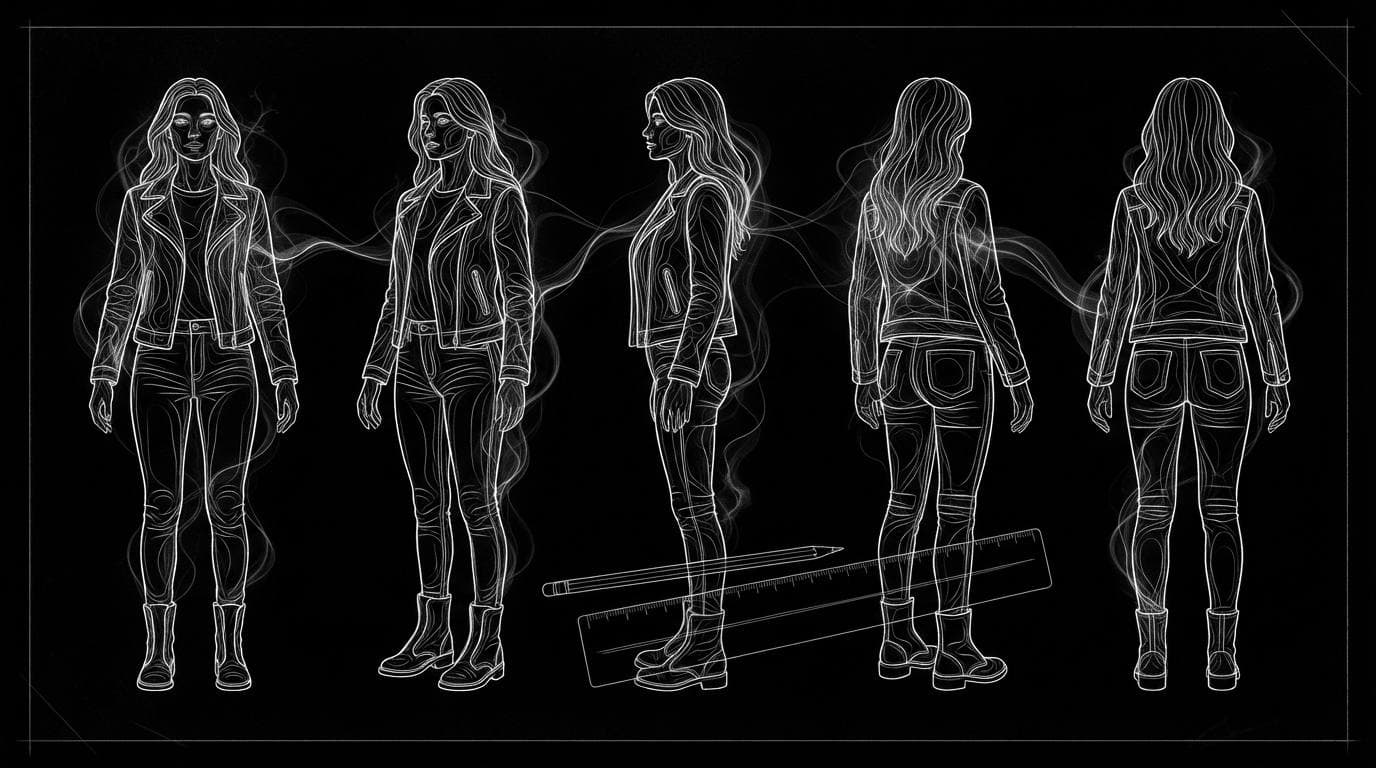
How do I make an AI character sheet or turnaround?
How do I make an AI character sheet or turnaround?
Updated October 23, 2026 · By Emily Brooks
To make an AI character sheet or turnaround, start from one clear full-body image of the character, ask an image model for the same character from front, three-quarter, side and back views at one scale, then check every view against the original. Sloosh's Character Turnaround Sheet Space does this from a single photo and returns a five-view 21:9 sheet, upscaled 2x, for 2.76 credits a run (Sloosh, Oct 2026). Scenario, TurnSheet and Layer are other options, each built for a different kind of user.
A turnaround is a reference, not a finished picture. Its job is to show every later image or video what the character looks like from every side.
What does a good character turnaround sheet need?
A good character turnaround sheet shows one character, in one outfit, from several angles, at the same height and scale, on a plain background. This checklist works with any tool.
- One clear source image. Full body, even light, plain background, nothing covering the outfit. The more of the outfit the source shows, the less the model invents.
- Standard views. Front, three-quarter, side and back is the usual set. A three-quarter back view helps with hair and the back of the outfit.
- Matching scale. Head, shoulders and feet line up across views. A sheet with a taller side view is not a usable reference.
- A neutral pose. Arms slightly away from the body (an A-pose) shows the silhouette and sleeves clearly.
- Locked details. Hair, colours, logos, shoes and accessories must match in every view. Check the back view hardest: the model has never seen it.
- A neutral background. A plain backdrop keeps the sheet easy to reuse as a reference in other tools.
How to make a character turnaround in Sloosh
Sloosh has three Spaces for this job, and each takes one form and one press of Generate.
| Space | Input | What you get | Cost per run |
|---|---|---|---|
| Character Turnaround Sheet | 1 photo or drawing | 5 views: front, three-quarter, side, three-quarter back, back; 21:9, upscaled 2x | 2.76 credits |
| Reusable Character Sheet | 1 to 3 photos of you, plus a look | 3 views: front, three-quarter, side, in a consistent outfit | 2.01 credits |
| Mascot Pose Pack | 1 image of a mascot | The same mascot in new poses | 0.97 credits |
Costs are from each Space's page, checked October 23, 2026.
- Open the Space. Go to Character Turnaround Sheet and sign in. A first workspace gets 20 starter credits once.
- Upload one character photo. A photo or an illustration both work: the sheet keeps the style of the input.
- Press Generate. The button shows the credit cost before you run.
- Check the sheet. Compare each view with your source, especially the back.
- Save it as an Element. In Assets, use Add to Elements, give it a short tag such as
@mayaand pick the Character category, so you can tag it in any Studio prompt.
For a sheet of yourself in a chosen style, use Reusable Character Sheet instead. It takes 1 to 3 photos (different angles help) and a Look of Photo-real, 3D animated or Illustrated.
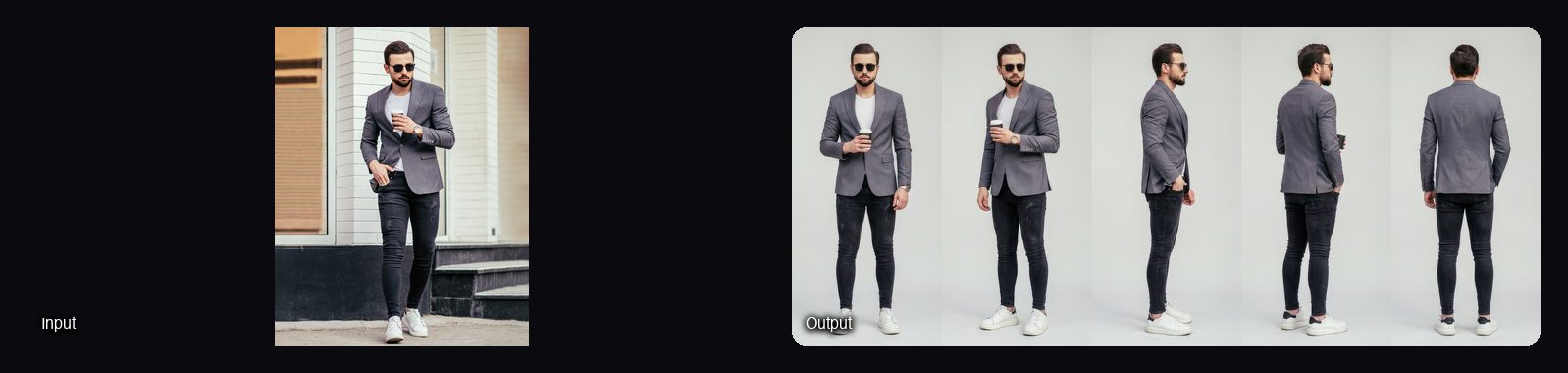
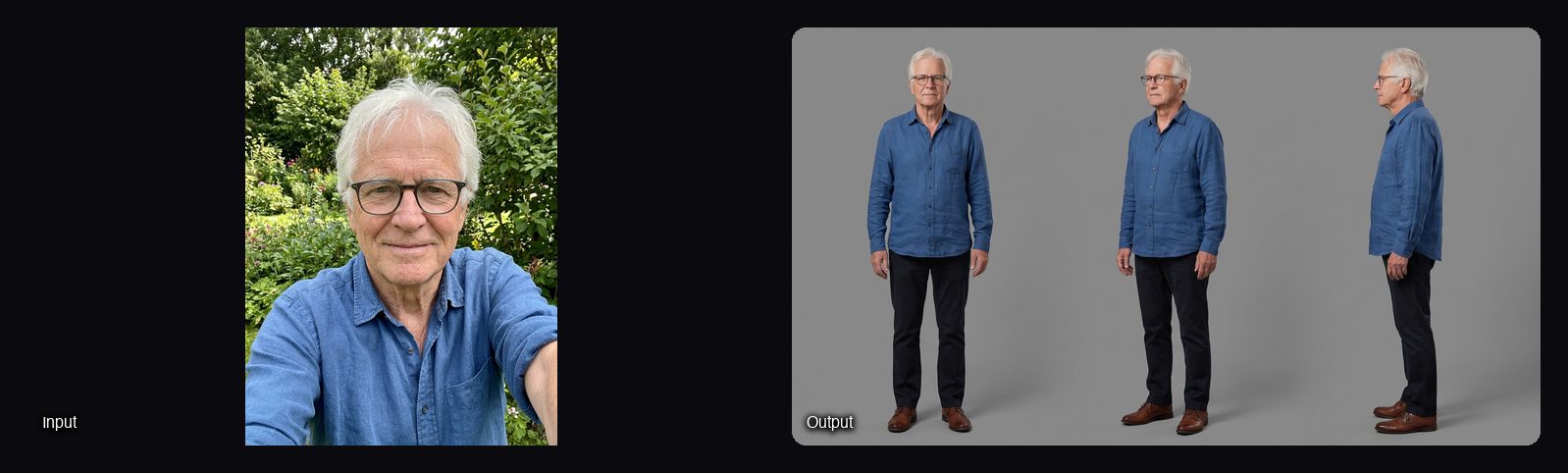
Watch out for: the back and three-quarter back views are inferred from your front photo, so hidden details are invented. Upload a photo that shows more of the outfit for a closer match. The sheet is a still image; to move the character you need a video step (below).
How do I use a character sheet for images and video?
A character sheet pays off when every later generation gets it as a reference. In Sloosh, the same sheet feeds both stills and video.
 [one photo or drawing]
          |
          v
 Character Turnaround Sheet  (5 views, 21:9)
          |
          v
 Assets > Elements: @maya  (Character)
          |
     +----+---------------------+
     v                          v
 Studio image prompt       Shadow Clone video
 "@maya at a cafe"         (sheet + motion clip)
One turnaround becomes a tagged Element that both image and video steps reuse.
- New stills. In Studio, type @ and the tag, then describe the scene: "Put @maya at a sunlit café table." Add one sentence on what must not change, such as the face or jacket. Image models take 5 to 16 references, depending on the model; Nano Banana Pro takes 14.
- Video. Shadow Clone takes up to 9 reference images and a reference video of up to 30 seconds, and makes a new video with the same movement starring your character.
- Long clips. Seedance 2.5 in Studio takes up to 30 reference images for clips of 4 to 30 seconds.
If you would rather design a person from traits than from a photo, Sloosh's AI Influencer maker builds a different kind of sheet: one 3:2 image with the full body on the left and a face close-up on the right. It has no extra angles yet.
Other ways to make a character turnaround
Several other tools make turnarounds. The facts below come from each vendor's own pages.
| Tool | Best for | How you work | Checked on |
|---|---|---|---|
| Sloosh Character Turnaround Sheet | A five-view sheet from one photo in one run | Upload one image, press Generate; 2.76 credits a run | Oct 23, 2026 |
| Scenario | Game teams that train their own character models | Its guide uses a trained character model, ControlNet Pose Mode, inpainting and Scenario Enhance; it now also suggests Nano Banana Pro, Seedream 4.5 or its True 4 Pose app | Oct 23, 2026 |
| TurnSheet | Tabletop and game tokens plus standard views | One reference image; 13 preset views including front, side, back and token views, plus custom panels; PNG or WEBP in a ZIP | Oct 23, 2026 |
| Layer | Game studios that want props and icons on-model too | Its Layer Agent "builds the turnaround and spins out props and icons, all on-model" | Oct 23, 2026 |
The manual route. In any image model that accepts a reference, upload the character and prompt for the layout directly: "Character turnaround sheet of the person in Image 1: front, three-quarter, side and back views, same scale, full body, neutral A-pose, plain grey background." Generate a few times, keep the best, and fix any view that drifts with a second, single-view prompt. This takes more tries than a fixed workflow, but costs only the image generations.
Tips for a cleaner turnaround
- Use the best source you have. A blurry or cropped photo gives a blurry, guessed sheet.
- Remove bags and coats you won't keep. Whatever the source shows becomes part of the character.
- Generate twice, pick once. Two runs at 2.76 credits cost less than fixing a bad back view by hand.
- Name the sheet's job in later prompts. "Image 1 is the character sheet; keep her face, hair and jacket exactly."
Frequently asked questions
What is a character turnaround sheet?
A character turnaround sheet shows the same character from several angles at the same scale, so artists and AI tools can keep them consistent. The usual views are front, three-quarter, side and back. Sloosh's Character Turnaround Sheet adds a three-quarter back view for five in total.
Can I make a character sheet from a single photo?
Yes. Sloosh's Character Turnaround Sheet needs one photo or drawing and returns a five-view sheet. TurnSheet also works from one reference image. Views the photo does not show, like the back, are inferred.
Can I make a turnaround of a drawn or cartoon character?
Yes. Sloosh's Character Turnaround Sheet keeps the style of the input, whether it is a photo or a drawing. For a brand mascot in new poses rather than set views, Mascot Pose Pack costs 0.97 credits a run.
How much does an AI character sheet cost?
In Sloosh, a five-view Character Turnaround Sheet costs 2.76 credits a run and a three-view Reusable Character Sheet costs 2.01 credits (Oct 2026). The Creator plan is $19 a month for 195 credits, and a first workspace gets 20 starter credits once.
Can I use an AI character sheet commercially?
Yes. Sloosh's Space pages say you can use what you create in your ads, store and social posts. Only upload photos of people and characters you have the rights to use.
How do I turn a character sheet into a video?
Use the sheet as a reference image in a video tool. In Sloosh, add it to Shadow Clone with a reference video of up to 30 seconds, and the character performs the same movement, or tag it in a Seedance 2.5 prompt in Studio.
Bottom line
For a turnaround from one photo in one step, a fixed workflow is fastest: Sloosh's Character Turnaround Sheet returns five views at matching scale for 2.76 credits. Game teams training their own models may prefer Scenario or Layer, and TurnSheet suits token-style views. Whatever you use, check the back view and reuse the sheet as a reference in every later image and video.
Make a character turnaround sheet in Sloosh
Related questions
- What are the best AI tools for character consistency across a content series?
- What's the best AI tool for a recurring AI character across video and image?
- How do I create an AI influencer?
- Which AI tool keeps the same location and characters across multiple shots?
- How do I copy the motion from one video onto my own character?