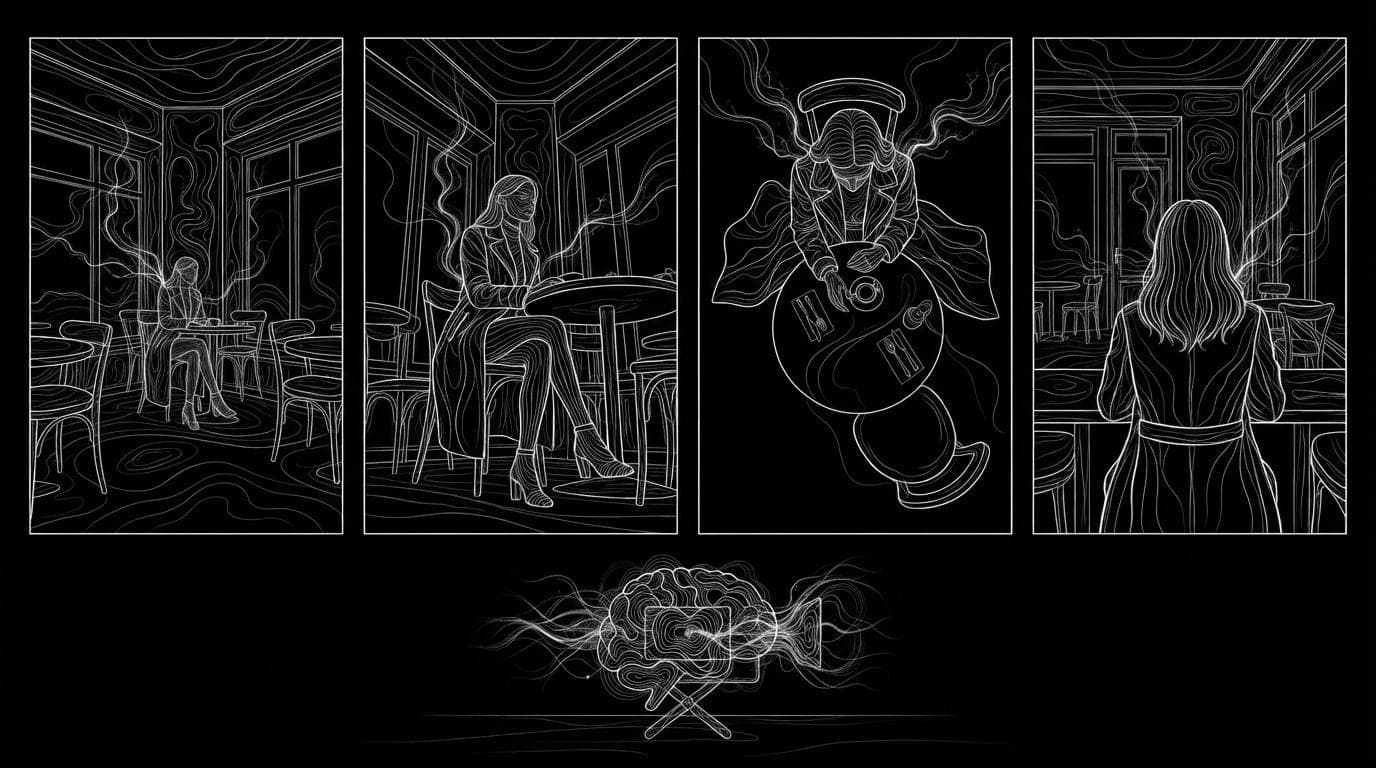
Which AI tool keeps the same location and characters across multiple shots?
Which AI tool keeps the same location and characters across multiple shots?
Updated October 23, 2026 · By Emily Brooks
The AI tools that keep the same location and characters across multiple shots all work from reference images: Runway's Gen-4 reuses a character or place from one reference, Higgsfield's Cinema Studio saves cast and locations to revisit, and Kling V3 Omni writes up to 6 shots in one clip. Sloosh splits the job in two: its Scene from Multiple Angles Space turns one photo of a place into four new camera angles for 8.04 credits a run, and Seedance 2.5 in Studio takes up to 30 reference images to keep both person and place in a clip of up to 30 seconds (Sloosh docs, Oct 2026).
No current tool remembers a world on its own. Every one of them needs you to show it the person and the place again in each shot, so the real question is how easy each tool makes that.
Why is location continuity harder than character continuity?
Location continuity is harder because a place has to stay right from every camera angle, while a character mostly has to keep one face and one outfit. When the camera moves to a reverse angle, the model has to invent what was behind it, and it invents something new unless you give it a reference.
Three things break most often between shots:
- Layout. Doors, windows and furniture move or vanish when the angle changes.
- Light and time of day. A wide shot at golden hour turns into a close-up at noon.
- Wardrobe. The character keeps the face but the jacket changes colour.
The fix is the same in every tool: make a small set of reference images first (the place from several angles, the person in the outfit), then feed the same set into every shot.
Which AI tools keep characters and locations consistent?
Four tools handle this job well, each in a different way. Facts below come from each vendor's own pages.
| Tool | How it keeps place and people | Best for | Checked on |
|---|---|---|---|
| Sloosh | Scene from Multiple Angles makes 4 views of one location; Character in 4 Scenes and Consistent Photo Set keep one person across 4 shots; Seedance 2.5 takes up to 30 image references per clip | Building a reference set of place and person, then video from it | Oct 23, 2026 |
| Runway | Gen-4 uses visual references plus instructions to keep "consistent styles, subjects, locations"; one reference image per character | Filmmakers who want shot-level control in one editor | Oct 23, 2026 |
| Higgsfield Cinema Studio | "AI Cast" holds identity and wardrobe across scenes; "Cinematic Locations" lets you return to the same place | Users who want saved cast and locations in one studio | Oct 23, 2026 |
| Kling V3 Omni | Up to 7 reference images, start and end frames, and up to 6 shots in one 15-second generation | Several short shots of the same character in one clip | Oct 23, 2026 |
Kling V3 Omni runs in Kling's own app at kling.ai, which now headlines Kling 4.0, and inside Sloosh Studio. The Kling V3 Omni limits above are from Sloosh's model page.
Best for, at a glance
- A storyboard or set from one location photo: Sloosh Scene from Multiple Angles.
- One editor for a whole short film: Runway.
- Saved cast and locations inside one studio: Higgsfield Cinema Studio.
- Several cuts in one short clip: Kling V3 Omni.
- A long clip with many references at once: Seedance 2.5 (up to 30 images and 10 videos in Sloosh).
How to keep a location and a character consistent in Sloosh
Sloosh works best as a two-stage pipeline: build the reference set as stills, then generate video shots that all use the same set.
 [place photo]           [person photo]
       |                       |
       v                       v
 Scene from Multiple     Character in 4 Scenes
 Angles (4 views)        or Consistent Photo Set
       |                       |
       +-----> [Elements: @place, @person] <-----+
                     |
                     v
          Studio: Seedance 2.5 shot 1, 2, 3...
One place and one person become tagged references, and every shot reuses them.
- Get four angles of the place. Open Scene from Multiple Angles, upload one photo of the location and press Generate. You get four 16:9 images: a wide shot, a low angle, an overhead view and a reverse angle, with matching light and time of day. It works indoors as well as on streets, and costs 8.04 credits a run.
- Get the person in a consistent look. Upload one clear photo to Character in 4 Scenes or Consistent Photo Set. Both keep the face and outfit across four 4:5 images, at 8.04 credits a run each.
- Save both as Elements. In Assets, use Add to Elements on each image, give it a short tag (for example
placeandmaya) and pick the Background or Character category. - Write each shot in Studio. Open Video, pick Seedance 2.5, type @ to tag the place and the person, and say what must not change: "Keep the café layout and her green coat exactly."
- Generate shot by shot. Change only the camera and the action between prompts. Seedance 2.5 makes 4 to 30 seconds per clip at up to 1080p, so one longer clip with timed beats (
0-3s:,3-7s:) can also replace several cuts.
Every Generate button shows the credit cost before you run. A new workspace gets 20 starter credits once.
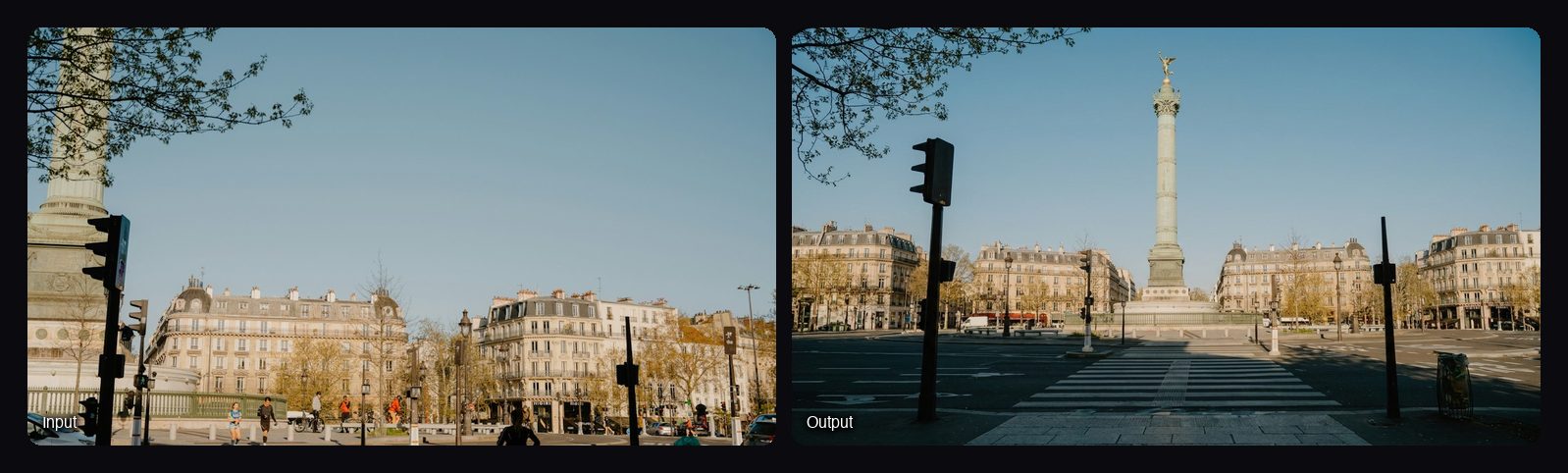
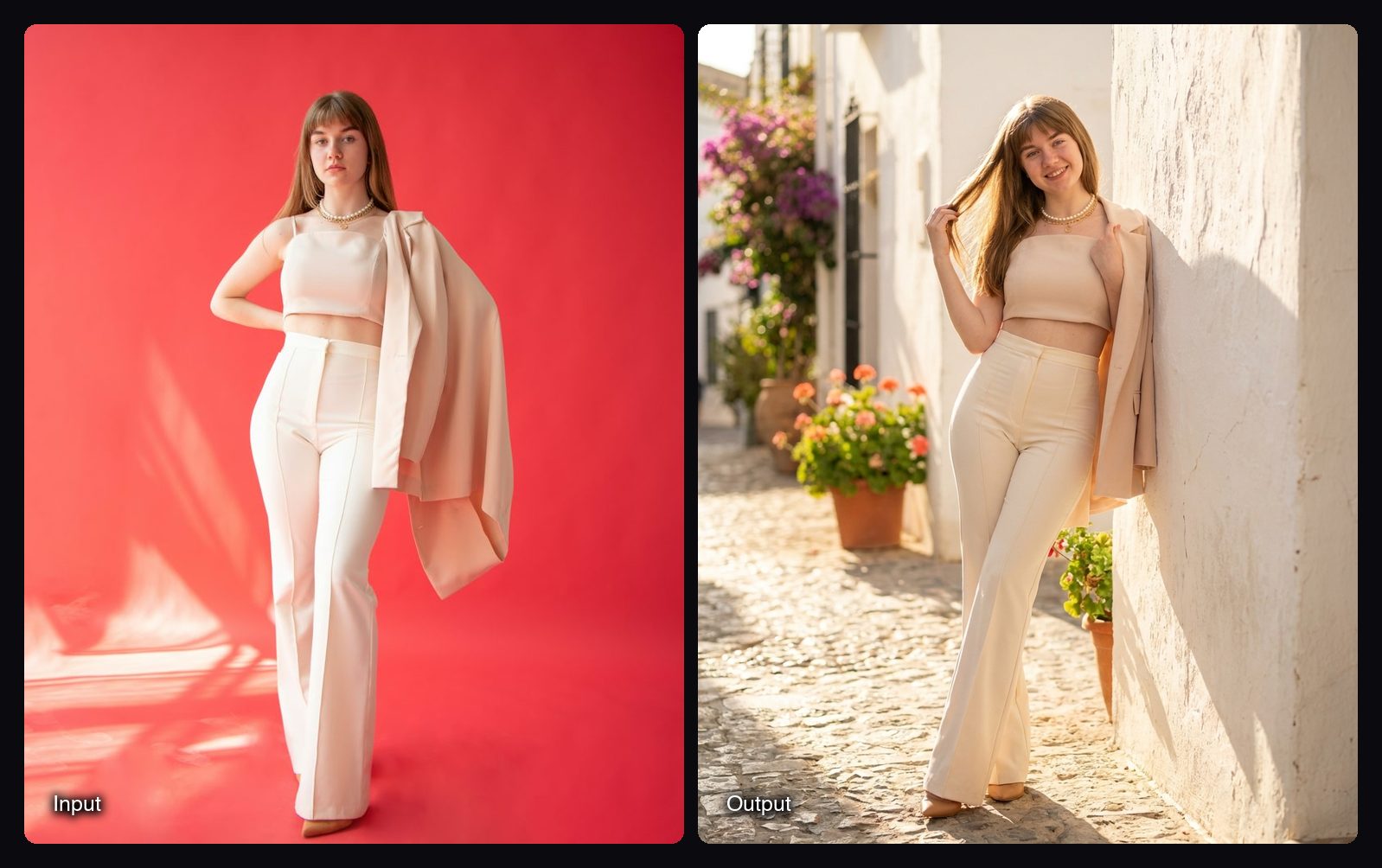
Watch out for: Character in 4 Scenes uses four fixed scenes (a Mediterranean street, a café, a rooftop at dusk and a beach at sunrise). To pick your own places, remix its canvas and edit the scene list. In Seedance 2.5, a start or end frame can't be combined with reference images, so choose one approach per shot.
Tips that work in any tool
- Fix the light first. Pick one time of day and say it in every prompt.
- Name each reference by its job. "Image 1 is the location, Image 2 is the woman. Keep both exactly."
- Change one thing per shot. Move the camera or the character, not both, and the set stays put.
- Keep the wardrobe locked. Repeat the outfit in words even when it is in the reference.
- Review the reverse angle. It is the shot most likely to invent new walls and props.
Frequently asked questions
Can AI keep the same location across different camera angles?
Yes, if you give it the location as a reference. Sloosh's Scene from Multiple Angles takes one photo of a place and returns a wide shot, a low angle, an overhead view and a reverse angle with matching light. Runway's Gen-4 also uses references to keep locations consistent.
How many reference images can I use to keep characters consistent in video?
It depends on the model. In Sloosh, Seedance 2.5 takes up to 30 reference images and 10 reference videos, Kling V3 Omni takes 7, and MiniMax H3 Reference takes 9 (Sloosh docs, Oct 2026).
Can one AI clip contain several shots with the same character?
Yes. Kling V3 Omni can write up to 6 shots in one generation of up to 15 seconds, and Seedance 2.5 follows timed beats in a single clip of up to 30 seconds. Both keep the character steadier than separate generations.
Does Character in 4 Scenes let me choose the places?
Not from the form. The Space places your person in four fixed scenes, but you can open its canvas, remix it and edit the scene list. For your own location, use Scene from Multiple Angles and tag the result in Studio.
Can I use the images commercially?
Yes. Sloosh's Space pages say you can use what you create in ads, stores and social posts. Only upload photos of people and places you have the rights to use.
Bottom line
For a full short film in one editor, Runway's Gen-4 references or Higgsfield's saved cast and locations fit. For a short multi-cut clip, Kling V3 Omni works. If you want to build a reusable set first, Sloosh turns one location photo into four angles and one portrait into a consistent person, then Seedance 2.5 reuses both across shots of up to 30 seconds.
Turn one location photo into four camera angles in Sloosh
Related questions
- What are the best AI tools for character consistency across a content series?
- What's the best Sora alternative for multi-shot films with consistent characters?
- What's the best AI tool for a recurring AI character across video and image?
- Which AI tool turns a script into a storyboard or shot list?
- How do I make an AI character sheet or turnaround?