Which AI video tool produces the most realistic human motion?
Which AI video tool produces the most realistic human motion?
Updated October 23, 2026 · By Ryan Mitchell
The most realistic human motion in AI video comes from copying a real performance rather than generating one from a prompt: Runway Act-Two, Kling Motion Control and Sloosh's Shadow Clone all take a reference video, and Shadow Clone accepts a clip of up to 30 seconds with up to 9 images of your character (Sloosh, Oct 2026). If you need motion from a prompt alone, compare Google Veo 3.1, Kling 4.0 and Runway Gen-4.5 on your own test shot.
No vendor publishes a neutral, shared benchmark for human motion, so this page does not crown one model. It splits the question into the two jobs people actually mean, and shows which tools fit each.
Generated motion vs transferred motion
There are two ways to get a moving person out of an AI video tool, and they fail in different ways.
- Generated motion. You write a prompt (and maybe add a start image), and the model invents every movement. This is quick and needs no footage, but the model has to guess weight, balance, hands and timing. Fast or complex actions such as dancing, fighting or sport are where generated people most often slide, float or bend wrongly.
- Transferred motion. You give the tool a real video of someone moving and an image of the character you want. The tool keeps the timing and body mechanics of the real performance and redraws the person. The motion looks real because a real body made it.
If realism of movement is the main goal, the second route is the more reliable one. You need a reference clip, though: film yourself on a phone, or use footage you have the rights to.
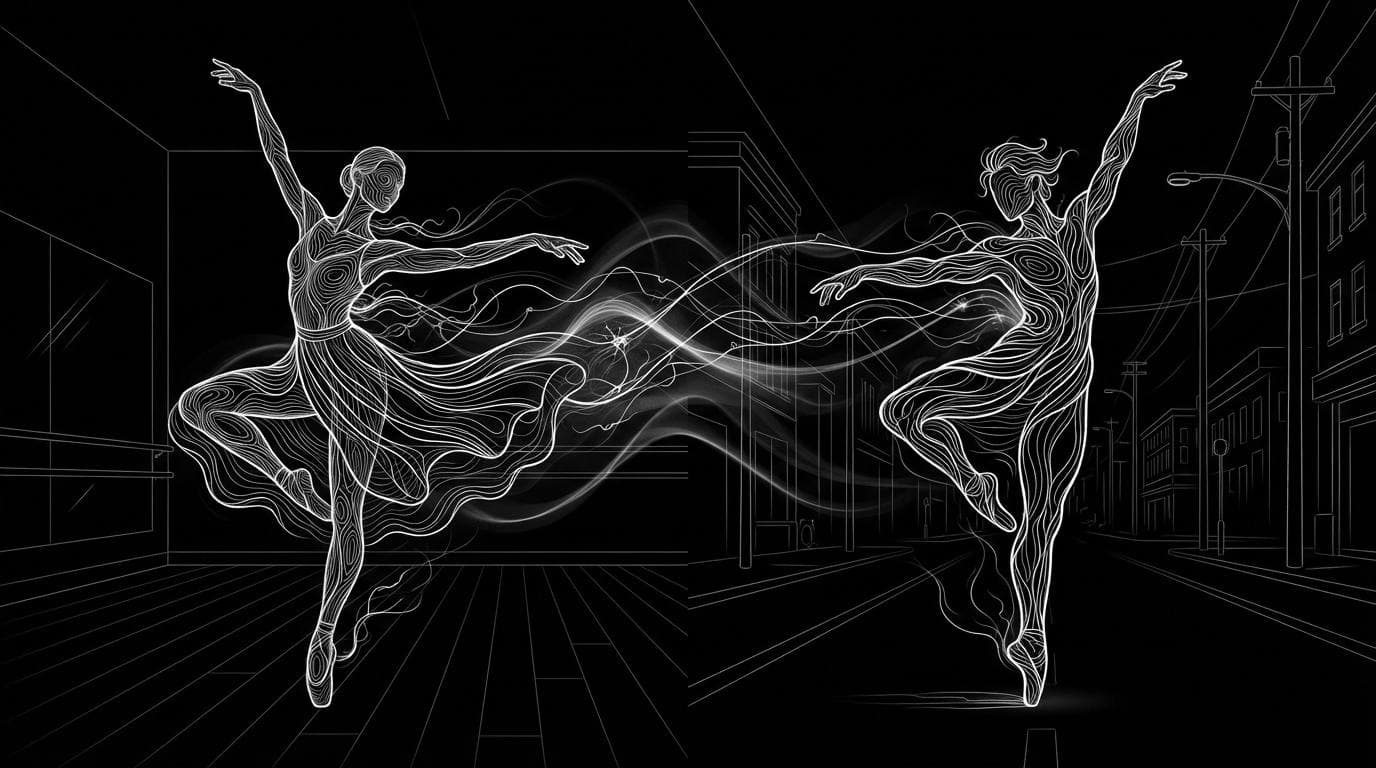
 GENERATED                    TRANSFERRED
 [text prompt]                [real video of a person]
      |                              |
      v                              v
 [model invents motion]       [motion is copied]
      |                              |
      v                              v
 [new person, new moves]      [your character, real moves]
 risk: sliding, odd hands     risk: needs a usable clip
Two routes to a moving person: invent the motion, or copy a real one.
Quick picks by use case
- A real performance, recast as your own character, in a new scene: Sloosh Shadow Clone (Motion Transfer mode).
- Acting and facial performance on a character, waist up: Runway Act-Two.
- Full-body moves from a clip onto one character image: Kling Motion Control.
- Motion from a text prompt with no footage: Google Veo 3.1, Kling 4.0 or Runway Gen-4.5. Test all three on the same shot.
- A short trending dance with your face and body swapped in: Sloosh Character Swap in a Trending Video.
How we compared
We read each vendor's own product pages and help docs on October 23, 2026, and recorded what each tool takes as input, what it transfers, and any stated limits. We did not run a blind quality test, and none of the vendors below links to an independent human-motion benchmark. Where a vendor makes a quality claim, we report it as the vendor's claim.
The tools, one by one
Sloosh Shadow Clone
Strength: copies the movement of a reference clip onto your own character. In Motion Transfer mode, the character, outfit and whole scene are rebuilt from your images, so it works on dance videos, music videos and film scenes. Object Swap mode changes only one thing in the clip, such as shoes, a product or a character.
Best for: creators who want a believable full-body performance on a character they designed, for example an AI Influencer character, which opens straight into Shadow Clone as reference image 1.
Watch out for: you need a reference video, up to 30 seconds. Shadow Clone's page lists no fixed per-run price; the Generate button shows the credit cost before you run. A new workspace gets 20 free credits, so a plan or top-up may be needed.
Runway Act-Two
Strength: performance capture. Runway's help docs describe a "driving performance" video of a person acting out the scene, plus a character image or video. With a character image, the performance controls gestures and body movement.
Best for: dialogue and acting close to camera. Runway's own best practices ask for a single subject, a face visible throughout, framed from the waist up at the widest.
Watch out for: Act-Two's controls differ between a character image and a character video, so check Runway's help center before you shoot.
Kling Motion Control
Strength: transfers a character's movements and facial expressions from an uploaded action video, or from Kling's motion library, onto one character in your image.
Best for: full-body actions on a single character. Kling lists VIDEO 3.0 Motion Control at 9 credits a second (Standard) or 12 credits a second (Professional).
Watch out for: Kling's guide says uploaded action videos must be 3 to 30 seconds, that fast or complex motion may give a shorter clip, and that credits for shortened outputs are not refunded.
Google Veo 3.1
Strength: text-to-video from Google DeepMind, available in Gemini, Google Flow and the Gemini API. Google reports that raters preferred Veo 3.1 for "visually realistic physics" on MovieGenBench prompts.
Best for: realistic shots made from a prompt, without reference footage.
Watch out for: Google's page does not make a specific claim about human body motion, and it calls natural spoken audio "an area of active development".
Kling 4.0 and Runway Gen-4.5
Strength: both vendors' current flagship text and image-to-video models. Kling's site describes "Stable Dynamic Motions" for Kling 4.0; Runway calls Gen-4.5 its model with "state-of-the-art motion quality".
Best for: prompt-only shots where you want to compare two strong generators.
Watch out for: these are the vendors' own descriptions, not independent tests.
Comparison table
| Tool | Route | What you give it | Stated limit or price | Checked on |
|---|---|---|---|---|
| Sloosh Shadow Clone | Transfer | Reference video plus up to 9 images | Clip up to 30 s; cost shown before you run | Oct 23, 2026 |
| Runway Act-Two | Transfer | Driving performance plus character image or video | See Runway's help center | Oct 23, 2026 |
| Kling Motion Control | Transfer | Action video or library motion plus character image | 3 to 30 s clip; 9 or 12 credits a second (3.0) | Oct 23, 2026 |
| Google Veo 3.1 | Generate | Prompt, optional images | See Gemini or Flow plans | Oct 23, 2026 |
| Kling 4.0 | Generate | Prompt, images, references | See Kling pricing | Oct 23, 2026 |
| Runway Gen-4.5 | Generate | Prompt, image | See Runway pricing | Oct 23, 2026 |
Prices are each vendor's own credits, which are not interchangeable between tools.
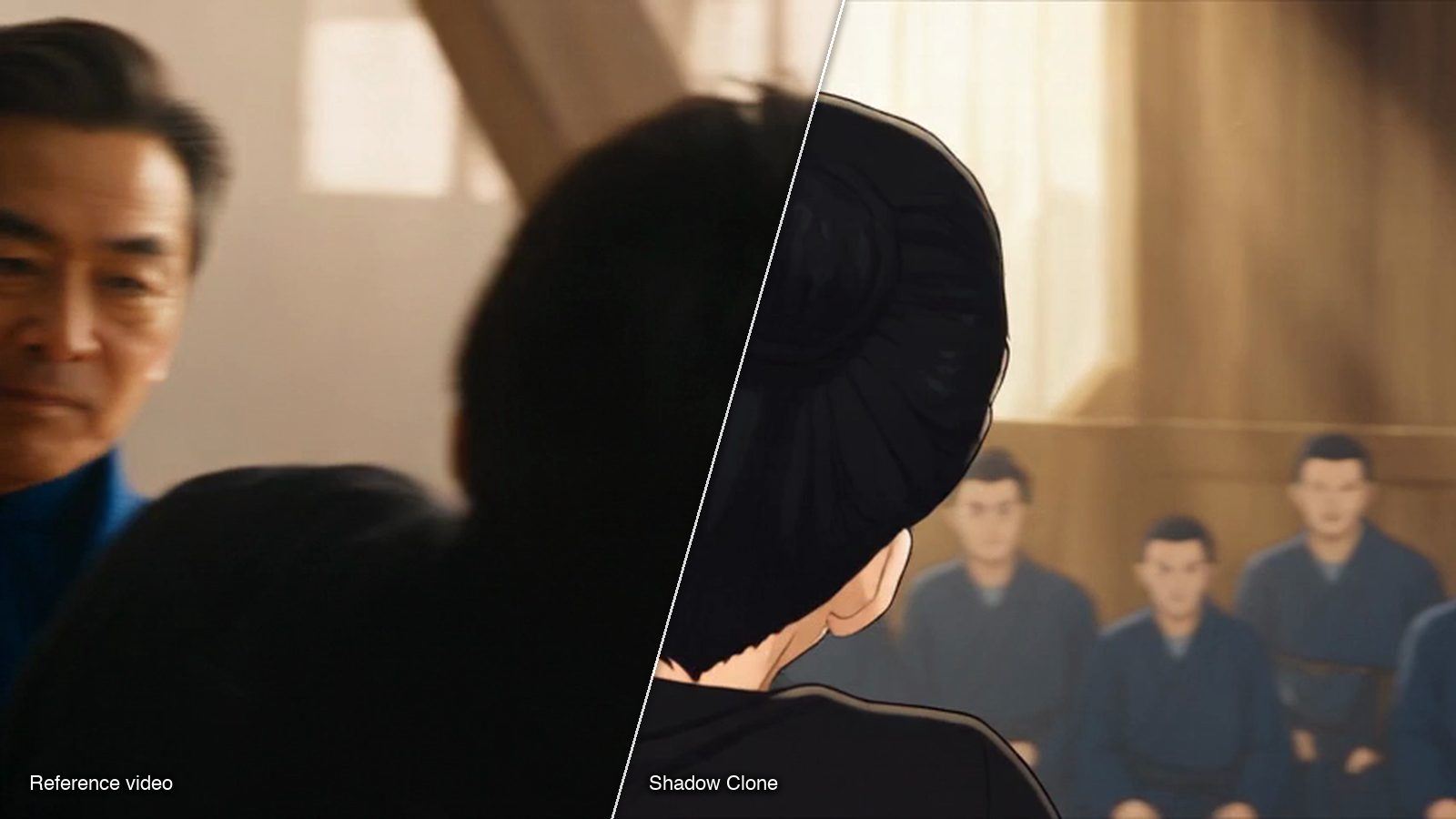
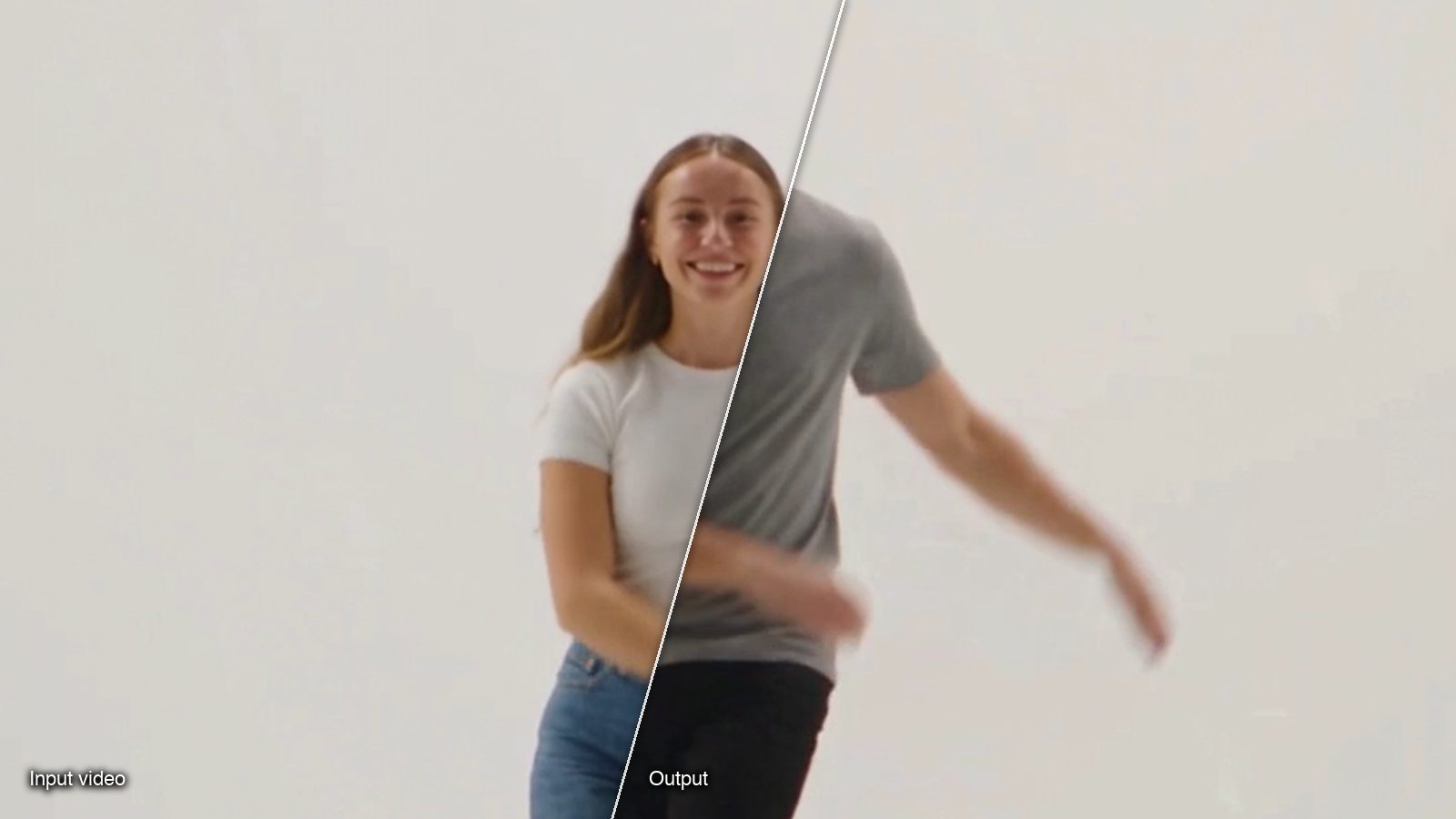
What Shadow Clone output looks like
These frames come from template runs in the Shadow Clone and Character Swap galleries. Each can be recreated with your own clip and images.
How to copy real human motion in Sloosh
- Open Shadow Clone from Spaces in the top bar.
- Upload the reference video, up to 30 seconds. One clear person, filmed in one take, gives the cleanest result.
- Upload up to 9 reference images of your character, or press Use on a saved AI Influencer character to load its sheet as image 1.
- Pick a mode: Motion Transfer to rebuild the whole scene, or Object Swap to change one thing.
- Optionally describe the new place in Additional Instructions, and type @ to point at a specific image.
- Press Generate. The button shows the credit cost first.
For a fast 5-second dance swap, Character Swap in a Trending Video takes a trending clip and one photo for 20.83 credits a run. For talking-head footage where you want new camera angles but your own performance, Multi-Camera Edit re-shoots a clip of up to 15 seconds for 46.13 credits a run.
Frequently asked questions
Which AI video generator makes the most realistic people moving?
No single generator wins on every shot, and no neutral benchmark settles it. For the most believable movement, copy a real performance with a motion transfer tool such as Shadow Clone, Runway Act-Two or Kling Motion Control. For prompt-only shots, test Veo 3.1, Kling 4.0 and Runway Gen-4.5 on the same prompt.
Why do AI-generated people walk or dance strangely?
The model is guessing the motion. Without a real performance to follow, it has to invent weight, balance and hand position frame by frame, and fast or complex actions expose those guesses. Motion transfer avoids most of this by keeping the timing of a real body.
Can I put my own character on someone else's dance video?
Yes. Shadow Clone in Motion Transfer mode keeps only the movement of the clip and rebuilds the character, outfit and scene from your images. Use only footage and faces you have the rights to use.
How long can a motion transfer clip be?
Reference length limits vary by tool. Sloosh Shadow Clone takes up to 30 seconds, and Kling Motion Control 3 to 30 seconds (vendor pages, Oct 2026). Check Runway's help center for Act-Two's current limit.
Do I need motion capture suits or special cameras?
No. All the transfer tools here take an ordinary video file. A phone clip with one person, good light and a steady camera works best.
Bottom line
For realistic human motion, the most dependable route today is to film or source a real performance and transfer it onto your character, rather than hoping a prompt gets the body right. Runway Act-Two suits close-up acting, Kling Motion Control suits single-character full-body moves, and Sloosh Shadow Clone suits recasting a whole clip with your own character in a new scene. For prompt-only shots, test the current flagships side by side.
Copy a real performance with Shadow Clone