Which AI image model renders text in images most accurately?
Which AI image model renders text in images most accurately?
Updated October 23, 2026 · By Jason Miller
GPT Image 2.5 Flare and FLUX.3 Image render text most accurately in current independent testing, with Ideogram 4.5 and Qwen Image 3 matching them when prompt expansion is off (Fuser, October 2026), and Sloosh runs Flare, FLUX 3 Image and Ideogram 4.5 side by side in one Studio model picker. Sloosh's model docs point the same way: Ideogram 4.5 for typography such as posters and labels, GPT-image-2 or GPT Image 2.5 Flare for layouts with several blocks of text, and Nano Banana Pro for the best text of Google's Nano Banana models (Sloosh docs, Oct 2026). Every one of them is most reliable on short strings.
The model matters less than people think once the text is short and quoted. Accuracy drops fastest with long lines, small print and unusual spellings.
What the independent test found
Fuser ran two typography prompts through nine image models in late September and early October 2026, once each with no retries, and counted every character. The poster prompt had 111 characters and the menu prompt 172, so 283 in total.
| Model | Characters correct (of 283) | Unrequested additions or errors | Checked on |
|---|---|---|---|
| GPT Image 2.5 Flare | 283 | None | Oct 23, 2026 |
| FLUX.3 Image | 283 | None | Oct 23, 2026 |
| Ideogram 4.5 (prompt expansion off) | 283 | None | Oct 23, 2026 |
| Qwen Image 3 (prompt expansion off) | 283 | None | Oct 23, 2026 |
| Seedream 5.0 Lite | 283 | Added "[BIG]" before the headline | Oct 23, 2026 |
| FLUX.2 [pro] | 283 | Printed one menu line twice | Oct 23, 2026 |
| Nano Banana 2 | 282 | Merged two lines, dropped a comma | Oct 23, 2026 |
| Recraft V4.1 Pro | 281 | Hyphen became a dash, dropped a comma | Oct 23, 2026 |
| Qwen Image 2 | 281 | Printed "16:90" for "16:00" | Oct 23, 2026 |
Source: Fuser, Best AI Models for Text in Images (2026). Nano Banana Pro and GPT Image 2.5 Sunburst were not in this test.
Two lessons stand out. First, most misses were additions or punctuation, not misspelled words. Second, prompt expansion matters: Ideogram 4.5 with expansion on turned a hyphen into a long dash and set small print in capitals, while the same model with expansion off was perfect.
How much text each model handles reliably
Short headlines are safe on any of the leading models; paragraphs are not. Sloosh's own Spaces set practical limits from their runs:
- YouTube Thumbnail Maker: "two to five words spell reliably".
- Product Poster / Ad Creative: keep the headline "under about eight words for the most reliable spelling".
- LED Billboard Message: "about three to five words for correct spelling".
Ideogram 4.5's doc adds that long lines in a narrow space can wrap or drop punctuation, and that it sometimes adds copy nobody asked for. GPT-image-2's doc says numbered steps and short lines render more reliably than long paragraphs of copy, which is why it suits menus and recipe cards.
 [Write the exact words in "quotes"]
          |
          v
 [Say where each line sits + font look]
          |
          v
 [Turn Enhance / prompt expansion OFF]
          |
          v
 [Generate 2-4] --> [Zoom in, check every character]
          |                     |
          v                     v
       done            fix one word with an edit
A checklist for getting legible text from any image model.
Prompting rules for legible text
These rules come from the model makers' prompting guides, as summarised in Sloosh's model docs.
- Quote every word. Put each word that must appear in double quotes, and say "only this text" when extra copy would hurt.
- Place it. Say where each line goes and give its size and style, such as "bold black sans-serif capitals at the top".
- Leave room. Describe the empty space for copy, for example "the top 40% is a plain warm-white wall".
- Spell unusual words letter by letter, such as brand names.
- Turn prompt rewriting off. In Sloosh Studio, switch Enhance off so the model gets your words exactly as typed.
- Raise quality for small print. GPT-image-2 uses high for small text; for GPT Image 2.5, compare medium and high first.
Text in video is harder. BytePlus lists misspelled on-screen text as a known Seedance 2.5 issue; its fixes are to spell the words letter by letter or to add the text as an image reference.
Text-heavy jobs in Sloosh: thumbnails, posters and labels
Sloosh is an AI video and image studio for creators, filmmakers and brand teams. Ideogram 4.5, GPT Image 2.5 Flare and Sunburst, GPT-image-2, FLUX 3 Image and Nano Banana Pro are all in the Studio model picker, so you can run one text prompt on several models and keep the cleanest.
For repeat jobs, two Spaces run on GPT-image-2 and handle the layout for you:
- YouTube Thumbnail Maker: your photo and title become a 16:9 thumbnail, 0.97 credits a run.
- Product Poster / Ad Creative: a product photo and headline become a 4:5 poster with the headline typeset, 0.97 credits a run.
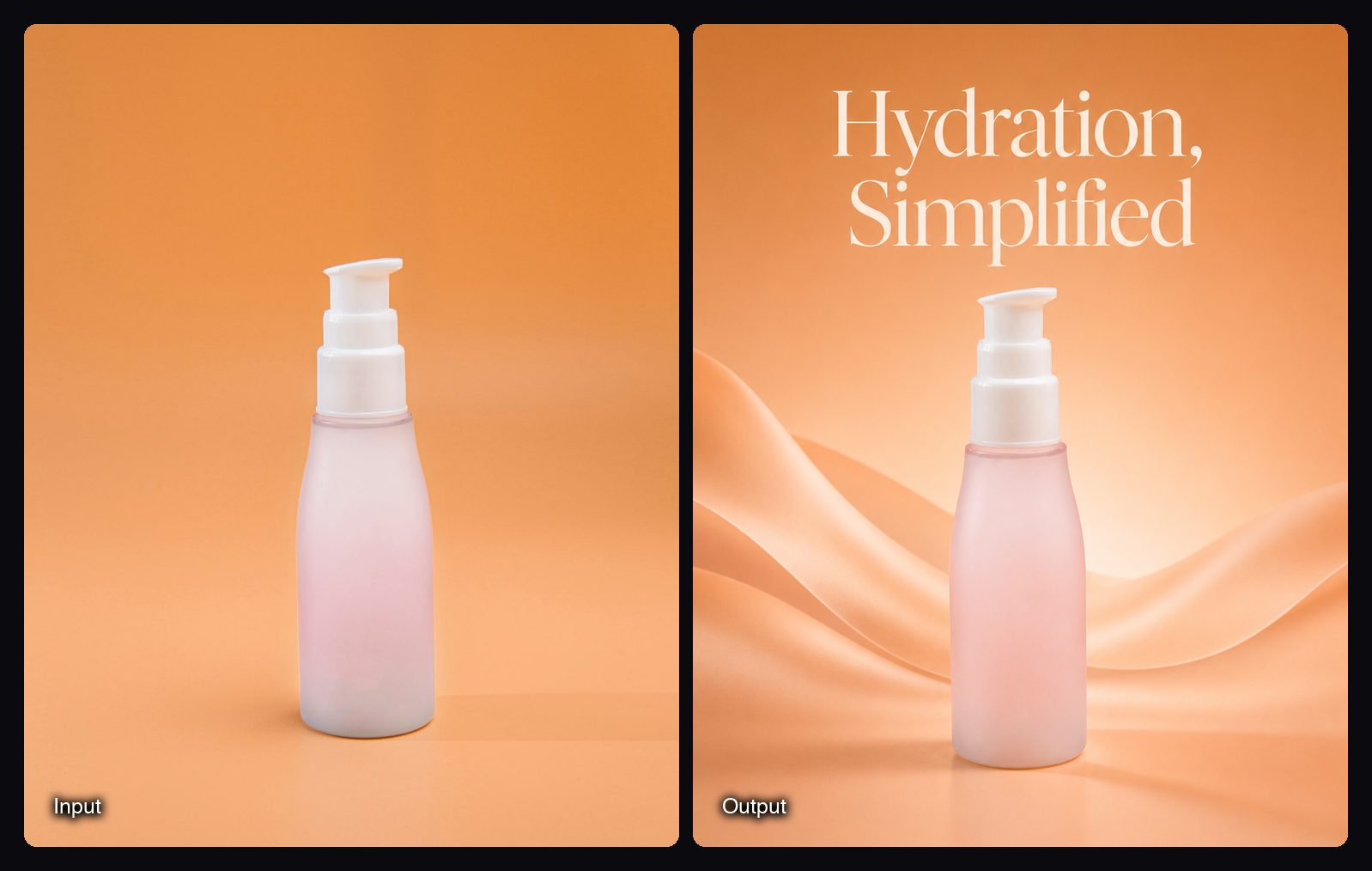
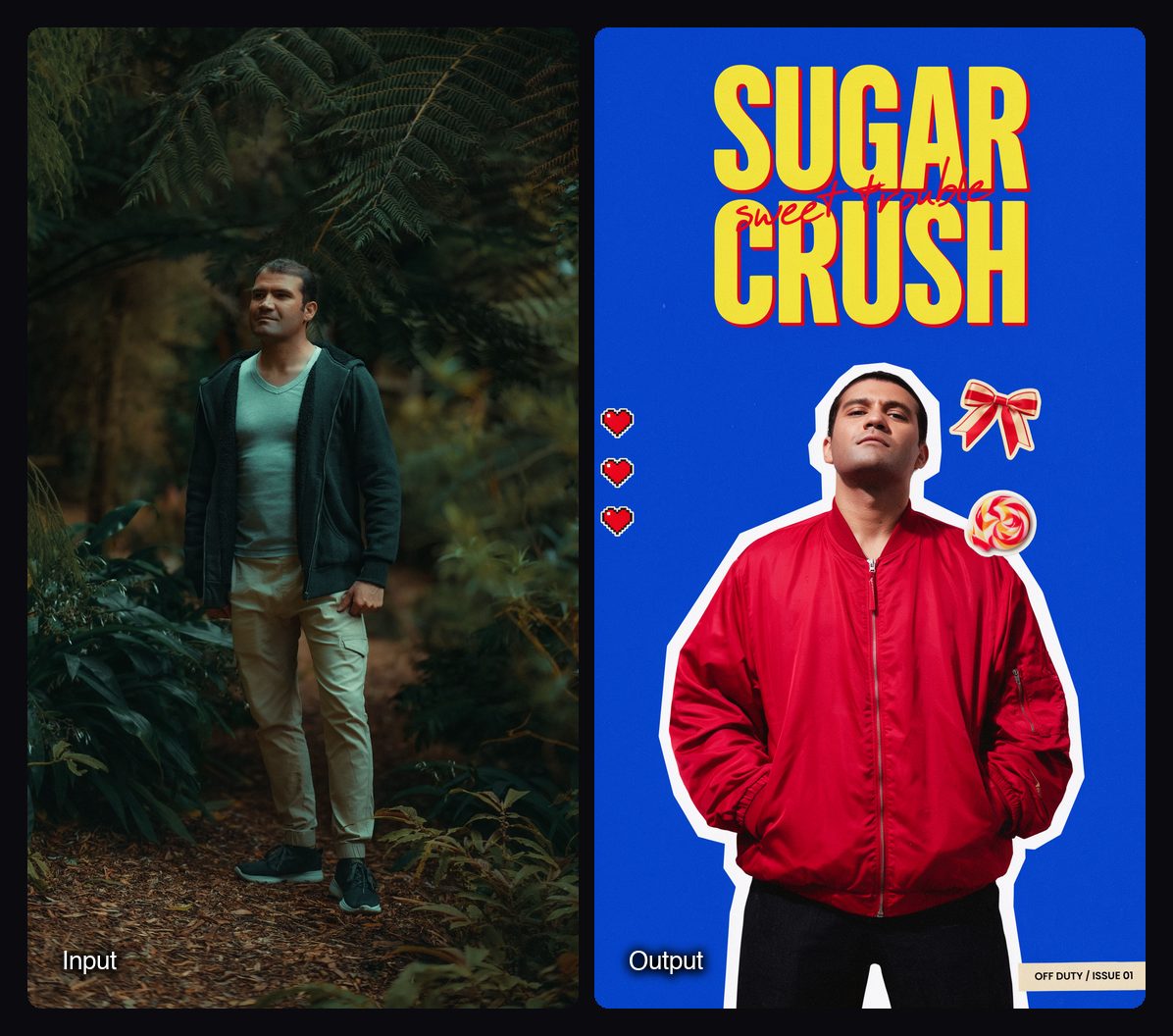
To change the words on an existing label, Ideogram 4.5 edits keep untouched pixels and colours intact: add the photo as image 1, say which text to change, and end with what must stay.
Watch out for: Ideogram 4.5 in Sloosh tops out at 2K and takes 5 images. The Product Poster Space cannot add a logo yet. Sloosh has no free plan; a first workspace gets 20 starter credits once.
Other ways to get accurate text
- Ideogram's own API. Ideogram publishes API docs for Ideogram 4.5, including a precise-edit endpoint. Best for: developers building typography features.
- A design tool on top. For long copy, legal lines or prices, generate the image without text and set the type in a design tool. Best for: anything with more than a sentence of copy.
- Multi-model hosts. Hosts such as Fuser and Sloosh let you run one prompt on several models. Best for: finding which model spells your particular copy right.
Frequently asked questions
Which AI image generator is best at spelling?
GPT Image 2.5 Flare and FLUX.3 Image spelled all 283 characters correctly with no additions in Fuser's October 2026 test. Ideogram 4.5 and Qwen Image 3 matched them with prompt expansion turned off.
How many words can AI put in an image reliably?
About two to eight words is the reliable range. Sloosh's YouTube Thumbnail Maker advises two to five words and its Product Poster Space under about eight. Longer copy works best as short separate lines.
Is Ideogram still the best AI for text?
Ideogram 4.5 is among the best, but no longer alone. It made no errors in Fuser's test with prompt expansion off, alongside GPT Image 2.5 Flare and FLUX.3 Image. Its edits also keep the rest of the image unchanged.
Why does AI add text I did not ask for?
Prompt rewriting and model habits add extra headings, badges or brackets. Turn prompt expansion or Enhance off, quote the exact words, and add "only this text" to the prompt.
Can AI video models render text accurately?
Less reliably than image models. BytePlus lists misspelled on-screen text as a known Seedance 2.5 issue. Spell the words letter by letter or add the text as an image reference.
Bottom line
For accurate text, start with GPT Image 2.5 Flare, FLUX.3 Image or Ideogram 4.5, keep each line short, quote every word and turn prompt rewriting off. In Sloosh you can run one text prompt across those models in Studio, or use a thumbnail or poster Space that sets the type for you.
Make a product poster with a typeset headline in Sloosh