Where can I try GPT Image 2.5 Sunburst and Flare?
Where can I try GPT Image 2.5 Sunburst and Flare?
Updated October 23, 2026 · By Jason Miller
You can try GPT Image 2.5 in three kinds of places: inside ChatGPT, where OpenAI rolled out ChatGPT Images 2.5 to all ChatGPT users on September 8, 2026; through the OpenAI API, where Flare and Sunburst are two separate models you pick by name; and in multi-model studios such as Sloosh, which puts both tiers side by side in Studio's model picker and uses Sunburst as its default image model (Sloosh docs, Oct 2026). Developers who only want an endpoint can also call both tiers on fal.
The short version: ChatGPT is the quickest way to see the model, the API is the right route for an app, and a studio is the easiest way to run Sunburst and Flare on the same prompt and compare them.
Sunburst vs Flare: what each tier is for
GPT Image 2.5 Flare is the fast tier and GPT Image 2.5 Sunburst is the careful tier. OpenAI's image prompting guide calls Flare the small model, optimised for speed with quality comparable to GPT Image 2, and Sunburst the base model, optimised for quality above GPT Image 2. OpenAI's announcement says Sunburst "adds precision for detailed creative work, with longer generation times".
| GPT Image 2.5 Flare | GPT Image 2.5 Sunburst | |
|---|---|---|
| OpenAI's description | Fast, high-quality everyday image generation | For workflows where editing precision matters most |
| Speed | OpenAI says up to 50% faster than GPT Image 2 | Slower; spends longer on each image |
| Use it for | Drafts, volume, banners with a short headline | Final assets, small text and labels, one-part edits |
| In Sloosh Studio | 1K, 2K or 4K; up to 16 references | 1K, 2K or 4K; up to 16 references |
Both tiers take the same prompt and settings in Sloosh: eight aspect ratio options (Auto, 1:1, 3:2, 2:3, 16:9, 9:16, 4:5, 5:4), prompts of up to 32,000 characters, and quality levels up to max (Sloosh model docs, Oct 2026). A practical rule from Sloosh's docs: draft on Flare, then rerun on Sunburst when a detail will not hold.
Where you can try GPT Image 2.5 today
Each route suits a different person. The table lists the routes we could check on the provider's own pages.
| Where | How you use it | Picks the tier? | Best for | Checked on |
|---|---|---|---|---|
| ChatGPT | Chat on web, desktop or mobile | OpenAI's announcement names the tiers as API models only | A quick first look | Oct 23, 2026 |
| OpenAI API | Code, token billing | Yes: gpt-image-2.5-flare or gpt-image-2.5-sunburst |
Developers building an app | Oct 23, 2026 |
| fal | API and playground | Yes: separate Flare and Sunburst endpoints | Developers already on fal | Oct 23, 2026 |
| Sloosh Studio | Web app, credits | Yes, both in one model chip | Comparing both tiers, plus ready-made Spaces | Oct 23, 2026 |
ChatGPT is free to open and the fastest way to see what the model does. If you need to control which tier runs, or to send reference images and fixed settings, use the API or a studio that names the tier.
  Your prompt
      |
      v
  [ Draft on Flare ] -- fast, cheap, try 3-4 ideas
      |
      v
  Pick the best one
      |
      v
  [ Rerun on Sunburst ] -- small text, labels, edits
      |
      v
  Final image (1K, 2K or 4K)
The draft-then-final routine Sloosh's docs suggest for the two GPT Image 2.5 tiers.
GPT Image 2.5 in Sloosh: Studio, Spaces and AI Influencer
Sloosh is an AI video and image studio for creators, filmmakers and brand teams. GPT Image 2.5 shows up in three parts of it.
Studio: both tiers in one picker
In Sloosh Studio you pick GPT Image 2.5 Sunburst or Flare in the model chip, write a prompt and press Generate. The Generate button shows the credit cost before you run, and Studio makes up to 4 outputs per Generate (Sloosh Studio docs). Sunburst is the default image model, so a new prompt runs on it unless you switch. Sloosh's pricing page estimates about 244 GPT Image 2.5 Flare images from the Creator plan's 195 monthly credits (Oct 2026).
Spaces built on GPT Image 2.5
Spaces are ready-made workflows with a form. Several show GPT Image 2.5 on their template cards:
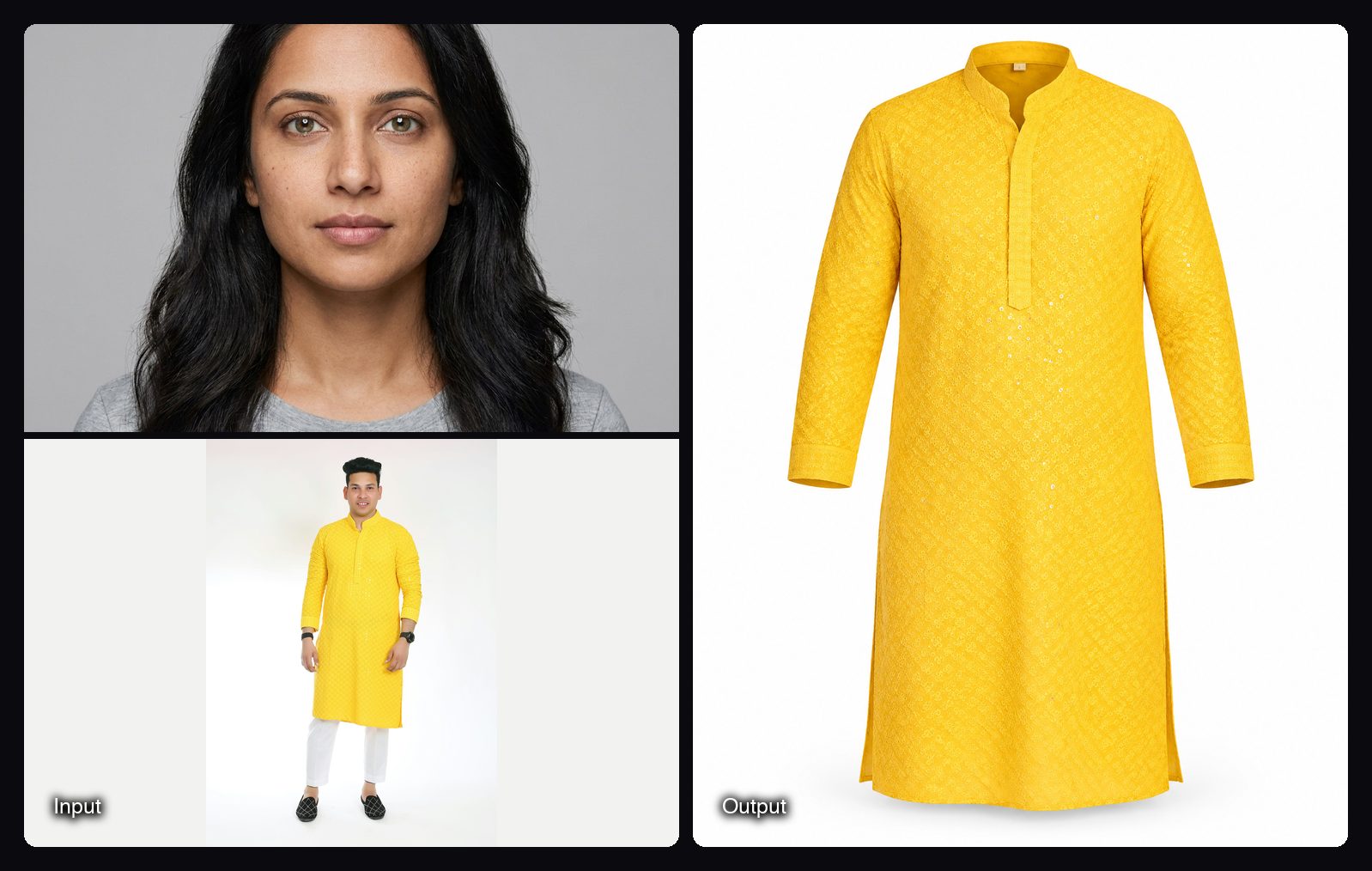
- Extend Image (Sunburst): extends a photo to 16:9 or 9:16 without changing the subject, 0.66 credits a run.
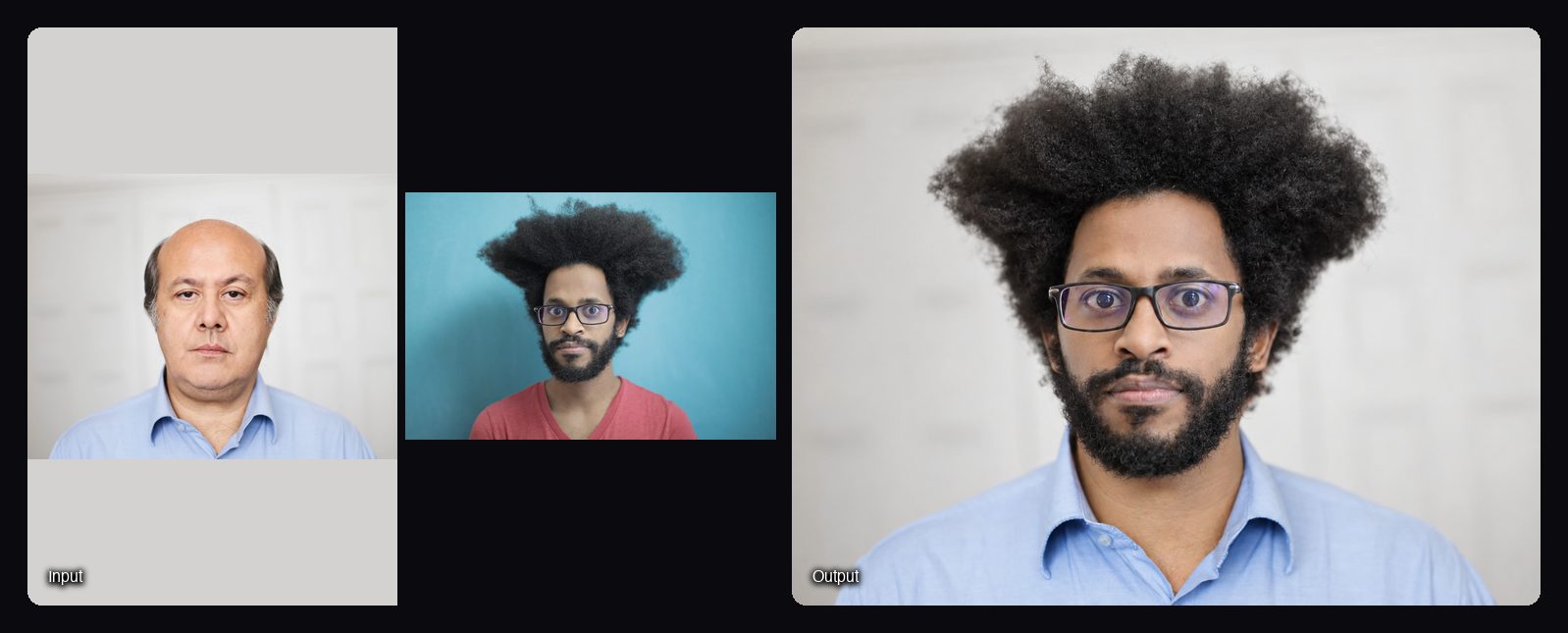
- Face Swap (Flare): puts a new face into a photo and keeps hair, pose and lighting, 3.04 credits a run.
- Pinterest-Style Fashion Campaign (Sunburst): up to 10 product photos and a brief become a campaign set on one model, from 18.84 credits a run.
AI Influencer sheets
Each Sloosh AI Influencer character sheet is made with GPT Image 2.5 Sunburst (Sloosh AI Influencer docs). That sheet is what keeps one character's face, hair and outfit the same when you later put them in a video.
Watch out for: Sloosh has no free plan. A user's first workspace gets 20 starter credits once, and after that Creator at $19 a month (195 credits) is the cheapest plan. Sloosh also has no public API or API keys yet, so developers who need GPT Image 2.5 inside their own code should use the OpenAI API. AI agents can reach Sloosh over MCP instead, on the Pro or Max plan.
How to try both tiers in Sloosh
- Sign in at sloosh.ai. Your first workspace gets 20 starter credits.
- Open Studio Image and pick GPT Image 2.5 Flare in the model chip.
- Write the prompt. Put any words that must appear in quotes and say where they go.
- Set the count to 4 and press Generate; the button shows the cost first.
- Open the best result, press Recreate, switch the model chip to GPT Image 2.5 Sunburst and run it again.
- Compare both results in My generations, then keep the one you need.
Frequently asked questions
Is GPT Image 2.5 free to try?
Yes, in ChatGPT: OpenAI says ChatGPT Images 2.5 rolled out to all ChatGPT users on desktop, mobile and web. The API bills per token. In Sloosh, a first workspace gets 20 starter credits once, roughly 25 Flare images at the rate on Sloosh's pricing page.
What is the difference between GPT Image 2.5 Sunburst and Flare?
Flare is the fast tier and Sunburst is the careful tier. OpenAI says Flare is up to 50% faster than GPT Image 2 at comparable quality, while Sunburst spends longer on each image so small text, labels and edits hold up better. Both take the same prompts and settings.
Which GPT Image 2.5 tier is better for text in images?
Flare handles headlines and short lines of copy well, and Sunburst is the safer pick when small or dense text must survive a close look. In Fuser's October 2026 typography test, GPT Image 2.5 Flare reproduced every character in a poster and a menu prompt.
Can I choose Sunburst or Flare inside ChatGPT?
OpenAI's announcement does not describe a tier picker in ChatGPT; it names Flare and Sunburst as API models. To choose the tier yourself, call the API with the model name or use a studio, such as Sloosh, that lists both.
Can I use GPT Image 2.5 Sunburst with reference images?
Yes. In Sloosh Studio, GPT Image 2.5 Sunburst takes up to 16 reference images, the most of any Sloosh image model. Name each one by number and job in the prompt, for example "Image 1: product photo".
Bottom line
Use ChatGPT for a quick look at GPT Image 2.5 and the OpenAI API if you are building an app. Use Sloosh when you want Flare and Sunburst in one picker, a draft-then-final routine and ready-made Spaces built on both tiers.
Try GPT Image 2.5 Sunburst in Sloosh Studio