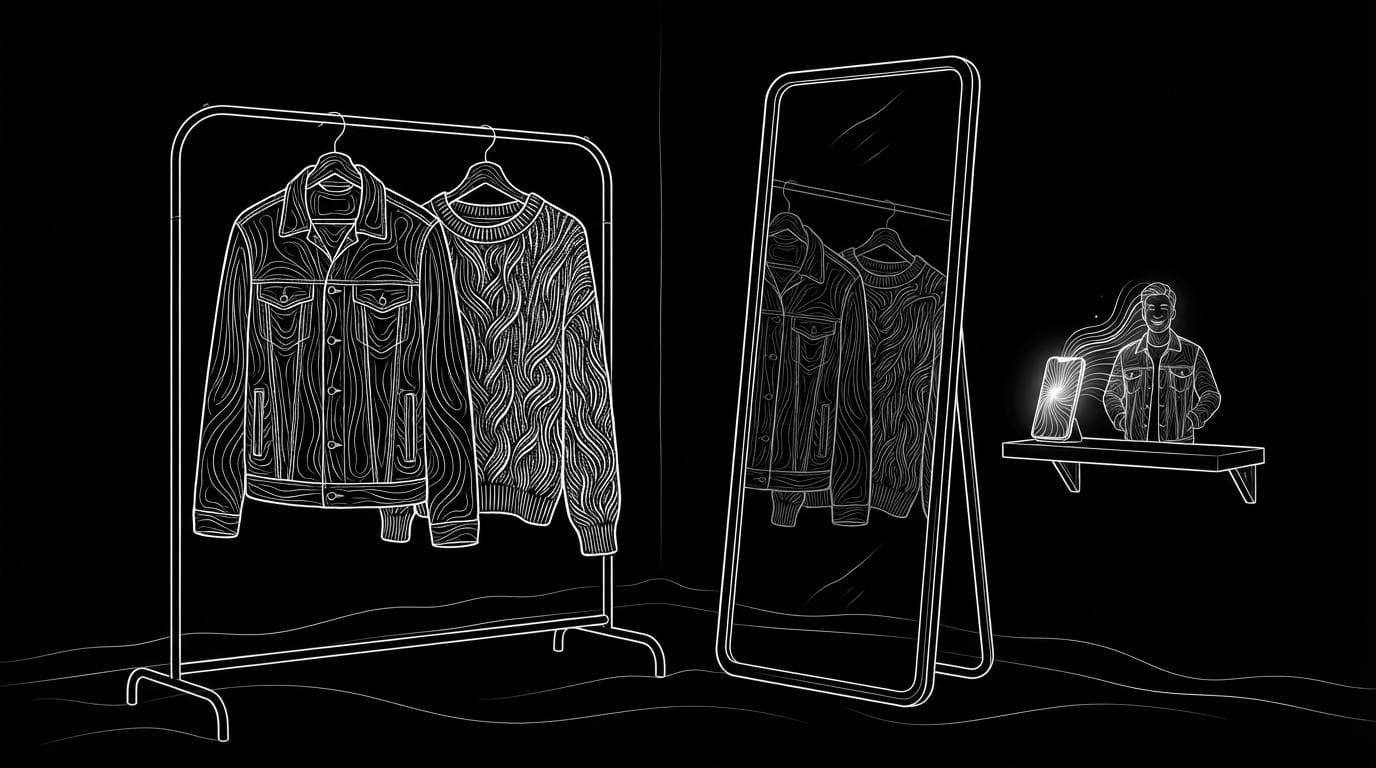
What is the best AI virtual try-on tool for clothing brands?
What is the best AI virtual try-on tool for clothing brands?
Updated October 23, 2026 · By Lauren Hayes
The best AI virtual try-on tool for a clothing brand depends on who does the trying on: for shoppers trying clothes on themselves in your store, use a storefront app such as Antla or Genlook; for catalogue and ad images of your garments on models, use an imagery tool such as FASHN, Botika or Sloosh. Sloosh's Virtual Try-On Space dresses a person photo in your garment and returns a 3:4 image for 2.01 credits a run (Sloosh, Oct 2026), but it is not a shopper-facing widget.
Two jobs called "virtual try-on"
Most confusion about this question comes from one phrase covering two different products.
- Shopper try-on (storefront). A button on your product page. The shopper uploads a selfie and sees your garment on themselves. It aims at conversion and returns, and it lives in your Shopify or WooCommerce store.
- Catalogue try-on (imagery). Your team uploads a model photo and a garment photo and gets an on-model image for the product page, lookbook or ads. It replaces or extends a photoshoot.
Buy the one that matches your problem. A shopper widget will not fill your product pages with model shots, and an imagery tool will not let a customer see the dress on themselves.
              [clothing brand]
                     |
        +------------+------------+
        v                         v
 [shopper try-on]          [catalogue try-on]
 selfie in your store      model + garment photo
 Antla, Genlook            FASHN, Botika, Sloosh
        |                         |
        v                         v
 conversion, returns       product pages, ads
Two different jobs: a widget for shoppers, or a tool that makes on-model images for your team.
AI virtual try-on tools compared
Each tool was checked on its own site. The table lists the job each one does and how it works; check current pricing on each site.
| Tool | Job | How it works | Checked on |
|---|---|---|---|
| Antla | Shopper try-on | Shopify app; shoppers upload one photo and see themselves in the garment; collects emails and syncs to Klaviyo | Oct 23, 2026 |
| Genlook | Shopper try-on | Works on Shopify, WooCommerce and PrestaShop; says shoppers see results in under 10 seconds; free plan; try-on API | Oct 23, 2026 |
| Photoroom Virtual Try-On | Both | Upload one photo and see a garment on it; offered for product pages through the Photoroom API | Oct 23, 2026 |
| FASHN | Both | Its own try-on model; app for on-model visuals, plus an API to put try-on into your own app | Oct 23, 2026 |
| Botika | Catalogue | Flat lay, hanger or ghost mannequin to on-model photos; 150+ AI models; bulk upload | Oct 23, 2026 |
| Claid | Catalogue | AI Fashion Models turns a garment into on-model shots; native 4K; API | Oct 23, 2026 |
| Sloosh Virtual Try-On | Catalogue | Upload a person photo and a garment photo; same person, pose and background wearing it; one 3:4 image; 2.01 credits | Oct 23, 2026 |
Quick picks:
- Shopify store, try-on button plus marketing data: Antla.
- Try-on button on Shopify, WooCommerce or PrestaShop with a free plan to start: Genlook.
- An API to build try-on into your own product: FASHN, Genlook or Photoroom.
- Whole collections from flat lays onto AI models: Botika or Claid.
- Dress your own model photos in a garment, one image at a time: Sloosh.
Virtual Try-On in Sloosh
Sloosh is an AI video and image studio for creators, filmmakers and brand teams. Its Virtual Try-On Space is a catalogue tool: it puts your garment on a person in a photo you already have.
- Open the Space. Go to sloosh.ai/spaces/virtual-try-on-2 and sign in.
- Upload a person photo. Use a full or three-quarter body photo with the torso visible, of someone you have the rights to show.
- Upload a garment photo. Flat-lay, hanger or product photos all work. Tops, dresses, jackets and knitwear work best.
- Press Generate. The button shows the cost first: 2.01 credits a run (Oct 2026).
- Download the image. You get one 3:4 photo of the same person, pose and background, wearing your garment with its colour, texture and fit.
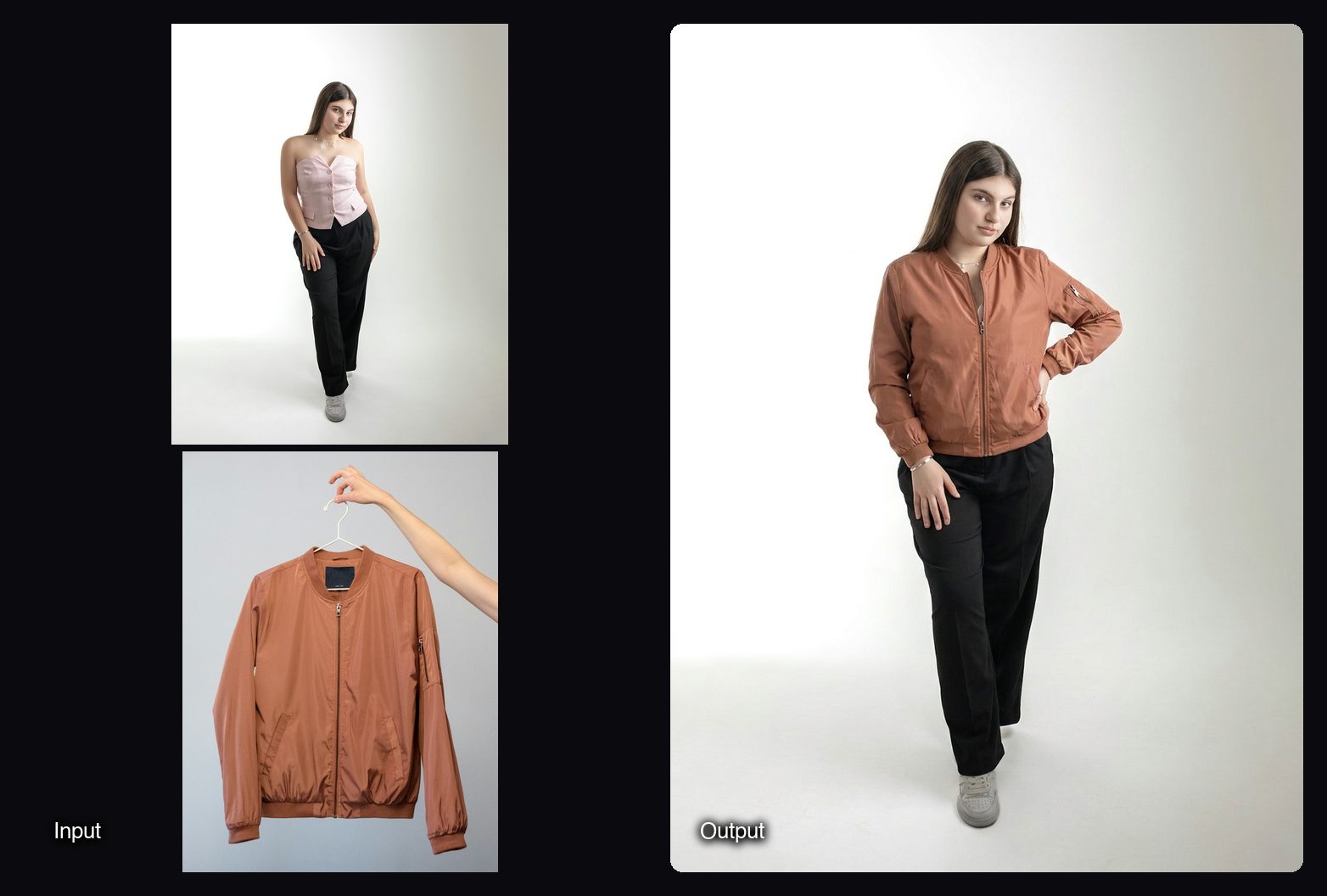
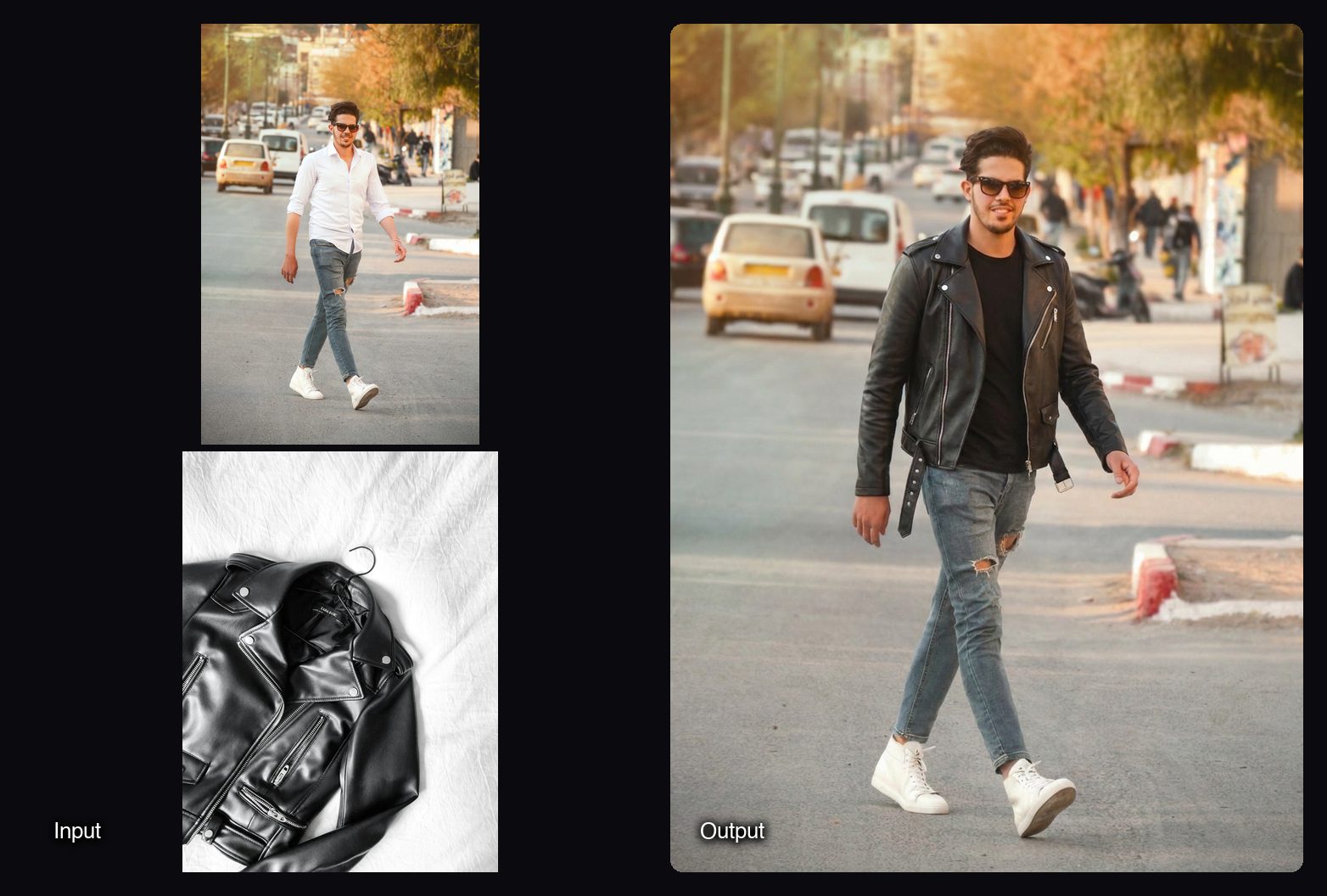
For accessories, Sloosh has Glasses Try-On (one 4:5 photo, 2.01 credits) and Jewellery on Model (one 4:5 close-up, 2.01 credits). To shoot a garment on a model from a library instead of your own photo, use On-Model Studio Shoot.
Watch out for: Sloosh does not offer a try-on button for shoppers in your store. The Space dresses one person in one garment per run, and its FAQ says very detailed prints may simplify slightly. Sloosh has no public API yet, so you cannot embed it in your site.
How to choose a virtual try-on tool
Answer these five questions before you trial anything.
- Who uploads the photo, the shopper or your team? That decides storefront app or imagery tool.
- Which platform is your store on? Shopper apps list the platforms they support; Antla is built for Shopify, and Genlook also covers WooCommerce and PrestaShop.
- Which garments do you sell? Test your hardest piece first: sheer fabric, bold prints, logos or layered outfits.
- What happens to shopper photos? For storefront apps, read the data policy. Genlook, for example, says photos are deleted after 7 days and never used to train AI models.
- Do you need an API? If you want try-on inside your own app, pick a tool that offers one, such as FASHN, Genlook or Photoroom.
Frequently asked questions
What is the difference between virtual try-on and AI fashion models?
Virtual try-on usually means a shopper sees a garment on their own photo, while AI fashion models put your garment on a generated or chosen model for catalogue images. Some tools, such as FASHN and Photoroom, do both.
Does virtual try-on reduce returns?
Vendors say so, but results vary by store. Antla, for example, reports higher conversions on its own site. Treat vendor figures as claims and run your own test against a control group.
Can I add a virtual try-on button to my Shopify store?
Yes. Shopify apps such as Antla and Genlook add a try-on button to product pages, and Genlook says it installs without code. Sloosh does not offer a storefront try-on button.
How much does AI virtual try-on cost?
It depends on the job. Storefront apps charge by plan or usage, and Genlook has a free plan. In Sloosh, one Virtual Try-On image costs 2.01 credits (Oct 2026), about $0.20 on the Creator plan ($19 for 195 credits a month).
Can I use AI try-on images on my product pages?
Yes, if you have the rights to the person and garment photos. Sloosh's Virtual Try-On page lists it as made for Shopify, Instagram and Amazon and says you can use the images on your store. Check each image against the real garment's colour and fit.
Bottom line
Decide which job you are buying for first. For shoppers trying clothes on themselves, Antla and Genlook are built for storefronts; for on-model catalogue images, FASHN, Botika, Claid and Sloosh fit, with Sloosh's Virtual Try-On dressing your own model photos for 2.01 credits a run.
Try Sloosh's Virtual Try-On Space