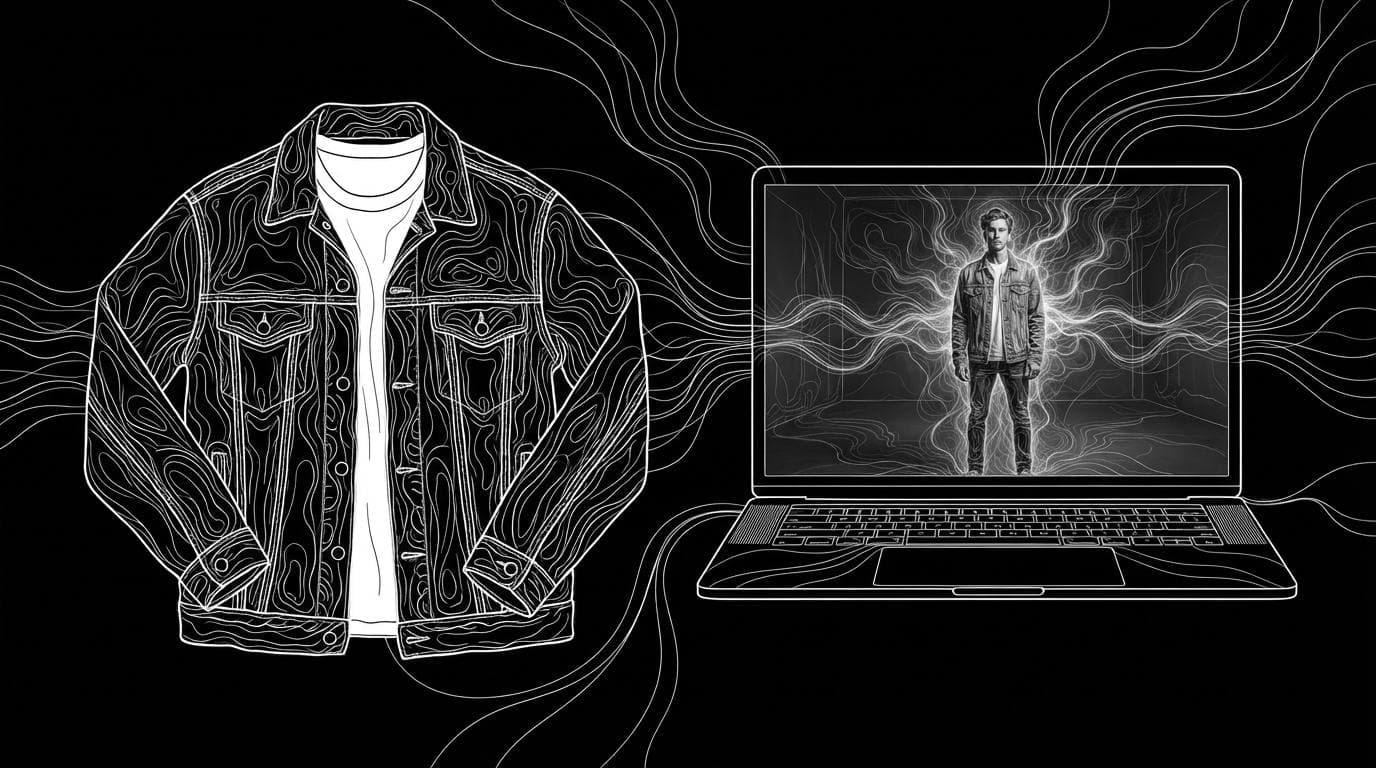
How do I do an AI fashion photoshoot without models?
How do I do an AI fashion photoshoot without models?
Updated October 23, 2026 · By Lauren Hayes
To do an AI fashion photoshoot without models, photograph your garment flat, on a hanger or on a mannequin, then use an AI tool to put it on a generated or library model in the backdrop and poses you choose. Sloosh's On-Model Studio Shoot Space does this from photos of one garment, returning a full-length hero image plus one image per pose for 2.01 credits a run (Sloosh, Oct 2026). Botika, Claid, Photoroom and FASHN offer similar flat-lay-to-model tools.
What you need for an AI fashion photoshoot
You need good garment photos more than you need prompts. AI copies what it can see, so the inputs decide the result.
- Clear garment photos. A flat lay, ghost mannequin or hanger shot on a plain background, evenly lit, with no creases hiding seams.
- A back view. If you want back-facing poses, upload the back too, or the AI has to guess it.
- Close-ups of details. Prints, logos, buttons and trims are where AI simplifies first.
- A styling brief. Shoes, accessories, hair and overall aesthetic, written in one or two sentences.
- A model choice. A library model, or a person photo you have written permission to use.
- A list of shots. Hero, side, back and detail, in the aspect ratio your store uses (2:3 suits product pages).
[garment photos: front, back, details]
                 |
                 v
[pick model] + [pick backdrop] + [pick poses]
                 |
                 v
        [hero + one image per pose]
                 |
        +--------+---------+
        v                  v
 [editorial set]   [6 s lookbook video]
An AI photoshoot without models: garment photos in, studio shots out, then optional editorial stills and video.
How to do an AI fashion photoshoot in Sloosh
Sloosh is an AI video and image studio for creators, filmmakers and brand teams. Its On-Model Studio Shoot Space turns flat photos of one garment into a studio shoot.
- Open the Space. Go to sloosh.ai/spaces/on-model-studio-shoot and sign in.
- Upload garment photos. Add up to 10 photos of one piece, all angles. Front and back work best.
- Choose the product type and add a styling brief. Leave the brief empty for clean, neutral studio styling.
- Pick a model, a studio background and the poses. Each pose you select becomes one image.
- Pick an aspect ratio and press Generate. The button shows the cost first: 2.01 credits a run (Oct 2026).
- Download the shoot. You get a full-length hero image plus one image per pose, in the Generations tab.
The Space's FAQ says the garment photos are the reference for colour, fabric, trims and fit, and the workflow is built to reproduce them rather than invent details. It lists the Space as made for Shopify, Instagram and Amazon.
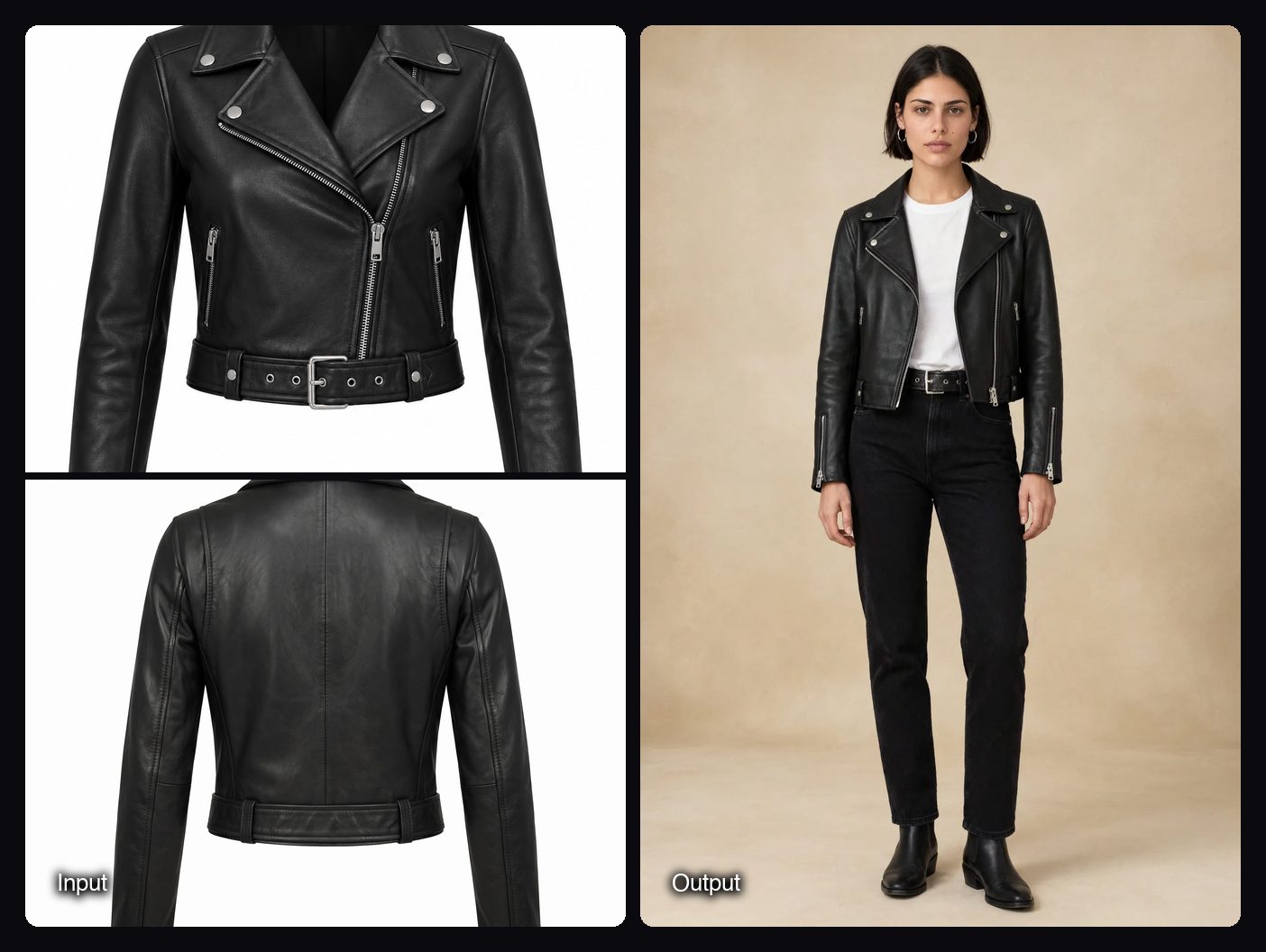
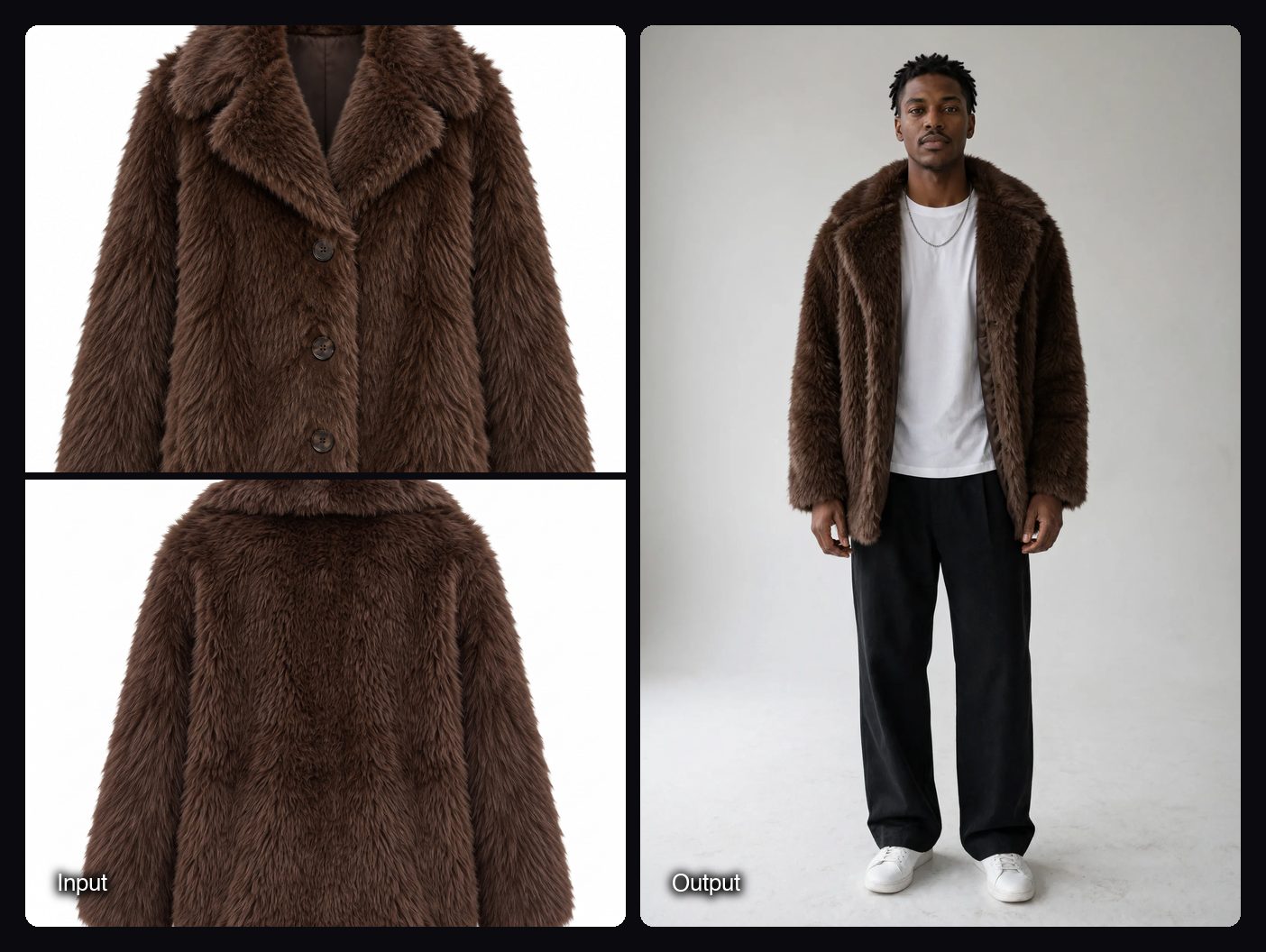
Watch out for: On-Model Studio Shoot styles one garment per run, so a full collection takes one run per piece. Batch runs, many products through a Space at once, need the Pro plan (up to 50 items) or the Max plan (up to 200 items). If you upload your own model photo anywhere in Sloosh, you need the rights to that person's image.
From studio stills to editorial and lookbook video
Once the studio shots are done, three more Sloosh Spaces extend the same garment into campaign content.
| Sloosh Space | Inputs | Output | Credits a run |
|---|---|---|---|
| On-Model Studio Shoot | Up to 10 garment photos, model, backdrop, poses | Hero plus one image per pose | 2.01 |
| Fashion Editorial Shots | Model photo, garment photo, location photo | Four 4:5 editorial images | 8.04 |
| Pinterest-Style Fashion Campaign | Up to 10 product photos, brief, model portrait | Your chosen number of flash-lit campaign images | From 18.84 |
| Outfit Lookbook Video | Model photo, outfit photo | Two 9:16 stills and a 6 s 9:16 video, made with MiniMax H3 | 8.52 |
If your only garment photo is on a person, the Ghost Mannequin Space extracts it into a 4:5 invisible-mannequin image on white for 2.01 credits, which you can then use as a clean garment input.
Other tools for AI fashion photoshoots
These tools were checked on their own sites. Prices change often, so the table compares how each one works.
| Tool | Best for | How it works | Checked on |
|---|---|---|---|
| Sloosh | Studio shots plus editorial, campaign and lookbook video in one place | Fashion Spaces: model, backdrop and pose pickers; 2.01 credits a studio run | Oct 23, 2026 |
| Botika | Whole collections on a large cast of AI models | Flat lay, hanger or ghost mannequin to on-model; 150+ AI models; bulk upload; managed accounts | Oct 23, 2026 |
| Claid | On-model shots with an API for catalogue pipelines | AI Fashion Models from a garment; native 4K; image-to-video | Oct 23, 2026 |
| Photoroom | Sellers who also need cutouts and marketplace formats | AI Fashion Models ("dress any mannequin"), batch processing, API | Oct 23, 2026 |
| FASHN | Brands that want an agent to direct shoots in plain language | Product to Model, Model Swap, consistent models, short videos, API | Oct 23, 2026 |
Frequently asked questions
Can AI replace a fashion photoshoot?
AI can replace many catalogue and social shoots, but not every one. It works best for clean studio and lifestyle shots of clear garments. Complex prints, sheer fabric and exact fit still need checking, and some brands keep real shoots for hero campaigns.
What photos of my clothes do I need for an AI photoshoot?
Clear shots of one garment on a plain background: a flat lay, ghost mannequin or hanger photo. Add a back view for back-facing poses and close-ups of prints or logos.
Do I need real models for AI fashion photos?
No. Tools such as Sloosh's On-Model Studio Shoot, Botika and Claid offer AI or library models. If you use a real person's photo instead, you need their permission.
How much does an AI fashion photoshoot cost?
In Sloosh, an On-Model Studio Shoot run costs 2.01 credits and Fashion Editorial Shots costs 8.04 credits for four images (Oct 2026). On the Creator plan ($19 for 195 credits a month), that is about $0.20 and $0.78 per run.
Can I make a lookbook video from AI fashion photos?
Yes. Sloosh's Outfit Lookbook Video Space takes a model photo and an outfit photo and makes two street-style stills and a 6-second vertical video of the model walking and turning, for 8.52 credits a run.
Bottom line
An AI fashion photoshoot without models starts with clean garment photos and ends with a check against the real piece. Sloosh's On-Model Studio Shoot turns one garment into a studio set for 2.01 credits a run, with editorial, campaign and video Spaces for the next step; Botika, Claid, Photoroom and FASHN are strong alternatives, especially for large collections.
Start an AI fashion shoot in Sloosh