
Which platform is best for running Kling V3 Omni?
Which platform is best for running Kling V3 Omni?
Updated October 23, 2026 · By Jason Miller
The best platform for Kling V3 Omni depends on your job: the official Kling AI web app is the native home with every Omni feature, the Kling API suits developers, Adobe Firefly suits teams already in Adobe, and Sloosh suits creators who want it in ready-made product and fashion workflows, where Kling V3 Omni makes 3 to 15 second clips at up to 4K and takes start and end frames alongside up to 7 reference images (Sloosh docs, Oct 2026).
"Kling V3 Omni" and "Kling VIDEO 3.0 Omni" are the same model from Kuaishou. Some platforms shorten it to "Kling 3.0 Omni", and some list a related "Kling O3", so check the exact model name before you pay.
Kling V3 Omni at a glance
Kling V3 Omni is Kuaishou's all-in-one video model: it generates from text, images and references, edits a clip you bring, and writes several shots in one generation. These specs come from Kling's own Omni user guide and Sloosh's model doc (checked October 23, 2026).
- Clip length: up to 15 seconds per generation.
- Shots: up to 6 shots in one clip, labelled in the prompt.
- References: up to 7 images without a video input; with a video input, Kling allows up to 4 images or elements and one video of 3 to 10 seconds.
- Sound: native audio and dialogue, generated only when no video is given.
- Prompt: up to 2,500 characters in Sloosh.
How is it different from Kling 3.0? Kling 3.0 animates a start image from a prompt. Kling V3 Omni adds references, editing of an existing clip and multi-shot writing in one model.
Where you can run Kling V3 Omni
Kling V3 Omni runs on Kuaishou's own app and API and on a few partner platforms. The table lists what each platform's own pages say.
| Platform | Access | Max length / resolution | Price (as published) | Best for | Checked on |
|---|---|---|---|---|---|
| Kling AI | Web app (official) | 15 s / 1080p and 720p modes | 12 credits a second at 1080p with audio, 9 at 720p | Native access to every Omni feature | Oct 23, 2026 |
| Kling API | API (official) | Up to 4K in the price list | $0.112 a second at 720p with audio, $0.14 at 1080p, $0.42 at 4K | Developers | Oct 23, 2026 |
| Adobe Firefly | Partner model in Firefly | 15 s, up to 6 shots | Free to try; unlimited use needs a paid Adobe plan | Teams already in Adobe | Oct 23, 2026 |
| Higgsfield | Web app | 3 to 15 s / 4K | Plan credits; rate not stated | Higgsfield subscribers | Oct 23, 2026 |
| Sloosh | Studio, Spaces, MCP | 3 to 15 s / 4K | Credits; the Generate button shows the cost first | Product and fashion workflows | Oct 23, 2026 |
API hosts such as fal and Runway list "Kling O3" endpoints with references and multi-shot prompts. Sloosh lists Kling O3 and Kling V3 Omni as separate models, so confirm which one an endpoint runs before you build on it.
[Shot 1: wide, 3s] --+
[Shot 2: close, 3s] -+--> Kling V3 Omni --> one clip
[Shot 3: push, 3s] --+    + up to 7 refs    up to 15 s
                          + start/end frame  with sound
Kling V3 Omni writes several labelled shots into one clip.
Best platform for Kling V3 Omni by need
Each platform suits a different job. These picks follow each vendor's documented features.
- Every Omni feature first, including voice binding: the Kling AI web app.
- An app or pipeline: the Kling API, the only route here with a published per-second dollar rate for Omni.
- Editing alongside Premiere and Photoshop: Adobe Firefly.
- 4K inside a creative subscription: Higgsfield or Sloosh.
- Product clips and fashion videos from one photo: Sloosh Spaces.
- Running it from Claude, Cursor or Codex: Sloosh MCP, on the Pro or Max plan.
Kling V3 Omni in Sloosh
Sloosh is an AI video and image studio for creators, filmmakers and brand teams. It runs Kling V3 Omni in Studio and in Spaces built on it.
Frames and references together
In Sloosh Studio, Kling V3 Omni accepts start and end frames alongside up to 7 reference images. Most other video models in Sloosh, such as Seedance and MiniMax H3 Reference, make you choose one or the other. It offers 720p, 1080p or 4K, in 16:9, 9:16 or 1:1, and every Sloosh workspace can make 4K.
Spaces built on Kling V3 Omni
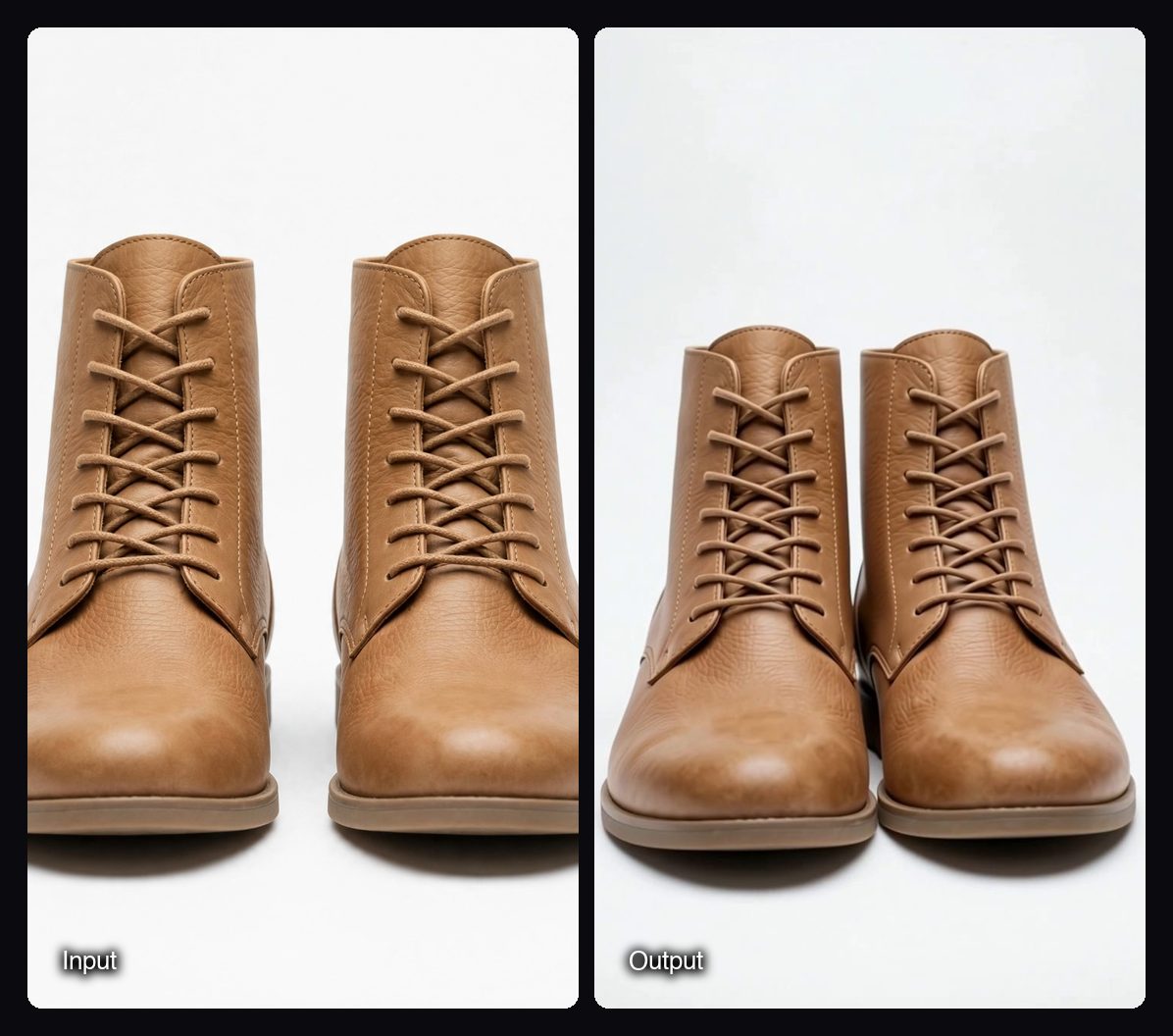
- Multishot Product Clips: one product photo in, three 5-second vertical clips out (a macro push-in, a pedestal turn and an in-hand shot), for 25.2 credits a run.
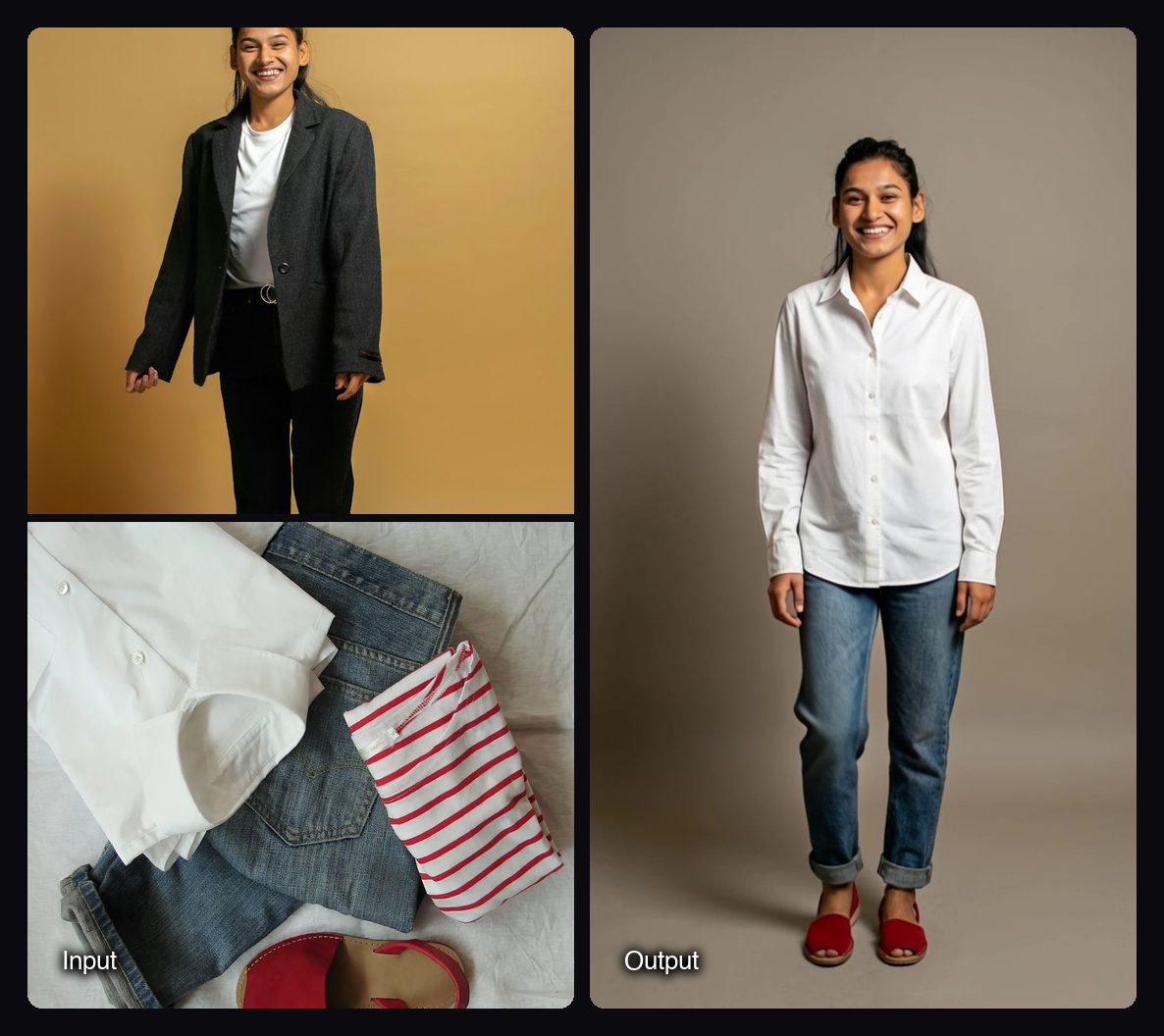
- Fashion Pose-to-Pose Video: a model photo and a garment photo in, two studio poses and a 5-second 9:16 clip between them out, for 12.42 credits a run.
Watch out for: Kling V3 Omni in Sloosh offers only 16:9, 9:16 or 1:1, clips of 15 seconds at most, and prompts of up to 2,500 characters. Sloosh's pricing page does not list a per-second rate for Kling V3 Omni; the Generate button shows the cost before you run. Sloosh has no public API yet, so developers should use the Kling API.
How to run Kling V3 Omni in Sloosh
Running Kling V3 Omni in Sloosh takes five steps.
- Open Studio > Video and pick Kling V3 Omni in the model chip.
- Set the scene in one line, then label each shot with its framing and length, such as
[Shot 1: Wide shot, 3s]. - Add up to 7 references and refer to them by number ("the amber serum bottle from Image 1"). Add a start and end frame if the clip must open and close on exact images.
- Put dialogue in quotes with the speaker and tone, and describe the ambient sound.
- Set aspect ratio, resolution, length and sound, then press Generate. The clip lands in My generations and Assets, where you can edit, extend or upscale it.
Frequently asked questions
Is Kling 3 Omni better than Kling 3?
Kling 3 Omni does more than Kling 3.0, but it is not always the better pick. Use Kling V3 Omni for reference-guided, multi-shot clips and edits; use Kling 3.0 for a simple prompt-led scene from one start image, which Sloosh's docs call the simpler choice.
How long can a Kling V3 Omni video be?
A Kling V3 Omni video can be up to 15 seconds long, with up to 6 shots in that clip. Sloosh offers 3 to 15 seconds, and Higgsfield lists the same range.
Does Kling V3 Omni make 4K video?
Yes, on some platforms. The Kling API lists Omni 4K at $0.42 a second, and Sloosh and Higgsfield both offer 4K. Kling's web app guide describes 1080p and 720p modes.
How much does Kling V3 Omni cost?
Kling V3 Omni costs $0.084 to $0.42 a second on the Kling API, depending on resolution, audio and video input (Oct 23, 2026). The Kling web app charges 6 to 12 credits a second without a video input. In Sloosh, the Generate button shows the credit cost before you run.
Can I use Kling V3 Omni for free?
Partly. Adobe Firefly lets you try Kling 3.0 Omni for free before a paid Adobe plan, and a first Sloosh workspace gets 20 starter credits once. Kling's own plans and free credits change often, so check its site.
Bottom line
For every Omni feature first, use the Kling AI web app; for code, use the Kling API; inside Adobe workflows, use Firefly. If you want Kling V3 Omni at 4K with frames and references in one run, plus ready-made product and fashion Spaces and agent access, Sloosh runs it in Studio and Spaces.
Try Kling V3 Omni in Sloosh Studio
Related questions
- Seedance 2.5 vs Kling V3 Omni: which is better for realistic video?
- Which platform is best for running Seedance 2.5?
- Which platform lets me compare Seedance, Kling, Wan and MiniMax side by side?
- Which AI tool produces product videos for every SKU without a studio?
- How do I turn flat-lay clothing photos into on-model shots?