Which AI tool produces product videos for every SKU without a studio?
Which AI tool produces product videos for every SKU without a studio?
Updated October 23, 2026 · By Lauren Hayes
Four kinds of AI tool make product videos for a whole catalog without a studio: URL-to-video services like ShelfMotion, ad generators like Creatify, ecommerce suites like Nexscope, and workflow tools like Sloosh, whose Batch mode runs one product-video Space over up to 50 products on the Pro plan or 200 on Max (Sloosh docs, Oct 2026). Which one fits depends on whether you start from product page links or from product photos, and on how many SKUs you need to cover.
Most of the pages that answer this question today skip the part that matters at catalog scale: how many products one run can take, and what the tool invents when your photo does not show every side. This page covers both.
What does SKU-scale product video need?
SKU-scale product video needs a repeatable recipe, a bulk input, and a review step. A tool that makes one great video but needs a fresh prompt per product does not scale to a catalog. Check for these six things.
- One fixed recipe. The same camera move, backdrop and length for every product, so the catalog looks consistent.
- A bulk input. A folder of photos, a list of product URLs, or a store connection. Uploading one product at a time stops being practical past a few dozen SKUs.
- A known batch limit. How many products one run takes, and on which plan.
- Formats for each channel. Square or 16:9 for product pages, 9:16 for TikTok, Reels and Stories.
- A fixed cost per product. Per-run or per-video pricing lets you budget a catalog before you start.
- Honest accuracy. AI can change label text and colours, and a turntable or orbit has to guess the sides your photo does not show. Plan to check every video against the real product.
How the main tools compare
The tools below all make product videos without a camera or set. They differ in input, output and how they handle many products. Facts come from each vendor's own site.
| Tool | Starts from | What you get | Bulk handling | Checked on |
|---|---|---|---|---|
| Sloosh | Product photos (phone snaps work) | Turntable, orbit or 3-clip product video per product, from 5.76 credits a run | Batch: a folder with one subfolder per product, up to 50 (Pro) or 200 (Max) items | Oct 23, 2026 |
| ShelfMotion | A product page URL | A cinematic product video in one of four scenarios (turntable, showcase, levitation, surface drop) | Says it handles "from a handful of SKUs to thousands"; plans from 2 free videos to 50 a month on Pro | Oct 23, 2026 |
| Creatify | A product URL or a script | Video ads, including avatar and UGC-style formats | "Batch create a dozen variations at once" of an ad | Oct 23, 2026 |
| Nexscope | A product photo, link or reference video | Image-to-video, URL-to-video, UGC-style and video-clone tools | Lists a "Bulk Video" tool; no limits stated on its home page | Oct 23, 2026 |
| Fliki | A product photo or your website | Product ad creatives and short launch films | No catalog or bulk mode described on its home page | Oct 23, 2026 |
Plans and limits change often, so check each vendor's pricing page before you commit.
Best for, by job
- You have product page URLs and want one cinematic clip each: ShelfMotion. It reads the page and picks the images for you.
- You want ads with avatars, scripts and many variations of one product: Creatify.
- You also want marketplace research and listing images in the same tool: Nexscope.
- You want voice-over and script-led videos from a brand or website: Fliki.
- You have product photos and want the same video recipe run over a whole folder: Sloosh, with a product-video Space in Batch mode.
How Sloosh makes product videos for every SKU
Sloosh is an AI video and image studio for creators, filmmakers and brand teams. For catalog video, the parts that matter are Spaces, which are fixed workflows behind a simple form, and Batch, which runs one Space over many products. Three Spaces make product video from a single photo (Sloosh Space pages, Oct 2026):
- Phone Photo to Studio Product Video: turns a casual phone snap into a square studio packshot plus a 5-second square turntable video. 5.76 credits a run.
- Multishot Product Clips: returns three 5-second vertical clips per photo: a macro push-in, a pedestal turn and an in-hand shot. 25.2 credits a run.
- 360 Product Orbit Video: generates two studio angles, then Seedance 2.5 animates a camera orbit between them into a 5-second 16:9 video. 21.36 credits a run.
[ catalog folder ]
   |-- SKU-001/ photo.jpg
   |-- SKU-002/ photo.jpg
   |-- SKU-...  (one subfolder per product)
   v
[ Space in Batch mode ]  same recipe for each SKU
   v
[ packshot + video per SKU ] -> [ review ] -> [ store ]
One folder, one subfolder per product: Batch runs each SKU through the same Space.
These frames come from the Spaces' template galleries, made from single product photos.

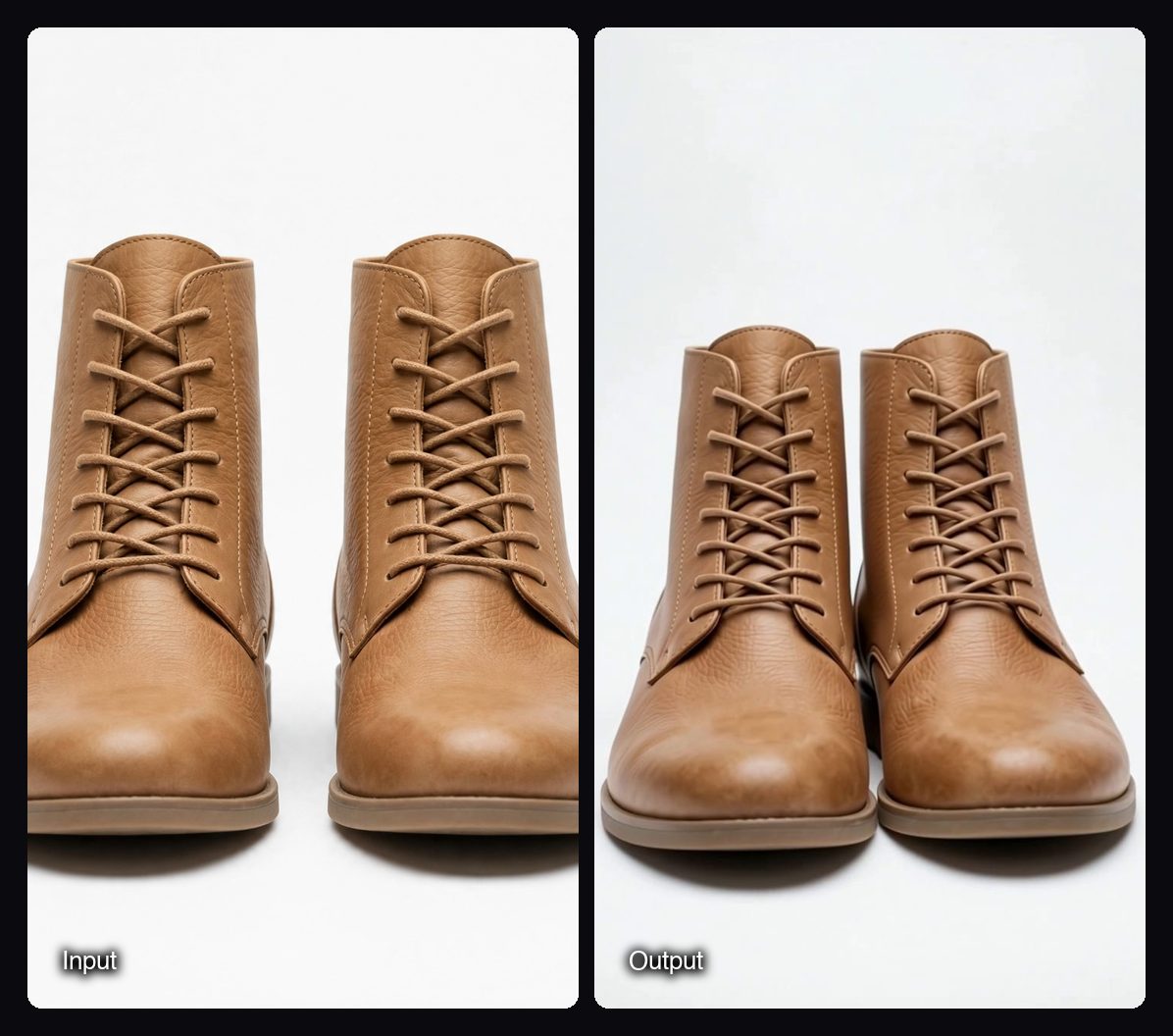
If your store runs on Shopify and you work in Claude, the Sloosh for Shopify stores plugin pack adds a pdp-video skill that makes short product page videos from a start frame for each product. It reads products and basic shop information only and never changes your store (Sloosh blog, Oct 21, 2026).
Watch out for: Batch needs the Pro or Max plan, and only some Spaces offer it. Turntable and orbit videos invent the sides your photo does not show, which Sloosh's own Space pages say plainly, so a front-facing or three-quarter photo gives the most faithful result. Each Space makes 5-second clips; for longer product films, use the video models in Studio.
How to run a product-video Space over your catalog in Sloosh
Running a catalog through Sloosh takes one folder and one Space. These steps follow the Sloosh Spaces docs.
- Prepare the folder. Make one subfolder per product, named by SKU, with a clear photo of that product inside. Front-facing photos work best for turntables, three-quarter photos for orbits.
- Pick a Space. Choose Phone Photo to Studio Product Video for product pages, Multishot Product Clips for social ads, or 360 Product Orbit Video for hero banners.
- Turn on Batch. Batch sits above the Space's form. Pick your folder. Pro takes up to 50 items per batch, Max up to 200.
- Check the cost and run. The Generate button shows the credit cost before you spend anything. Each product runs through the Space on its own.
- Review every video. Results land in the Space's Generations tab. Check labels, colours and the back of each product against the real item before you publish.
A Creator plan ($19 a month, 195 credits) can run the Spaces one product at a time but not in Batch. A new workspace gets 20 starter credits once, enough to test a few runs of Phone Photo to Studio Product Video first.
Frequently asked questions
Can AI make a product video from just one photo?
Yes. Image-to-video tools animate a single product photo into a short clip. In Sloosh, Phone Photo to Studio Product Video, Multishot Product Clips and 360 Product Orbit Video each need one product photo, and the phone photo does not need a clean background.
How many products can I run at once?
It depends on the tool and the plan. In Sloosh, Batch runs up to 50 products on the Pro plan and up to 200 on the Max plan (Oct 2026). ShelfMotion sells a set number of videos per month per plan, so check its pricing page for current numbers.
How much does an AI product video cost per SKU?
In Sloosh, a product video costs 5.76 credits a run with Phone Photo to Studio Product Video, 21.36 credits with 360 Product Orbit Video, and 25.2 credits with Multishot Product Clips (Oct 2026). Other tools price per video or per plan, so compare on the cost of your full catalog.
Will the back of my product be accurate?
Not always. A turntable or orbit video has to infer sides the photo does not show, so a unique back label or detail can come out wrong. Upload a front-facing or three-quarter photo, and check every video before it goes live.
Can I use AI product videos commercially?
Yes, in Sloosh you can use what you create in your ads, store and social posts, as long as you have the rights to the photos you upload. Other tools set their own terms, so read them before running paid ads.
Do I need a Shopify integration to do this?
No. A folder of photos is enough for Batch in Sloosh. If you use Claude, the Sloosh for Shopify stores pack can read your store's products and make product page videos without you exporting photos.
Bottom line
For a few products with live product pages, a URL-to-video service like ShelfMotion is the shortest route. For avatar ads and many variations of one hero product, Creatify fits better. For running the same studio-style video recipe over a whole folder of product photos, Sloosh's product-video Spaces in Batch mode cover up to 200 SKUs per run on Max, with a fixed credit cost per product.
Make product videos from your photos with Sloosh