What is the best AI tool for 360-degree product videos?
What is the best AI tool for 360-degree product videos?
Updated October 23, 2026 · By Lauren Hayes
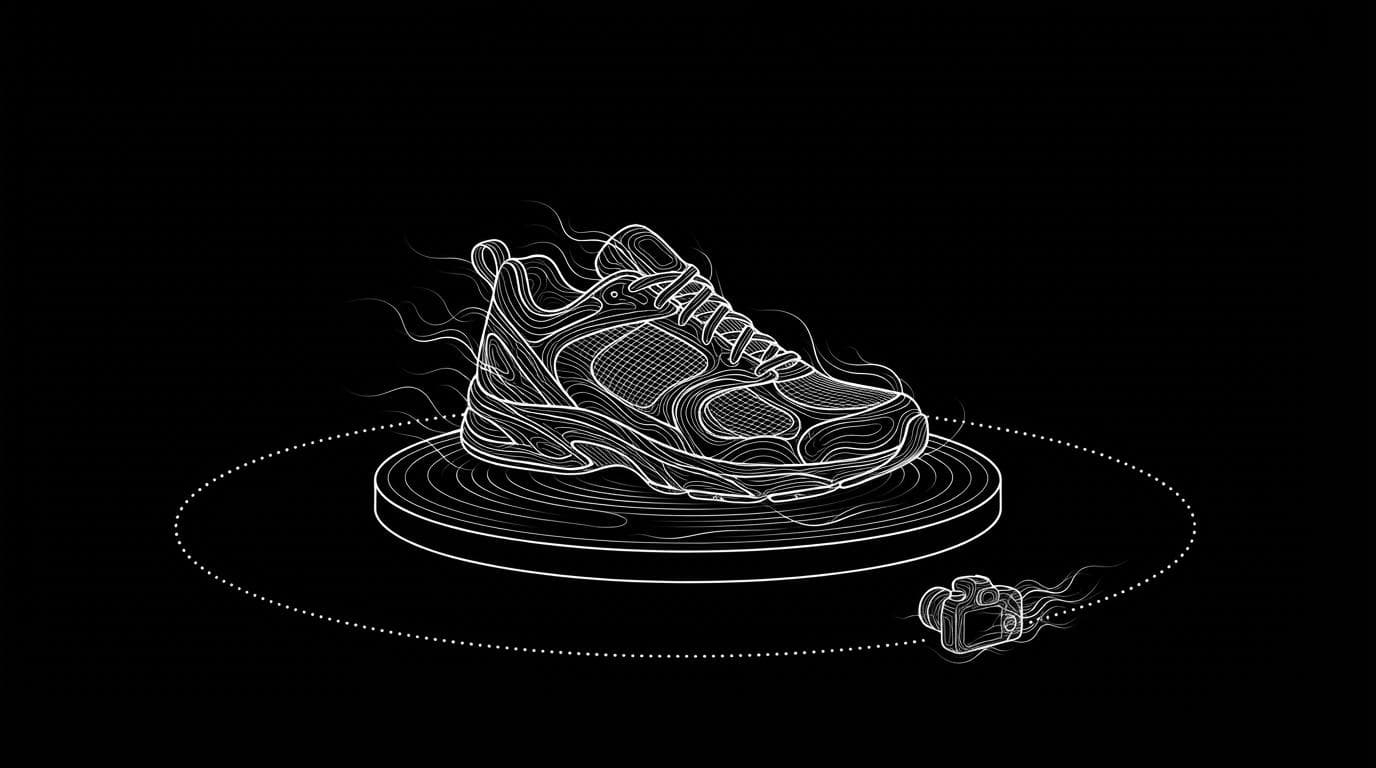
The best AI tool for 360-degree product videos depends on whether you need a rotating video for ads and product pages or a true, accurate spin of every side. For a generated orbit from one photo, Sloosh's 360 Product Orbit Video Space makes a 5-second 16:9 orbit with Seedance 2.5 for 21.36 credits a run (Sloosh, Oct 2026), and DomoAI's 360 View template does a similar one-image spin. For a spin that shows the real back of the product, use a turntable or a robotic capture system such as PhotoRobot.
AI orbit video vs a true 360 spin
An AI orbit video and a true 360 spin are different products, and most pages that rank for this question do not say so.
- AI orbit video. You upload one photo. A video model generates a camera move around the product. Any side the photo does not show is inferred, so the back, base or hidden labels can be wrong. It is fast and cheap, and it suits ads, launches and hero banners.
- True 360 spin. The product is photographed from many angles on a turntable, and the frames are stitched into an interactive spin or a video. Every side is real. It needs the physical product, equipment or a studio, and more time.
Pick the AI route when the video sells a mood. Pick a real capture when shoppers use the spin to check details before they buy, as with shoes, tools or electronics.
AI orbit (one photo)          True 360 (physical capture)
--------------------          ---------------------------
[1 product photo]             [product on turntable]
        |                             |
        v                             v
[AI makes 2 angles]           [photos of every side]
        |                             |
        v                             v
[video model orbits]          [frames stitched to spin]
        |                             |
        v                             v
[5 s video, sides inferred]   [spin, every side real]
Two routes to a 360 product video: generate it from one photo, or capture every side.
AI tools for 360-degree product videos compared
Each tool below was checked on its own site. Prices and limits change often, so the table sticks to what each tool does.
| Tool | Best for | How it works | Checked on |
|---|---|---|---|
| Sloosh 360 Product Orbit Video | A cinematic orbit for product pages and ads from one photo | Upload 1 photo; 2 studio angles are generated, then Seedance 2.5 orbits between them; 5 s, 16:9; 21.36 credits a run | Oct 23, 2026 |
| Sloosh Feature Callout Orbit | An orbit that also labels three selling points | Upload 1 photo and type 3 features; 8 s vertical clip with labels; 27.81 credits a run | Oct 23, 2026 |
| DomoAI 360 View | A quick single-image spin | Upload one clear photo with a single centred subject (up to 10MB), pick the 360 View template | Oct 23, 2026 |
| Runway | Custom camera moves you prompt yourself | General video generation and editing; you write the orbit prompt | Oct 23, 2026 |
| The New Black | Fashion brands that want a 360 inside a fashion suite | Lists "Product 360" among its video workflows, next to try-on and lookbooks | Oct 23, 2026 |
| PhotoRobot | Accurate 360 spins and 3D models at catalogue scale | Robotic turntables and camera arms that photograph every side | Oct 23, 2026 |
Quick picks:
- One photo to a polished orbit for an ad or banner: Sloosh 360 Product Orbit Video.
- An orbit that names features for Amazon or Shopify: Sloosh Feature Callout Orbit.
- A simple one-image spin: DomoAI.
- Full control over the camera prompt: Runway.
- Every side accurate, for many SKUs: PhotoRobot or another turntable system.
360 Product Orbit Video in Sloosh
Sloosh is an AI video and image studio for creators, filmmakers and brand teams. Its 360 Product Orbit Video Space turns a single product photo into a rotating product video in one run.
- Open the Space. Go to sloosh.ai/spaces/360-product-orbit-video and sign in.
- Upload one product photo. A clear three-quarter photo gives the best result, because it shows two faces of the product.
- Press Generate. The button shows the cost first: 21.36 credits a run (Oct 2026).
- Get the outputs. You get two 16:9 studio stills and one 5-second 16:9 MP4. The result appears in the Space's Generations tab.
- Or start from a template. Open one on the template gallery, press Recreate, then swap in your photo.
The Space page lists it as made for Shopify, Amazon and Instagram, and says you can use the video in ads, your store and social posts if you have the rights to the product photo. You can open the canvas behind the Space to change its prompts, models or output format.
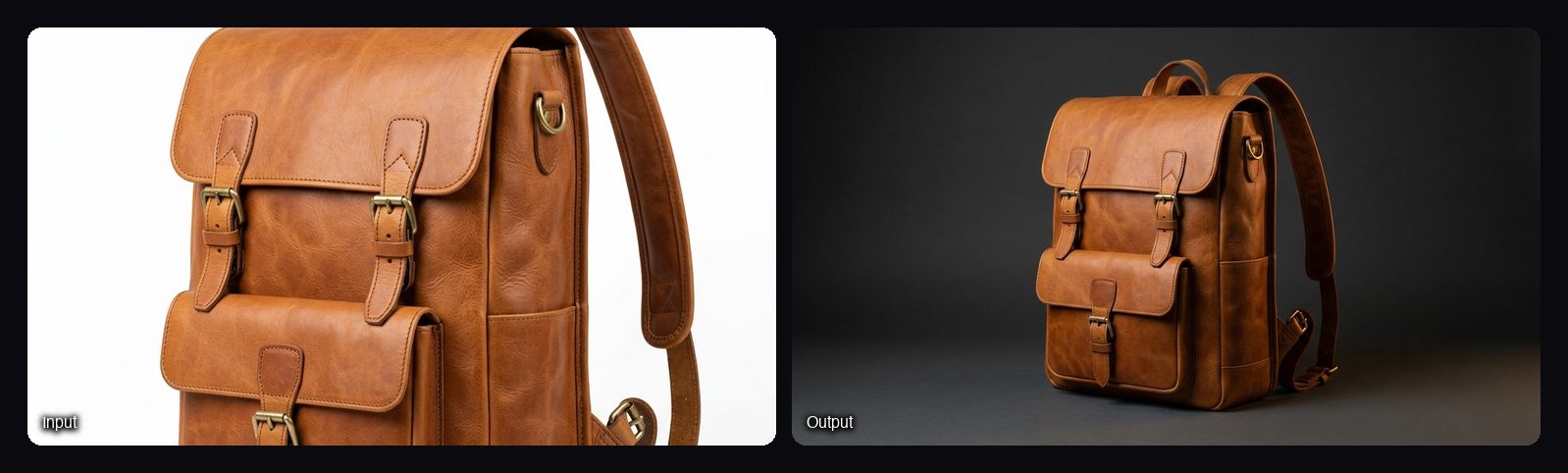
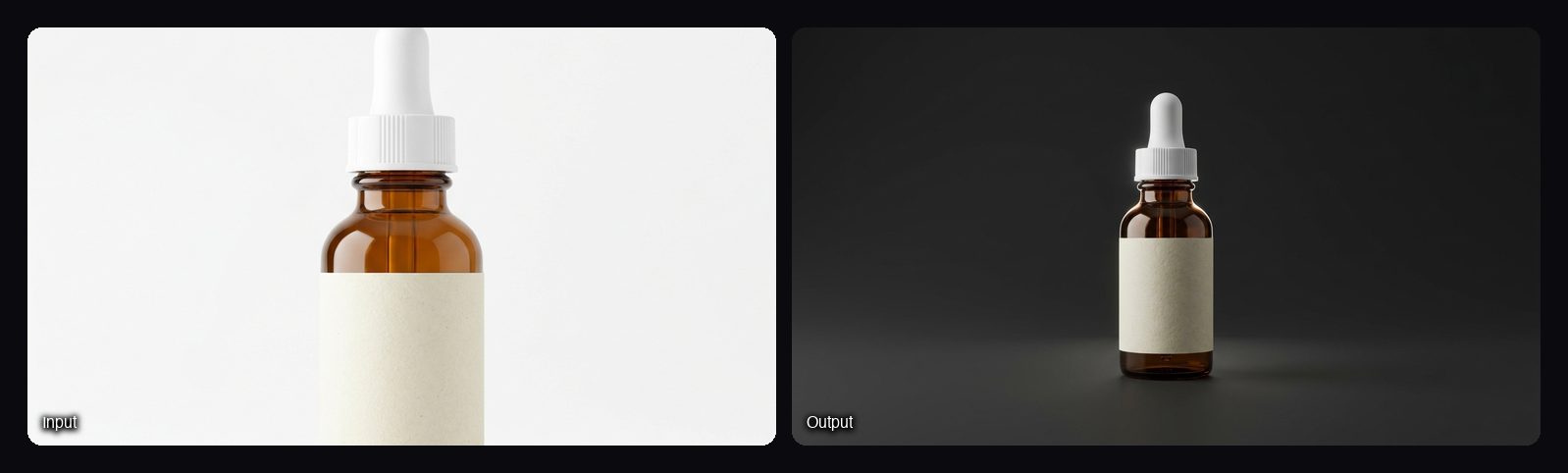
Watch out for: the orbit is generated from one photo, not captured. The Space's own FAQ says sides the photo does not show are inferred, and the clip is fixed at 5 seconds and 16:9. For a vertical clip, use Feature Callout Orbit (8 seconds, vertical). For a square turntable on a seamless backdrop, Phone Photo to Studio Product Video makes a 5-second square video for 5.76 credits, with the same warning about invented sides. A new workspace gets 20 starter credits once, which is not enough for one 21.36-credit orbit, so you need a plan first.
Tips for an accurate AI product spin
These tips apply to any AI orbit tool.
- Shoot a three-quarter angle. One photo that shows the front and one side gives the model two real faces to work from.
- Use a sharp, well-lit photo. Blur and harsh shadows turn into warped edges in motion.
- Keep labels facing the camera. AI video can soften or rewrite small text, and text on hidden sides is guessed.
- Check the back before you publish. Compare the last frames with the real product. If the back matters to buyers, show a real photo of it next to the video.
- Match the shape to the placement. Use 16:9 for banners and product-page video, and vertical for Reels, TikTok and Stories.
Frequently asked questions
Can AI make a 360-degree product video from one photo?
Yes. AI tools such as Sloosh's 360 Product Orbit Video and DomoAI's 360 View make a rotating video from a single photo. The sides the photo does not show are inferred, so check them against the real product.
Is an AI 360 video the same as a 360 product spin?
No. An AI 360 video is a generated camera move, while a 360 spin is built from real photos of every side. Use a spin when shoppers need to inspect details, and an AI orbit when the video is for ads or a hero banner.
How long is a Sloosh 360 product video?
A Sloosh 360 Product Orbit Video is 5 seconds long in 16:9. The Feature Callout Orbit Space makes an 8-second vertical clip with three labelled features instead.
How much does an AI 360 product video cost?
In Sloosh, one 360 Product Orbit Video run costs 21.36 credits (Oct 2026). The Creator plan includes 195 credits a month for $19, so one run is about $2.08 at that rate. Other tools price by plan or credits, so check their pricing pages.
Can I use an AI 360 product video on Amazon or Shopify?
Yes, if the video shows the product accurately and you have the rights to the photo you uploaded. Sloosh lists the 360 Product Orbit Video Space as made for Shopify, Amazon and Instagram. Marketplaces have their own video rules, so check them before you upload.
Bottom line
For a fast, cinematic rotation from one photo, an AI orbit tool is enough: Sloosh's 360 Product Orbit Video makes one in a single run, and DomoAI offers a simpler spin. For a spin where every side must be accurate, capture the real product on a turntable. Many stores use both: an AI orbit for ads and a real spin on the product page.
Make a 360 product video in Sloosh