Where can I use MiniMax H3 Reference for reference-to-video?
Where can I use MiniMax H3 Reference for reference-to-video?
Updated October 23, 2026 · By Jason Miller
You can use MiniMax H3 Reference through MiniMax's own API and Hailuo app, locally in ComfyUI with MiniMax's open weights, through API hosts such as fal, and in creative studios such as Sloosh, which runs both MiniMax H3 Reference (5 to 15 second clips at up to 4K from up to 9 reference images) and the faster MiniMax H3 Max Reference in Studio (Sloosh docs, Oct 2026).
Reference-to-video means the model keeps a product, a person, a setting or a style from images you supply, while it chooses the framing. It is a different mode from image-to-video, where a start and end frame fix exactly how the clip opens and closes.
What MiniMax H3 Reference does
MiniMax H3 Reference is the reference-to-video mode of MiniMax's H3 video model, and H3 Max is its faster sibling. These specs come from MiniMax's own API docs and launch post (checked October 23, 2026).
- References in the MiniMax API: up to 9 images, plus up to 3 videos and 3 audio clips (each 2 to 15 seconds, 15 seconds in total per type). Audio cannot be the only input.
- Length: 4 to 15 seconds in MiniMax's API docs; Sloosh and MiniMax's Hailuo page list 5 to 15 seconds.
- Resolution: H3 at 768p or 2K in the MiniMax API; H3 Max at 480p or 768p, with no 2K.
- Sound: every clip has audio.
- Mixing modes: reference inputs and start or end frames cannot be combined in one run.
Use MiniMax's own pages (minimax.io and platform.minimax.io) for specs. Several lookalike sites use the model's name in their domain.
Where you can run MiniMax H3 Reference
MiniMax H3 Reference runs on MiniMax's own surfaces, as open weights, on API hosts and in studios. The table lists what each platform's own pages say.
| Platform | Access | Max resolution | Price (as published) | Best for | Checked on |
|---|---|---|---|---|---|
| MiniMax API | API (official) | 2K | $0.08 a second at 768p, $0.13 at 2K; first 5 images free, then $0.04 each | Production apps | Oct 23, 2026 |
| Hailuo AI | Web app (MiniMax) | 2K | About $0.073 to $0.120 a second, by plan (MiniMax's estimate) | No-code use on MiniMax's own app | Oct 23, 2026 |
| Hugging Face weights + ComfyUI | Local, open weights | 768p native | Your own GPU; commercial use needs a MiniMax license | Local, private pipelines | Oct 23, 2026 |
| fal | API | 4K | $0.05 (480p) to $0.16 (4K) a second; first 5 references free, then $0.08 each | Developers already on fal | Oct 23, 2026 |
| Atlas Cloud | API | 2K native, 4K upscaled | $0.038 a second | Low per-second API cost | Oct 23, 2026 |
| DomoAI | Web app (Omni Reference) | 2K | 30 free credits for new users | Casual web use | Oct 23, 2026 |
| Sloosh | Studio, Spaces, MCP | 4K | Credits; the Generate button shows the cost first | Product clips next to other models | Oct 23, 2026 |
Hosts price the same model differently: fal lists $0.06 a second at 768p where MiniMax lists $0.08. Higgsfield's API also lists H3 Reference to Video, at $0.065 a second at 2K.
How to give each reference one job
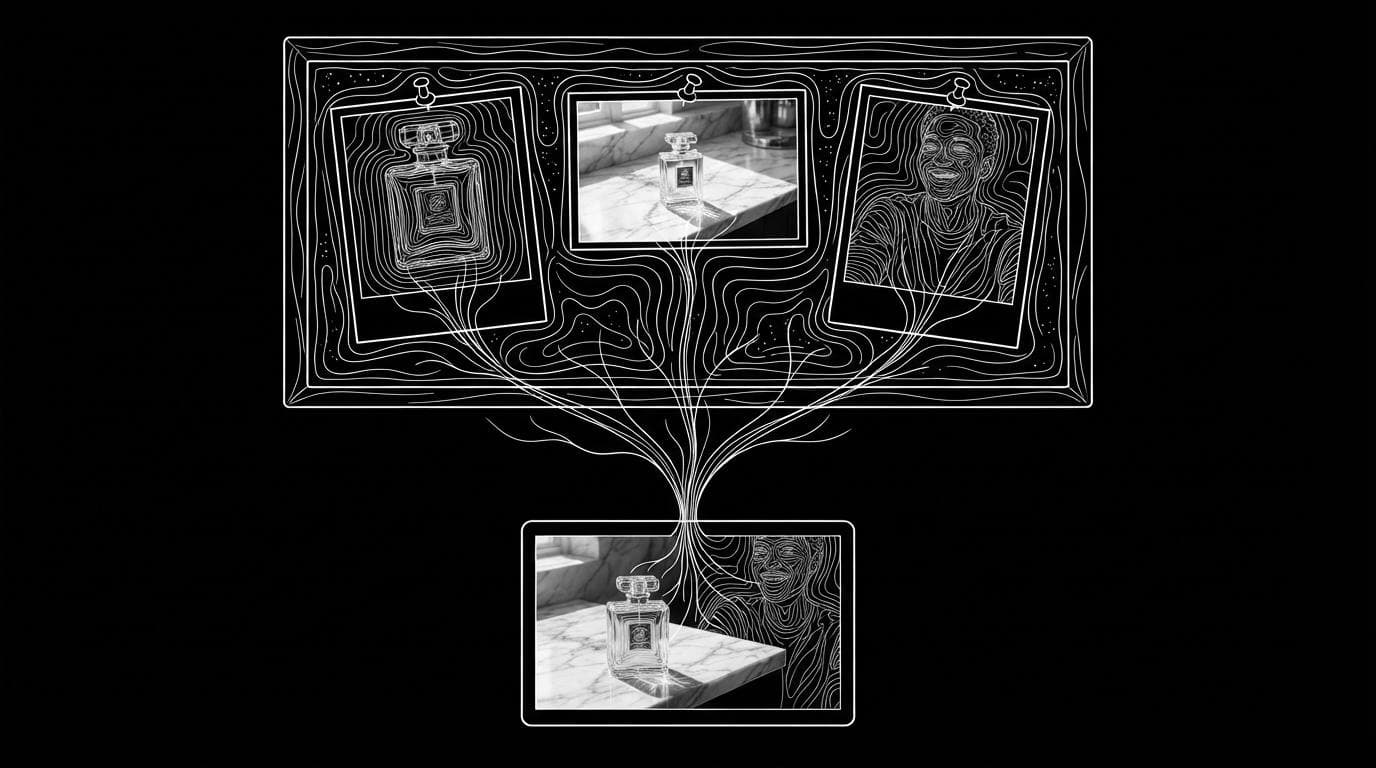
MiniMax H3 Reference works best when every file has a stated job. Sloosh's MiniMax doc calls a file with no stated job the most common reason a result goes wrong, and its keep levels follow MiniMax's own reference guide.
Image 1 (product) --> keep shape and label exactly
Image 2 (setting) --> use light and layout only
Image 3 (person)  --> keep face, loose on outfit
         |
         v
 prompt: one continuous shot, one camera move,
         Sound: ...  Music: ...
         |
         v
   MiniMax H3 Reference --> 5 to 15 s clip
Name each reference by number and give it one job.
- Name files by type and order: "Image 1 is the product", "Image 2 is the setting".
- Say how much to keep: "exactly", "loosely", "only the colour" or "only the mood".
- Write one camera move per continuous shot, in plain English with size and speed.
- Say "one continuous shot, no cuts" for a single take; otherwise "then" can turn into a cut.
- Keep sound, music and speech on separate lines, and write constraints as plain sentences, since there is no negative prompt.
MiniMax H3 Reference in Sloosh
Sloosh is an AI video and image studio for creators, filmmakers and brand teams. It runs two MiniMax reference models in Studio.
- MiniMax H3 Reference: up to 9 reference images, 5 to 15 seconds, at 480p, 768p, 2K or 4K, in Auto or six aspect ratios. It always makes sound and has a seed setting.
- MiniMax H3 Max Reference: the faster option at 480p, 768p or 1080p, with the same reference count and lengths. Sloosh's docs say it runs on fal, because MiniMax's own docs list no reference mode for H3 Max.
The Cardboard World Space uses MiniMax H3 Max: upload a product photo and get a 6-second 9:16 cardboard stop-motion video, for 2.93 credits a run.
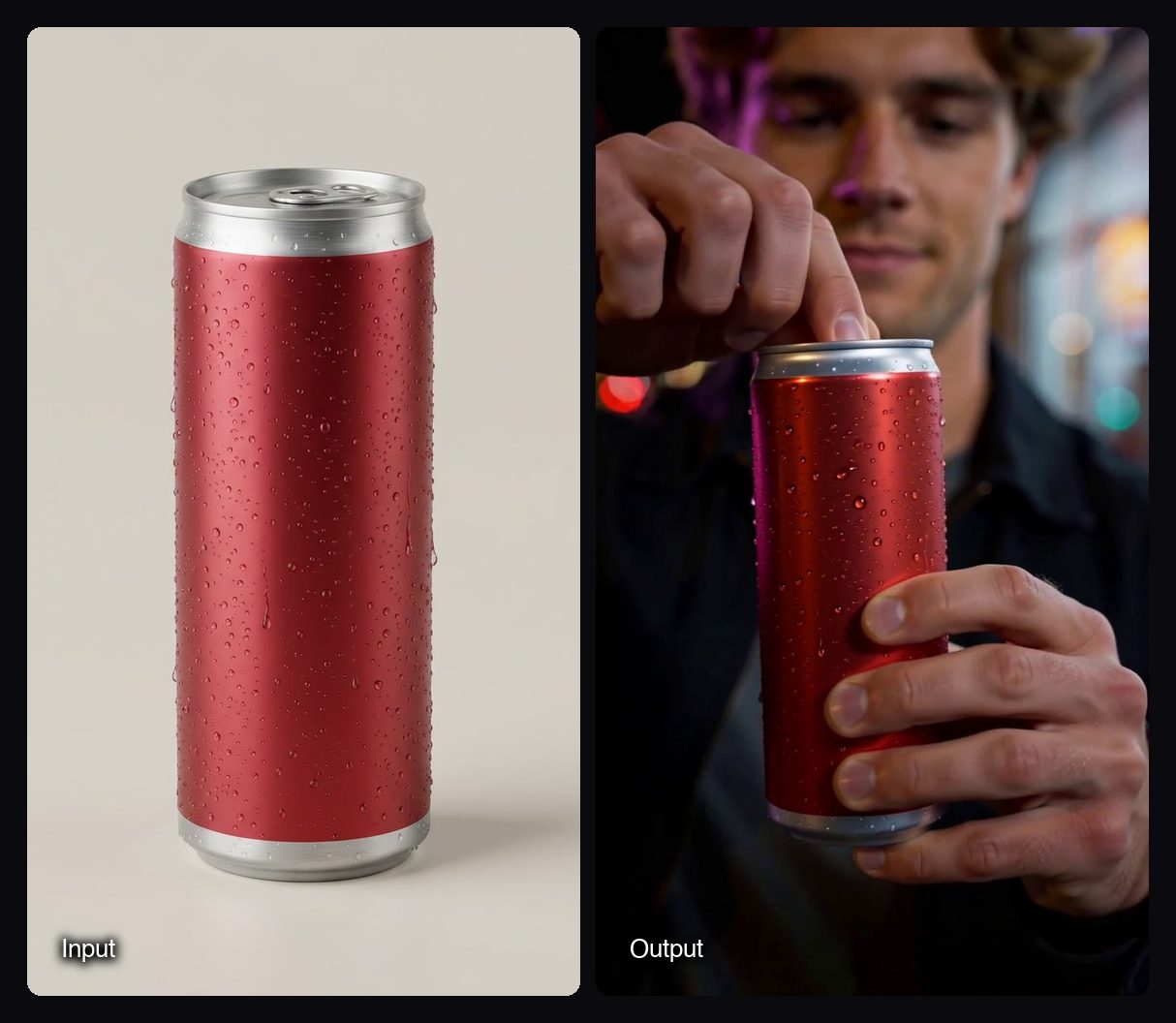
These clips are templates made with MiniMax H3 Reference in Sloosh:

Watch out for: in Sloosh, reference images cannot be combined with a start or end frame; use MiniMax H3 for frame-to-frame clips. Sloosh's own pages describe the H3 Reference inputs differently, so check the reference slots in Studio before you plan around reference videos or audio. Sound cannot be turned off. Sloosh has no public API yet; developers should use the MiniMax API or fal.
How to run MiniMax H3 Reference in Sloosh
Running MiniMax H3 Reference in Sloosh takes five steps.
- Open Studio > Video and pick MiniMax H3 Reference (or H3 Max Reference for speed) in the model chip.
- Add up to 9 reference images, such as the product, a person and a setting.
- Write the prompt: give each image a job, describe one continuous shot and one camera move, and put sound and music on separate lines.
- Set aspect ratio, resolution and length. Start at 768p to test, then render the keeper at 2K or 4K.
- Press Generate. The button shows the credit cost first, and the clip lands in My generations and Assets.
Frequently asked questions
How does MiniMax H3 reference-to-video work?
MiniMax H3 reference-to-video keeps the subjects of your reference files and builds a new scene around them. You name each file in the prompt and say what to keep from it, and the model chooses the framing. Every clip has sound.
Does MiniMax H3 have image-to-video?
Yes. MiniMax H3 also does image-to-video from a start and end frame, but as a separate mode. You cannot mix references and frames in one run, so pick references to keep a product or person, or frames to fix the opening and closing shots.
Can I run MiniMax H3 Reference locally?
Yes. MiniMax publishes the H3 weights on Hugging Face under the MiniMax H3 Community License, and ComfyUI has a native reference-to-video template. Local output is 768p natively, and MiniMax says the 2K upscaler is not yet open-source.
How much does MiniMax H3 Reference cost?
MiniMax H3 Reference costs $0.08 a second at 768p and $0.13 a second at 2K on MiniMax's API, plus $0.04 per reference image after the first 5 (Oct 23, 2026). fal lists $0.05 to $0.16 a second by resolution. In Sloosh, the Generate button shows the credit cost before you run.
MiniMax H3 Reference vs H3 Max Reference: which should I use?
Use H3 Max Reference for fast product clips where 1080p is enough, and H3 Reference for 2K or 4K. Both take up to 9 reference images and 5 to 15 second lengths in Sloosh, and both always make sound.
Bottom line
For code, use MiniMax's API or fal; for no-code use on MiniMax's own app, use Hailuo; for private local runs, use the open weights in ComfyUI. If you want MiniMax H3 Reference at up to 4K next to Seedance, Kling and Wan, with a ready-made product Space and agent access, Sloosh runs it in Studio.
Try MiniMax H3 Reference in Sloosh Studio