How Do I Make a Halloween Video Ad With AI?
How Do I Make a Halloween Video Ad With AI?
Updated October 23, 2026 · By Megan Carter
To make a Halloween video ad with AI, start from a clear photo of your product, pick a spooky visual style, generate 2 to 4 short shots, and finish with an end card that carries your brand and offer. In Sloosh, the Halloween Video Ad Space does all of that in one run: upload 1 to 4 product photos, type your brand name and offer, choose a style, and get a 6 to 12 second multi-shot ad for 23.35 credits (Sloosh, Oct 2026). General video tools like InVideo AI, Adobe Firefly, Runway or Canva also work if you want to write prompts and edit the shots yourself.
Halloween is October 31, so a seasonal ad has about a week of useful life. The fastest route is the one that needs the fewest decisions.
What does a good Halloween video ad need?
A good Halloween video ad shows the real product in the first second, uses one clear spooky style, and ends on a single offer. The checklist below works with any tool.
- The real product, early. Viewers scroll past seasonal ads quickly. Put the product on screen in the first 1 to 2 seconds, with the label readable.
- One visual style, not five. Pick one mood (moonlit horror, retro B-movie, cute and cosy, dark luxe gothic) and keep it across every shot.
- 2 to 4 cuts. A 6 to 12 second ad has room for an opening shot, one or two detail or scene shots, and an end card.
- One offer line. "20% off with code BOO" beats three competing messages. Put the code on the end card so it stays on screen.
- The right shape for the placement. Use 9:16 for Reels, Stories and TikTok, 1:1 for feed placements, and 16:9 for YouTube or landscape placements.
- An accurate product. AI can change label text, colours or proportions. Check every frame against the real product before you spend on ads.
How to make a Halloween video ad in Sloosh
The Halloween Video Ad Space in Sloosh turns product photos into a finished seasonal ad. It needs 5 inputs and runs in one step.
- Open the Space. Go to sloosh.ai/spaces/halloween-video-ad and sign in.
- Upload 1 to 4 product photos. Use clean, well-lit photos of the same product from different angles, with logos and labels visible.
- Add your brand name, and optionally what the product is and an offer line (for example "20% off with code BOO").
- Pick an ad style. The six options are Moonlit horror movie, Bold graphic pop, Product in costume, Retro B-movie, Cute and cosy spooky, and Dark luxe gothic.
- Pick a format and length. Choose 9:16 (reel or story), 1:1 (square) or 16:9 (landscape), and a length from 6 to 12 seconds.
- Generate. You get a short video ad with a Halloween theme, several scene cuts starring your product, and a branded end card with your offer.
[1-4 product photos] + [brand, offer] + [style, format]
            |
            v
  +---------------------------+
  | Halloween Video Ad Space  |  23.35 credits a run
  +---------------------------+
            |
            v
  [shot 1] -> [shot 2] -> [shot 3] -> [end card + offer]
  |<----------------- 6 to 12 seconds ---------------->|
How the Halloween Video Ad Space turns photos and a few choices into a finished ad.
Watch out for: the Space makes 6 to 12 second ads only. For a longer spot, generate shots in Sloosh Studio, where Seedance 2.5 and Wan 3 make clips up to 30 seconds, and edit them together. A new workspace starts with 20 free credits, which is less than one 23.35-credit run, so you need a plan or a top-up first.
What the Halloween Video Ad Space produces
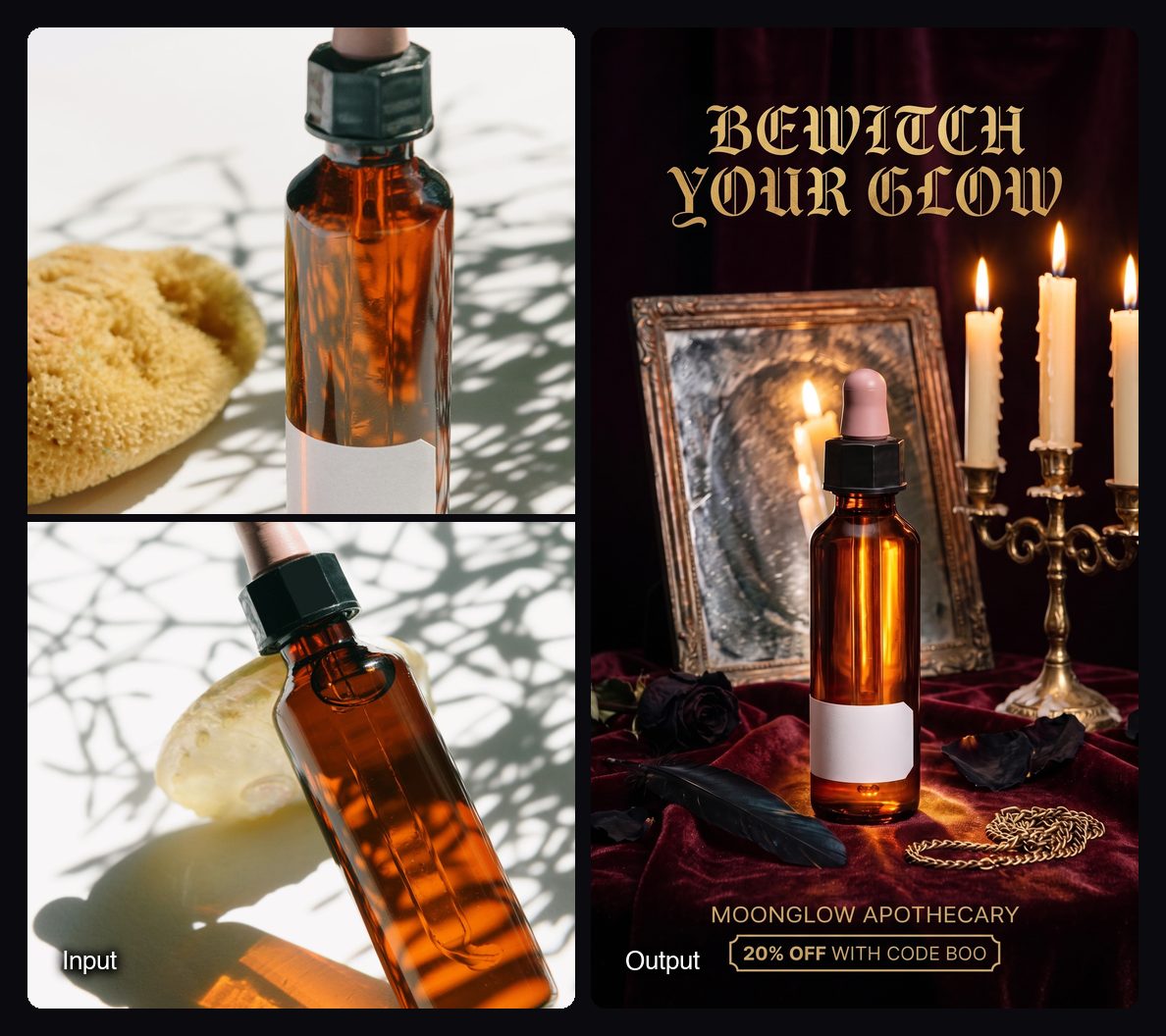
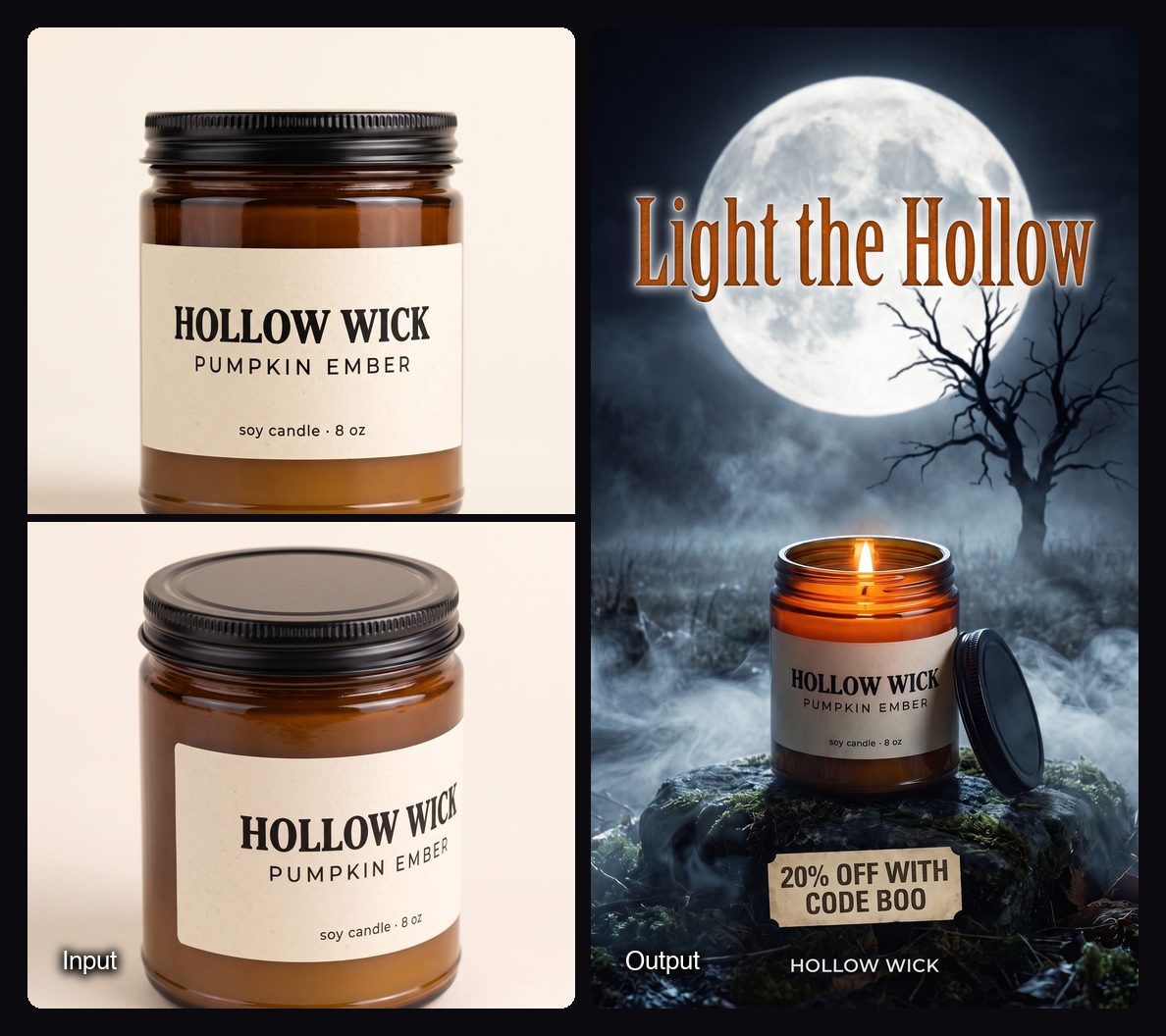
These are frames from template runs on the Space's template gallery. Each one can be recreated with your own product.
Other ways to make a Halloween video ad with AI
You can also build the ad shot by shot in a general AI video tool. This gives more control and takes more time, because you write each prompt, generate each clip and edit them together.
| Tool | Best for | How you work | Checked on |
|---|---|---|---|
| Sloosh Halloween Video Ad | A finished product ad from photos in one run | Fill a form: photos, brand, offer, style, format, length (6 to 12 s); 23.35 credits a run | Oct 23, 2026 |
| InVideo AI | Ads built from a text prompt with script and voice-over | Type a prompt; the tool drafts the script and scenes, then you edit | Oct 23, 2026 |
| Adobe Firefly | Teams already working in Adobe apps | Generate clips from text or an image, then edit in Premiere or Express | Oct 23, 2026 |
| Runway | Filmmakers who want shot-level control | Generate and edit individual clips, then cut them together | Oct 23, 2026 |
| Canva | Template-first social ads with text and stickers | Start from a Halloween template, swap in your product, add effects | Oct 23, 2026 |
Check each vendor's pricing page before you commit, since plans and credit costs change often.
Manual route. If you want full control, the steps are: write a 3-shot script (hook, product moment, end card), generate each shot from your product photo in an image-to-video model, add music and a voice-over, then put the offer on the last 2 seconds. In Sloosh Studio, you can do the shot generation step with any of the video models, then edit elsewhere.
Halloween ad ideas by product type
The right style depends on what you sell. These pairings match the Halloween Video Ad Space's style options.
- Beauty and skincare: Dark luxe gothic. Bottles on velvet, candlelight, deep reds.
- Food and drink: Retro B-movie. Bold titles, a "creature" reveal of the product.
- Candles and home: Moonlit horror movie. Fog, moonlight, slow pushes in.
- Kids, pets and gifts: Cute and cosy spooky. Pumpkins, soft light, friendly ghosts.
- Fashion and accessories: Product in costume or Bold graphic pop.
For a still poster to run next to the video, the Shop of Horrors Space makes a Halloween campaign poster with your product and offer in 4:5, 9:16 or 1:1, for 0.83 credits a run. For pet brands, Boo-tiful Pets turns 1 to 3 photos of a pet into three costume portraits for 2.34 credits a run.
Frequently asked questions
How long should a Halloween video ad be?
A Halloween video ad works best at 6 to 15 seconds for social placements. That is long enough for a hook, a product moment and an end card with the offer. The Sloosh Halloween Video Ad Space makes ads from 6 to 12 seconds.
Can I make a Halloween video ad from just a product photo?
Yes. Image-to-video AI tools animate a still product photo into short shots. The Sloosh Halloween Video Ad Space needs 1 to 4 photos of the same product, plus your brand name and an ad style.
What format should a Halloween ad be for Instagram and TikTok?
Use 9:16 vertical for Instagram Reels, Stories and TikTok. Use 1:1 for square feed placements and 16:9 for landscape placements such as YouTube. The Sloosh Space offers all three formats.
How much does it cost to make a Halloween video ad with AI?
In Sloosh, one Halloween Video Ad run costs 23.35 credits (Oct 2026). The Creator plan includes 195 credits a month for $19, which works out to about $2.30 a run at that rate. Other tools charge by plan or by generated second, so check their pricing pages.
Can AI keep my product label and logo accurate?
Usually, but not always. AI video models can blur or rewrite small text. Upload sharp photos with the label facing the camera, and check every frame before you run the ad.
Is it legal to use AI-generated video in ads?
Yes, AI-generated video can be used in ads, but the ad must still follow the platform's ad policies and must not misrepresent the product. Some platforms ask advertisers to label realistic AI content, so check the rules for the placement you are buying.
Bottom line
For a finished Halloween product ad this week, the quickest route is a template-driven tool: upload photos, pick a style, and get the ad. For a longer or more custom spot, generate shots one by one in a general AI video tool and edit them. Sloosh covers both, with the Halloween Video Ad Space for the fast route and Studio for custom shots.
Make a Halloween video ad in Sloosh