How do I make a cinematic product ad with AI?
How do I make a cinematic product ad with AI?
Updated October 23, 2026 · By Megan Carter
To make a cinematic product ad with AI, plan it as a short film: pick one mood reference, storyboard 4 to 6 shots (reveal, macro detail, in use, hero, end frame), generate each shot from your real product photo, then cut the clips together with sound. In Sloosh, the Cinematic Ad Sequence Space makes that six-frame storyboard in your reference's look for 12.06 credits, and Seedance 2.5 in Studio animates shots of 4 to 30 seconds at up to 1080p (Sloosh, Oct 2026). Runway, Google Flow and Kling also work if you want to build every shot by hand.
What makes an ad feel cinematic is mostly decided before you generate anything.
What makes a product ad cinematic?
A product ad looks cinematic when every shot shares one look, the camera moves with intent, and the product is lit like the hero. This checklist works with any tool.
- One mood reference. A film still or an ad you admire sets the colour grade, light and mood. Use the same one for every shot.
- A shot list, not one long prompt. Reveal, macro detail, in hand, in use, hero, end frame. Each shot does one job.
- Slow, motivated camera moves. A push-in, an orbit or a pedestal move. Avoid changing the camera every second.
- Light the product. Rim light on glass, soft light on skin products, hard light on metal. Describe it in every prompt.
- Real product detail. Generate from a sharp product photo, and check the label in every frame.
- Sound. Plan one clear sound effect per shot, such as a glass click or a cap twist, under a simple music bed.
- An end frame. Hold on the product with space for your logo and offer.
How to make a cinematic product ad in Sloosh
Sloosh is an AI video and image studio for creators, filmmakers and brand teams. You can go storyboard-first, or let one Space make the whole video.
 [product photo] + [mood reference]
              |
              v
  Cinematic Ad Sequence -> 6 frames, 16:9   12.06 cr
  reveal | macro | in hand | in use | hero | end
              |
              v
  Studio: Seedance 2.5, frame as start frame
  timed beats  0-3s / 3-7s / 7-10s
              |
              v
     [cut, add sound, logo and offer]
Storyboard first, then animate each frame and edit.
Route 1: storyboard, then animate
- Make the storyboard. In Cinematic Ad Sequence, upload your product photo and a style reference. You get six 16:9 frames in story order: reveal, macro detail, in hand, in use, hero float and an end frame, all in your reference's look.
- Animate each frame. The Space's own guidance is to use the frames as first frames in video. In Studio's Video page, pick Seedance 2.5, add a frame as the start frame and describe the camera move.
- Write timed beats. Seedance 2.5 follows beats in whole seconds, such as
0-3s:and3-7s:. Give each beat its visuals, camera, action and sound, and put sound effects in angle brackets, like<a soft glass click>. - Edit. Cut the clips in order, add music and put your logo and offer on the end frame.
Note that in Sloosh a Seedance 2.5 start frame cannot be combined with reference images. Use a start frame to fix the opening shot, or references to keep the product consistent.
Route 2: one Space for the whole video
Create Ad of any product takes 1 to 6 product photos, a model photo, two style reference videos, a video length, an aspect ratio and a brief, and returns a video ad built for Meta Ads, for 38.11 credits a run. The Space's page says this takes less than 2 minutes; we have not timed it. Template runs of this Space use Seedance 2.5.
Route 3: quick b-roll
Multishot Product Clips turns one product photo into three 5-second vertical clips (a macro push-in, a pedestal turn and an in-hand shot) for 25.2 credits, ready to cut into an ad.
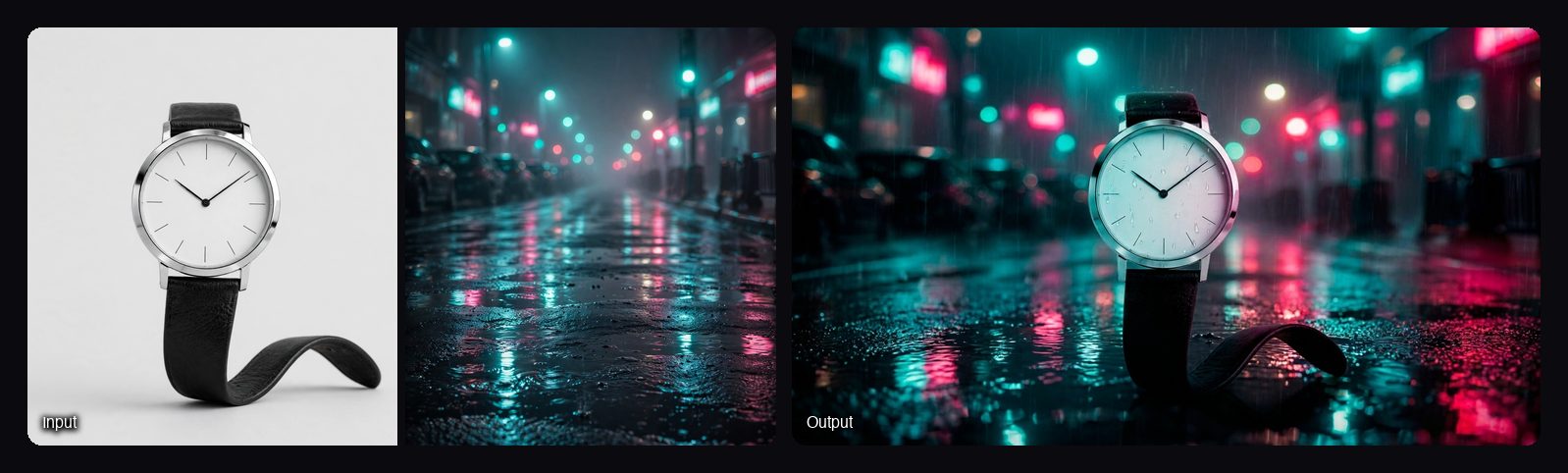
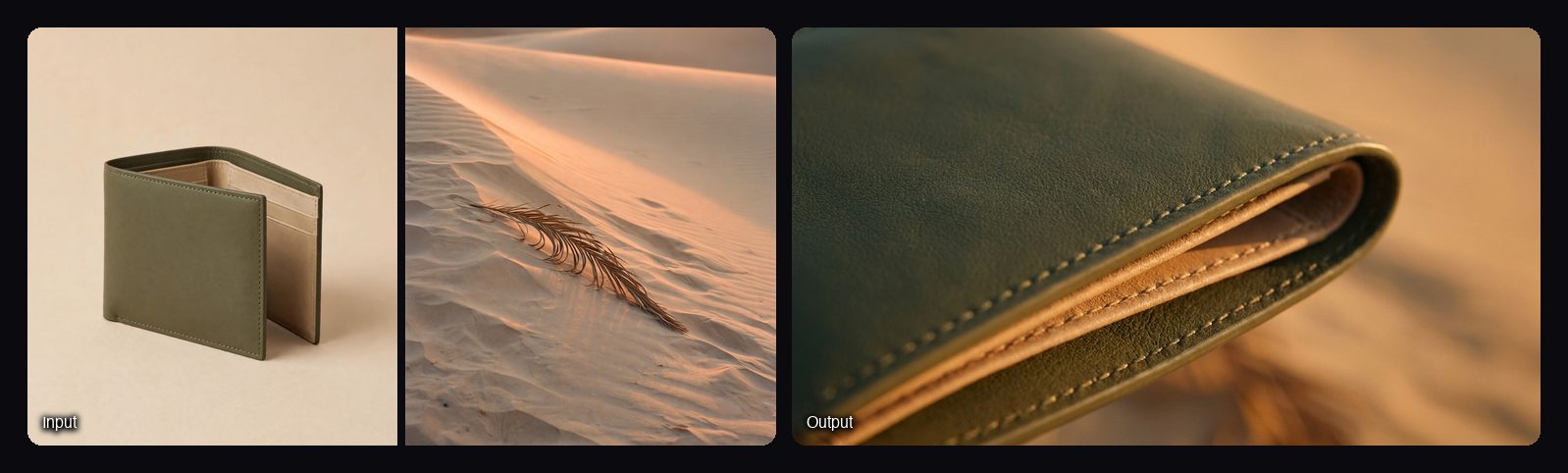
Watch out for: Cinematic Ad Sequence makes still frames, not video, so animation is a second step with its own cost. Create Ad of any product needs two style reference videos and a model photo, so it is not a one-photo tool. Sloosh does not edit the final cut for you; use your own editor for the sequence, music and titles.
Other ways to make a cinematic product ad
General AI video tools give you shot-by-shot control. Facts are from each vendor's own site, checked on October 23, 2026.
| Tool | Best for | What it offers | Checked on |
|---|---|---|---|
| Sloosh | Storyboard-first product ads, then animation | Six-frame storyboard Space, Seedance 2.5 shots of 4 to 30 s, product ad video Spaces | Oct 23, 2026 |
| Runway | Filmmakers who want one strong general model | Gen-4.5 video model; Runway Ads generates and publishes ads | Oct 23, 2026 |
| Google Flow | Building a scene from several references | Veo 3.1 with Ingredients to Video, Frames to Video, Scenebuilder and Extend | Oct 23, 2026 |
| Kling | Kling's own models and motion tools | Kling 4.0 video, Image to Video, Motion Control | Oct 23, 2026 |
| CapCut | The final edit | Editing, templates and automatic captions | Oct 23, 2026 |
Check each vendor's pricing page before you commit.
Frequently asked questions
Can AI make a product ad from one photo?
Yes. Image-to-video models animate a single product photo into short shots. In Sloosh, Multishot Product Clips makes three 5-second clips from one photo, and Cinematic Ad Sequence makes a six-frame storyboard from one photo plus a mood reference.
How long should a cinematic product ad be?
Short: long enough for a reveal, one or two detail shots and an end frame for the offer, with the product on screen in the first seconds. Seedance 2.5 in Sloosh makes single clips of 4 to 30 seconds, so a whole short ad can be one generation.
How do I keep my product looking the same in every shot?
Use the same sharp product photo for every shot and name it in the prompt, for example "Image 1 is the amber serum bottle; keep its label exactly". Seedance 2.5 in Sloosh takes up to 30 reference images and 10 reference videos.
Is it legal to use AI-generated video in ads?
Yes, AI-generated video can be used in ads, but it must follow the platform's ad policies and must not misrepresent the product. Sloosh's Space pages say you can use what you create in your ads, store and social posts.
How much does a cinematic product ad cost in Sloosh?
It depends on the route. Cinematic Ad Sequence costs 12.06 credits, Multishot Product Clips 25.2 and Create Ad of any product 38.11 (Oct 2026); Studio shows each clip's cost on the Generate button. The Creator plan includes 195 credits a month for $19.
Bottom line
A cinematic product ad is a short film: one look, a shot list, slow camera moves and a lit product. Build it shot by shot in Runway, Google Flow or Kling if you want full control, or start in Sloosh with a six-frame storyboard in your reference's look and animate it with Seedance 2.5.
Make a cinematic ad storyboard in Sloosh