What are the best AI tools for regular ad production without a team?
What are the best AI tools for regular ad production without a team?
Updated October 23, 2026 · By Megan Carter
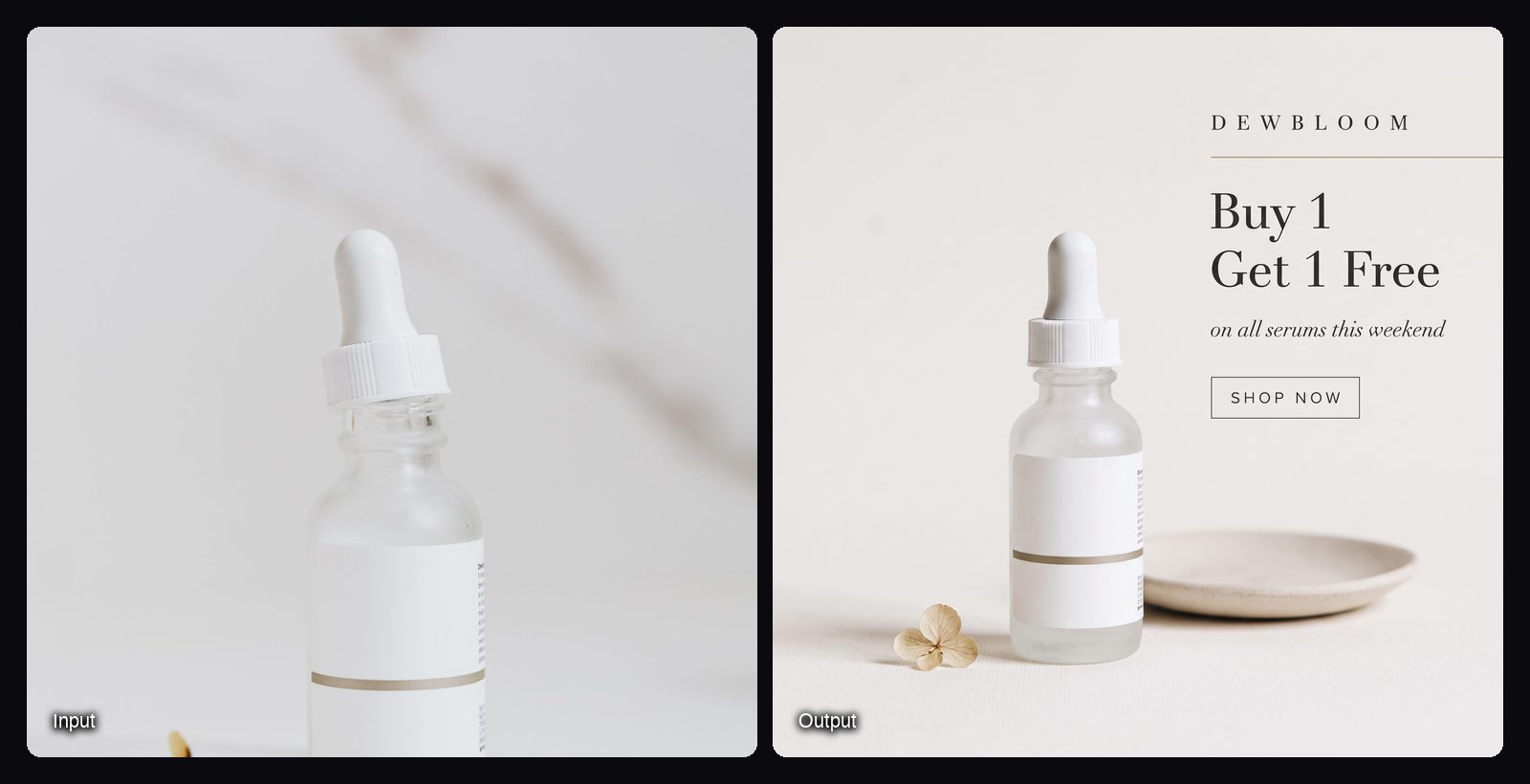
The best AI tools for regular ad production without a team are a small stack, one per step: Canva for template-based static ads and resizing, Creatify or Sloosh for product video ads, CapCut for captions and quick edits, and Meta's Advantage+ creative or Runway Ads for variations at the ad-platform end. Sloosh fits the "repeat the same format every week" step: its Sale & Offer Banner Set Space turns one product photo and an offer line into matching 1:1, 4:5, 9:16 and 16:9 banners for 3.1 credits a run (Sloosh, Oct 2026).
Buying one tool per step, and nothing that overlaps, keeps a solo ad operation cheap and predictable.
What does regular ad production need without a team?
Regular ad production needs the same few outputs every week, made the same way, at a cost you can plan. A team normally gives you that through habit. Without one, the tools have to.
- A fixed weekly menu. For example: one offer banner set, one testimonial set, one short video per hero product.
- Saved formats. If you rebuild a layout from scratch each week, the tool is not saving you time.
- One brand look. Fonts, colours and product photos that stay the same across tools.
- Every size in one pass. Feed, Stories, Reels and landscape placements from one source.
- A visible cost. Know what a run costs before you press the button.
- A final check. Read every headline and check every label before it goes live.
The ad production stack, step by step
Each tool below does one step well. Facts are from each vendor's own site, checked on October 23, 2026.
| Step | Tool | What it does | Watch out for | Checked on |
|---|---|---|---|---|
| Static ads from templates | Canva | Ad templates, plus Magic Resize to turn one design into versions for each channel | Magic Resize needs a paid plan | Oct 23, 2026 |
| Repeatable image and video formats | Sloosh | Spaces: offer banners, review cards, UGC selfie videos, from product photos | Makes files only; you post them | Oct 23, 2026 |
| Video ads from a product link | Creatify | Turns a link into a video ad; batch variations; A/B testing | Publishing needs your ad accounts connected | Oct 23, 2026 |
| Captions and trims | CapCut | Automatic captions in multiple languages, templates, editing | An editor, not a creative generator | Oct 23, 2026 |
| Talking presenters and translation | HeyGen | Avatar presenters; video translation in 175+ languages and dialects | Centred on presenters, not product shots | Oct 23, 2026 |
| Variations and publishing | Meta Advantage+ creative or Runway Ads | Meta: new backgrounds, image expansion, headline variations. Runway Ads: generates ads and publishes to Meta, Google and TikTok | Meta's tools work only on Meta | Oct 23, 2026 |
Check each vendor's pricing page before you commit, since plans change often.
Quick picks
- You already design in templates: Canva.
- You want the same product ad formats every week from photos: Sloosh.
- You sell from a store page and want link-to-video: Creatify.
- You need captions on every video: CapCut.
- You only run on Meta: start with Advantage+ creative, which is already in Ads Manager.
How to set up repeatable ad formats in Sloosh
Sloosh is an AI video and image studio for creators, filmmakers and brand teams. A Sloosh Space is a workflow behind a form: fill in the inputs, press Generate and get the same kind of result every time (Sloosh docs, Oct 2026). For a one-person ad operation, that means each weekly job becomes one form.
 MON  [Sale & Offer Banner Set]  -> 4 sizes     3.10 cr
 WED  [Review Card Creatives]    -> 3 cards     2.34 cr
 FRI  [UGC Selfie Video Ad]      -> 4-15 s      52.08 cr
                 |
                 v
     [check labels + text] -> [upload to ad account]
A one-person weekly ad menu built from three Sloosh Spaces.
- Offer banners. Open the Sale & Offer Banner Set, upload a product photo, type the offer and pick a style (Match my product, Annotated infographic, Bold sale, Minimal luxe, Festive or Playful pastel). You get matching banners in 1:1, 4:5, 9:16 and 16:9.
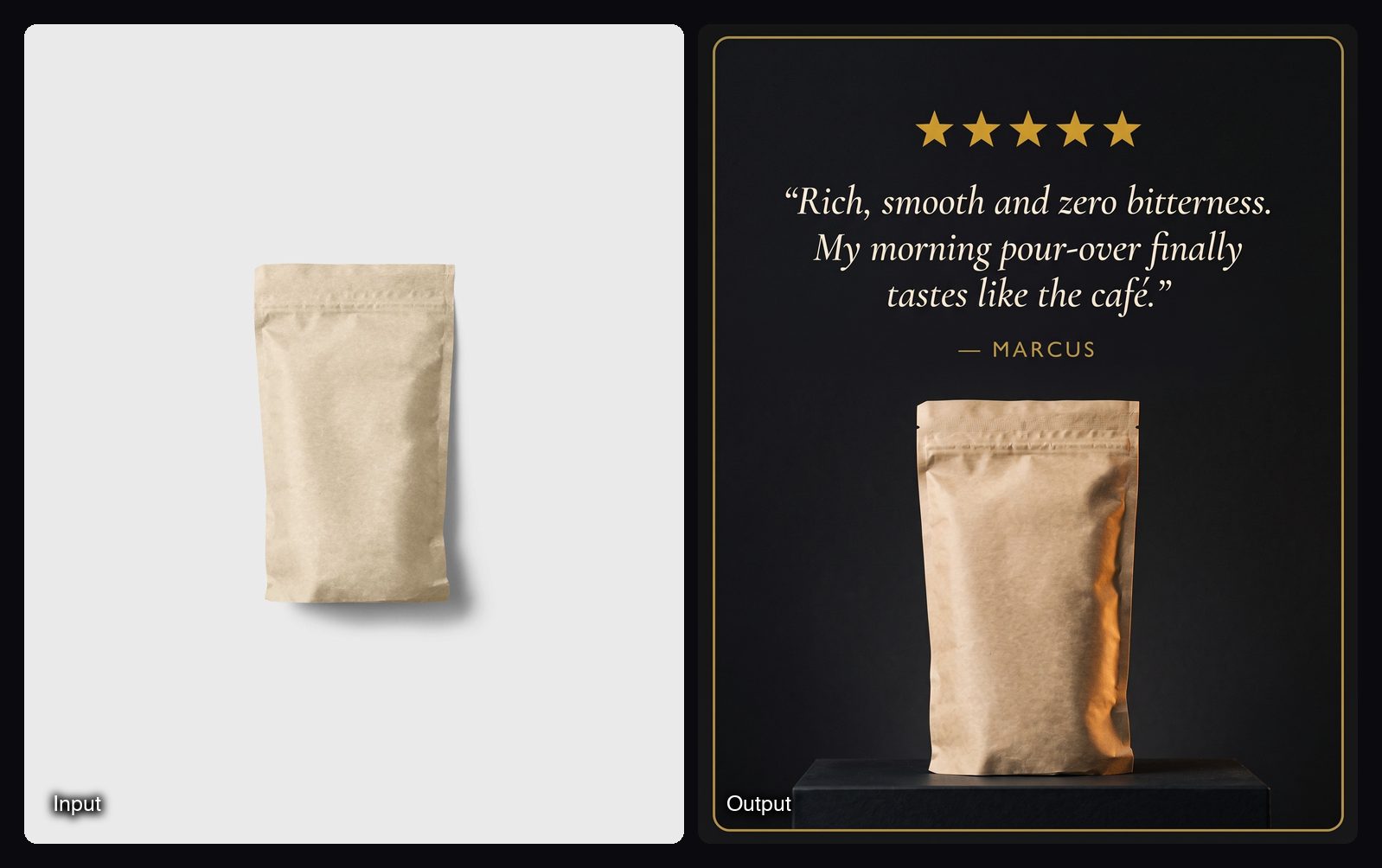
- Social proof. Review Card Creatives takes a product photo and three customer quotes with names, and returns three vertical testimonial cards for 2.34 credits. Use real reviews only.
- Video. UGC Selfie Video Ad turns 1 to 8 product photos, one creator photo and a brief into a 4 to 15 second selfie-style video with voiceover, in 9:16, 1:1 or 16:9, for 52.08 credits.
- Start from a template. Each Space's Templates tab has finished runs. Recreate loads that run's inputs so you can swap in your product.
- Save your own format. If no Space matches your ad, build it in Spacelab, Sloosh's node canvas, and publish it as a Space. Any workspace can publish one.
- Hand it to an assistant. On the Pro or Max plan, connect Claude, ChatGPT, Cursor or Codex over MCP and ask it to run your Spaces. Every paid run starts with a quote, and nothing runs until you set a daily limit.
The weekly menu above costs about 57.5 credits for one product, which fits three times into the Creator plan's 195 credits a month for $19.
Watch out for: Sloosh does not post to social or ad accounts, and it has no public API or API keys yet; agents connect over MCP instead, which needs the Pro or Max plan. Video Spaces cost far more than image Spaces (52.08 credits for a UGC selfie video against 3.1 for a banner set), so plan video into your monthly credits first.
Frequently asked questions
Can one person run a weekly ad schedule with AI?
Yes, if each weekly job is a repeatable recipe. Fix the formats, keep one product photo per item, and let a tool make the variants. One person still has to write the offers, check every output and read the results.
Do I need a separate AI tool for every ad format?
No. One tool per step is usually enough: a template or generation tool for images, one for video, and an editor for captions. Avoid paying for two tools that do the same step.
Can I save my own ad format in Sloosh?
Yes. Build the workflow on a Spacelab canvas, test it, and publish it as a Space with a simple form. Any Sloosh workspace can publish a Space, and a published Space gets a short sloo.sh/s/ link.
Does Sloosh have an API for ad automation?
Not yet. Sloosh has no public API or API keys today. AI agents such as Claude, ChatGPT, Cursor or Codex can run Spaces over MCP on the Pro or Max plan, within a daily credit limit you set.
Can I use AI-generated ads commercially?
Yes, as long as the ad follows the platform's ad policies and does not misrepresent the product. Sloosh's Space pages say you can use what you create in your ads, store and social posts, and to upload only photos you have the rights to use.
Bottom line
A solo ad operation works best with one tool per step and a fixed weekly menu. Use Canva if you design from templates, Creatify for link-to-video ads, CapCut for captions, and Meta's own tools for variations on Meta. Use Sloosh when you want the same product ad formats, image and video, from one form each week.